7 Best Alternatives to WooCommerce Bookings Plugin
Small businesses often start with WooCommerce Bookings because it installs into a WordPress site that already runs WooCommerce and adds booking rules to standard products. WooCommerce itself is free, while the Bookings extension is typically about $249 per year for a single site, and you may add paid extensions for deposits or accommodations if needed. In practice, it converts a service into a “bookable product” with time slots, then routes customers through the same WooCommerce cart and payment gateway they use for physical items.
It works well for straightforward bookings. Think bike or camera rentals, a podcast or photo studio by the hour, city tours, kayak trips, surf lessons, escape rooms, tennis courts, coworking rooms, or a simple meeting room or one-off consultation.
Service businesses follow a different rhythm. Salons, clinics, coaches, and creative studios juggle people and prep time, not just slots. They need staff calendars, buffer time between appointments, short intake forms, automatic reminders, two-way calendar sync, and fast rescheduling when plans change.
That is why many teams explore WooCommerce Bookings alternatives. In this guide, we spotlight where a WooCommerce Bookings competitor can fit real workflows better, what each option costs, and which features help you launch fast without extra admin. A comparison table at the end of this post lets you scan differences and pick an affordable WooCommerce Bookings alternative that feels better than WooCommerce Bookings for your day-to-day small business operations.
Why Do People Look for WooCommerce Bookings Alternatives?
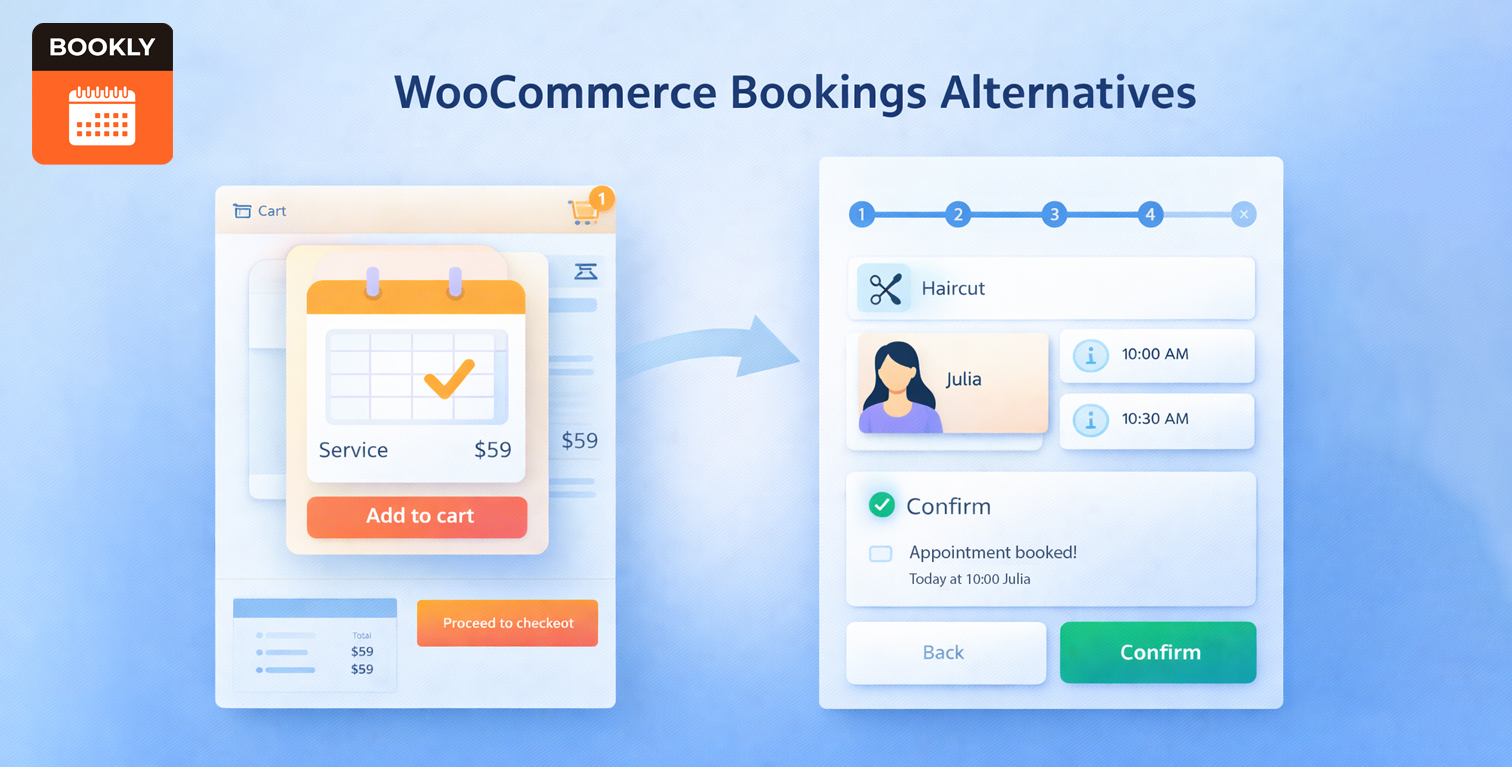
- Product pages are not always ideal for services. A salon, dental clinic, or fitness studio may want a guided, multi-step flow with staff selection, buffers, and intake questions rather than a product-style checkout.
- Total cost matters. Many teams want an affordable WooCommerce Bookings alternative that does not require multiple paid extensions for basics like deposits, reminders, or calendar sync.
- Service operations need staff views. Multi-location scheduling, separate provider calendars, and availability rules push owners toward an alternative to WooCommerce Bookings for business workflows.
- Integrations vary. SMS, Zoom, CRMs, two-way calendar sync, and custom notifications can influence your pick among the top WooCommerce Bookings competitors.
Below are the options we see most often on shortlists:
Main WooCommerce Сompetitor Snapshots
Bookly
A WordPress booking appointment suite with a polished step-by-step wizard, multi-staff scheduling, and online payments. You can start free, then upgrade to Pro ($49/year) for unlimited staff and services, Google Calendar sync, WooCommerce compatibility, and client self-service. Need more out of the box? Business ($199/year) bundles popular add-ons like Custom Fields, Group Booking, Recurring Appointments, Deposits, and Stripe. For full capability and priority support, Ultimate ($399/year) includes all add-ons. This tiered, modular path enables small teams to control their spending while maintaining a clean booking experience.
Amelia
Combines appointments and events in a modern interface, with multiple form layouts, recurring bookings, deposits, packages, and calendar sync under one roof. Plans typically start around $79 per year, with higher annual tiers and lifetime licenses that raise provider limits and unlock more integrations. A good fit if you prefer a bundled experience with fewer moving parts.
Booknetic
An all-in-one WooCommerce Bookings competitor for service providers, offering a capable dashboard, recurring bookings, coupons, multi-location support, and messaging. Licenses are paid once, often $79 for Basic, $199 for Standard, and $349 for Premium, which can reduce ongoing costs while higher tiers bundle more advanced tools.
WP Booking Calendar
A veteran for single-day slots and multi-day reservations, with seasonal pricing, deposit rules, and .ics sync that suit rentals, rooms, or resource scheduling. Editions range from about $79 for Personal up to $649 for MultiUser or Developer, so you can map features and capacity to your budget.
Simply Schedule Appointments (SSA)
Known for quick setup and a calm admin experience, with clean booking forms, payments on premium plans, SMS and Zoom add-ons, and Google Calendar two-way sync. You can start free, then move to Plus at roughly $99 per year, Professional around $199 per year, or Business near $299 per year, with a lifetime option available.
Booqable
A cloud platform focused on physical inventory rentals that embeds into WordPress. Track stock, set rental periods, take deposits, and issue quotes and invoices from a hosted back office. Pricing is subscription-based, commonly $29 per month for Essential, $79 per month for Pro, and $249 per month for Premium, which suits rental-first operations.
WP Booking System
Lightweight availability calendars with customizable forms, ideal when you want a lean reservations layer rather than a full staff scheduler. Paid plans generally begin around $49 to $59 per year, with higher tiers adding more sites and extra controls, including online payments through providers like Stripe and PayPal.
Throughout the guide, we compare each option to WooCommerce Bookings and note where a tool may be better than WooCommerce Bookings for a specific scenario. If you prefer a quick summary, jump to the comparison table below.
The Best WooCommerce Bookings Alternatives, Head-to-head
Bookly (WordPress Booking Plugin)
Bookly is a full appointment system for WordPress with a clean step-by-step booking flow, flexible service catalogs, and real multi-staff scheduling. Clients pick a service, choose a team member, see live availability, and confirm in a few clicks. In admin, you define working hours, breaks, buffers, special days, and color-coded calendars, plus segment services, locations, and pricing. Notifications cover email and SMS, payments connect via WooCommerce or native gateways, and calendars sync with Google and Outlook. Add-ons extend functionality into recurring visits, deposits, custom fields, packages, waiting lists, Zoom, and customer or staff portals. You can start on Free, move to Pro for unlimited staff and services, or pick a bundled tier if you want popular add-ons included.
Notable features:
- Guided, mobile-friendly wizard with a simple, step-by-step flow
- Multi-staff schedules with hours, breaks, buffers, and color-coded calendars
- Google and Outlook calendar integrations, with two-way sync on higher tiers
- WooCommerce bridge for familiar checkout and order reporting
- Email and SMS templates for confirmations, reminders, follow-ups, and staff agendas
- Clear growth path, from Free to Pro or bundled tiers.
Drawbacks:
- Some advanced capabilities live in add-ons, so the total cost depends on what you enable
- Very complex workflows may require combining several modules and careful setup.
Why it often rises as a good WooCommerce Bookings alternative: a staff-first flow, a friendly front end, and spending that scales with your needs.
Amelia
Amelia offers a cohesive environment for recurring appointments and events. You get modern booking layouts, recurring bookings, packages, deposits, email notifications, and calendar sync on higher tiers. The polished interface appeals to teams that prefer fewer moving parts. For stores weighing a WooCommerce Bookings alternative, Amelia bundles payments and staff or location management in one place, which helps small teams launch quickly without stitching together extra plugins.
Notable features:
- Appointments and events in one plugin
- Multiple form styles with support for recurring visits
- Deposits, coupons, and invoicing
- Email notifications included, additional channels on upper tiers
- Calendar sync and basic reporting.
Drawbacks:
- Subscription model for premium features
- A steeper learning period for non-technical users
- Certain capabilities live behind mid or upper tiers.
Why it stands out: a tidy, bundled experience with less configuration overhead.
Booknetic
Booknetic delivers an extensive set of scheduling tools within a modern admin interface. Expect recurring bookings, coupons, multi-location structures, roles and permissions, and messaging options. One-time licenses can be easier to budget for, and higher tiers pack more in. It also offers a drag-and-drop form builder, two-way Google and Outlook sync, Zoom meeting creation, WooCommerce integration, and webhooks that integrate with CRMs and marketing tools.
Notable features:
- Feature-rich dashboard with granular roles
- Recurring appointments and flexible pricing
- Email, SMS, and sometimes WhatsApp messaging
- Multi-location and multi-service configurations
- Exports, reports, and multiple payment gateways
Drawbacks:
- Initial setup can feel heavier than lighter plugins
- Some integrations require upper-tier plans
Why it stands out: a comprehensive WooCommerce Bookings competitor for teams that want many advanced tools without juggling too many extensions.
WP Booking Calendar
WP Booking Calendar shines in resource-driven scenarios, from vacation rentals to equipment blocks. It handles time slots and multi-day reservations, seasonal pricing, deposits, and .ics syncing. For teams comparing a WooCommerce Bookings alternative, it offers fine-grained availability rules and seasonal rate control that map well to rentals and room-based scheduling.
Notable features:
- Interactive availability calendars for single or multi-day reservations
- Custom booking forms with flexible fields
- PayPal and Stripe on paid tiers
- .ics import and export for calendar sharing
- Advanced hourly bookings and rules on Business plans.
Drawbacks:
- Interface can feel dense to newcomers
- Several important functions live in higher editions
- Staff scheduling is not the main lens.
Why it stands out: granular control for rentals and resources, not just appointments.
Simply Schedule Appointments (SSA)
SSA is built for speed. A friendly setup wizard, Gutenberg blocks, and sensible defaults help teams go live quickly. Premium plans layer on payments, SMS, Zoom, and Google Calendar two-way sync. It also plays nicely with membership plugins and form builders, so you can gate bookings for members or collect intake details without extra custom code.
Notable features:
- Quick setup with a clean UI
- Flexible appointment types, custom intervals, padding, blackout dates
- Email confirmations, SMS on higher plans
- Two-way calendar sync
- Integrations with major page builders.
Drawbacks:
- Fewer advanced pricing and rental rules
- Some features require higher tiers
- No native analytics dashboard.
Why it stands out: a calm, approachable booking flow for solo pros and small teams.
Booqable
Booqable targets inventory rentals rather than staff calendar views. You get real-time stock, hourly or multi-day rentals, deposits, quotes, invoices, and barcode scanning, all in a hosted back office embedded on your WordPress site. As a WooCommerce Bookings competitor, it excels at inventory rules like prep time buffers, damage deposits, and blackout periods, and it updates availability during checkout so customers only see items that are truly in stock.
Notable features:
- Livestock counts and per-item availability
- Rental calendars for varied durations
- Embedded storefront that drops into WordPress pages
- Integrated payments, deposits, quotes, and invoices
- Multi-location and team permissions on upper tiers.
Drawbacks:
- Subscription costs instead of a one-time license
- Data hosted off-site
- Less control over deep WordPress customization.
Why it stands out: a focused choice for rental businesses that need stock control more than staff management.
WP Booking System
WP Booking System keeps things lean. Clean calendars, custom forms, and optional payments cover many simple reservation needs without the weight of a full scheduler. It suits cottages, studios, and venues that want a straightforward WooCommerce Bookings alternative for date availability without managing staff rosters or complex intake flows.
Notable features:
- Clear calendars for single or multi-day bookings
- Custom forms with flexible fields
- Prices, taxes, and discounts on paid plans
- Stripe and PayPal options
- Easy embedding via shortcode or block.
Drawbacks:
- Fewer staff-centric features
- Advanced automations often require external tools
Why it stands out: a lightweight, affordable calendar layer.
Comparison table, including WooCommerce Bookings
Below is a quick-scan table. Checks mean native support in current plans, circles suggest partial or plan-dependent availability, and blanks indicate no native feature. Use this to compare WooCommerce Bookings alternatives quickly and assess other WooCommerce Bookings competitors at a glance:
| Feature | WooCommerce Bookings | Bookly | Amelia | Booknetic | WP Booking Calendar | SSA | Booqable | WP Booking System |
| Unlimited appts. | ✓ | ✓ (Start) | ✓ | ✓ | ✓ | ✓ | ✓ | ✓ |
| Calendar views | ○ product-centric | ✓ month, week, day, list | ✓ | ✓ | ✓ timeline | ✓ | ✓ rental | ✓ |
| Searchable list | ○ | ✓ filter, sort, search | ✓ | ✓ | ✓ | ✓ | ○ | ✓ |
| Separate forms | product page | ✓ Search, Services, Staff | ✓ multiple styles | ✓ | ✓ | ✓ blocks | embed | ✓ |
| Staff schedule | ○ resources | ✓ per-staff hours | ✓ | ✓ | ○ | ○ | X | X |
| Custom pricing | ✓ via extensions | ✓ via add-ons | ✓ deposits, packages | ✓ conditional | ✓ seasonal, deposits | ○ | ✓ rental | ✓ prices, taxes |
| Company hours | ✓ | ✓ | ✓ | ✓ | ✓ | ✓ | ✓ | ✓ |
| Unlimited forms | ○ | ✓ | ✓ | ✓ | ✓ | ✓ | ○ | ✓ |
| Custom design | ○ theme-dependent | ✓ appearance controls | ✓ | ✓ visual tools | ○ | ✓ | storefront theme | ○ |
| Admin interface | Woo admin | ✓ dashboard, analytics | ✓ | ✓ dedicated dashboard | ✓ | ✓ | web back office | ✓ |
| Redirect URLs | ○ | ✓ | ✓ | ✓ | ○ | ✓ | ○ | ✓ |
| Customer list | ✓ | ✓ | ✓ | ✓ | ✓ | ✓ | ✓ | ✓ |
| Local payments | ✓ | ✓ | ✓ | ✓ | ✓ | ✓ | ✓ | ✓ |
| Payment details | ✓ Woo gateways | ✓ via add-ons | ✓ methods | ✓ gateways | ✓ Stripe, PayPal | ✓ | ✓ | ✓ options |
| Currency format | ✓ | ✓ | ✓ | ✓ | ✓ | ✓ | ✓ | ✓ |
| Auto notifications | ✓ email and SMS | ✓ custom | ✓ email, SMS, WhatsApp | ✓ email, some SMS | ✓ email, SMS on higher tiers | ✓ | ✓ | |
| Custom templates | ○ | ✓ many templates | ✓ | ✓ | ✓ | ✓ | ○ | ✓ |
| ICS support | ✓ .ics export | ○ Outlook add-on | ○ calendar sync | ○ Outlook on Premium | ✓ import or export .ics | ○ Google invites on Pro | ✓ | ○ |
| Multi-language | theme-dependent | ✓ languages included | ✓ | ✓ visual translator | ✓ | ✓ | storefront | ✓ |
*Plan details change, so double-check each vendor’s pricing page before buying.
Final Thoughts
There is no single winner among WooCommerce Bookings alternatives. The right pick depends on whether you schedule people or products, how you take payments, which calendars you sync, and how much form control you need.
Many small businesses opt for Bookly because it strikes a balance between flexibility and simplicity. It runs fine without WooCommerce, yet connects to it when you want the same checkout. The client flow is appointment-first and clear. Multi-staff calendars, buffers, and quick rescheduling are built in, and you add deposits, recurring visits, custom fields, or Zoom only when needed. Costs stay predictable, and the interface stays quick.
If you want bundled tiers with events and coupons, Amelia or Booknetic can work. If you manage rentals and stock, a WooCommerce Bookings competitor like Booqable or WP Booking Calendar may be a better fit.
Ready to see it in action? Run the test demo and try Bookly Start for free, then explore other premium plans and only the add-ons you need. Spin it up on a staging page, run a few real test bookings, and see how it fits your week.