Bookly products Business tips New release Comparisons & Integrations Marketing tools Tips & Best Practices Use Cases News Bookly News Show all
Bookly products
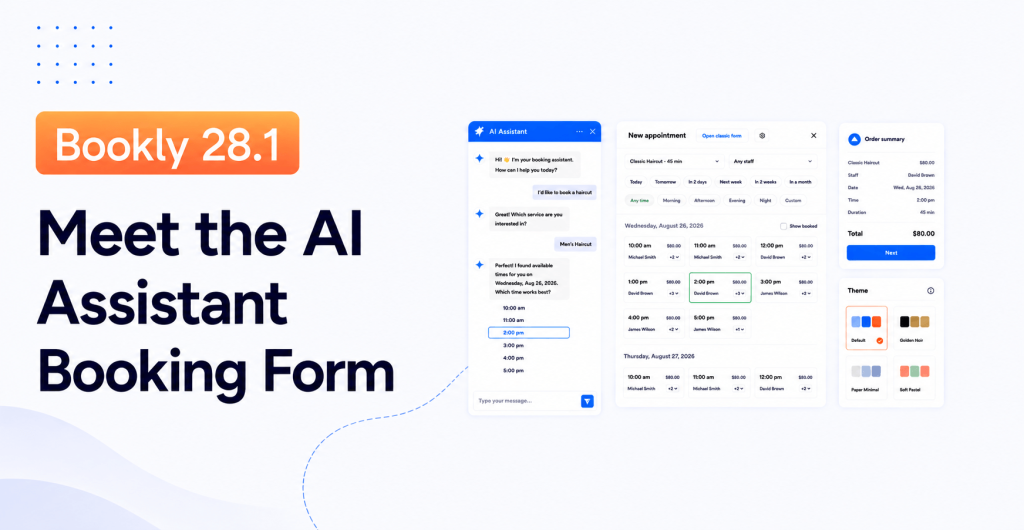
Bookly 28.1: Meet the AI Assistant Booking Form (and a Lot More)
Every once in a while, a release changes how customers experience your booking page. Bookly 28.1 is one of those. The headline change is an AI Assistant booking form — a new front-end widget that lets your customers book by having a short conversation instead of clicking through a step-by-step form. It sits next to everything Bookly already does, so nothing about your current setup breaks. On top of that, this release ships a new backend booking wizard for admins, modern themes and styling presets for the classic booking form,...
What’s the difference between Custom Fields (Add-on) & Customer Information (Add-on)
Add-ons for Bookly have been created to add more advanced functionality to the default configuration of your Bookly PRO. If...
How to Check the Full History of Customer’s Bookings
It is very important to be able at any time to view the full history of appointments made by each...
What’s the difference between Service Schedule (Add-on) & Special Days (Add-on)
Add-ons for Bookly have been created to add more advanced functionality to the default configuration of your Bookly PRO. If...
Mistakes Every Bookly Beginner Should Avoid
Bookly admin panel is very intuitive and user-friendly. Thanks to its clean and simple design, even a WP beginner can...
How to Promote Best Selling Services with Bookly
While Bookly is an appointment scheduling plugin that allows you to automate your online reservation system, some of its features...
The best films of 2019 to enrich your year ahead
2019 saw outstanding and challenging film-making notable for tackling some of the most controversial topics of our time. From real-life...x
WordPress Booking Plugin Comparison 2026: Bookly vs Amelia vs LatePoint vs Bookneticx
WordPress Booking Plugin Comparison 2026: Bookly vs Amelia vs LatePoint vs Booknetic