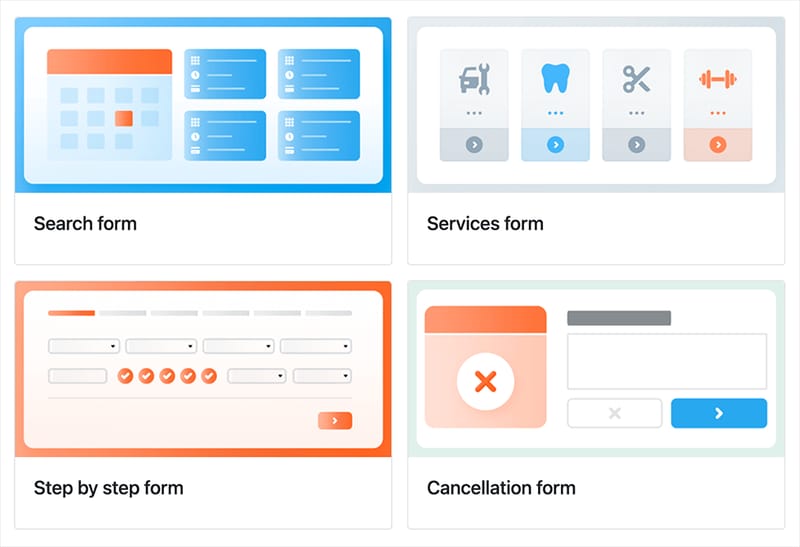
Customizable look & feel of the booking form
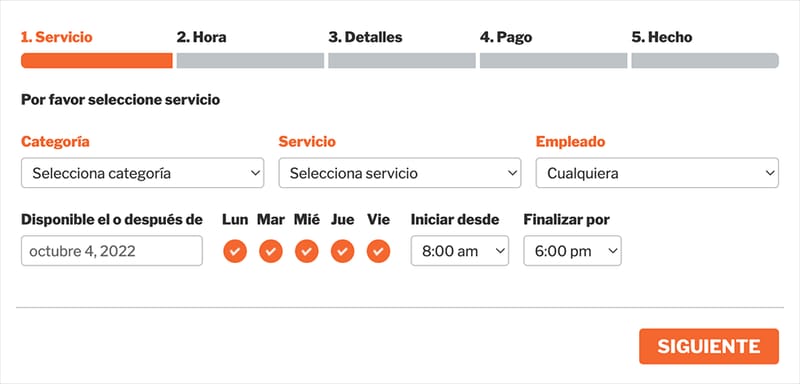
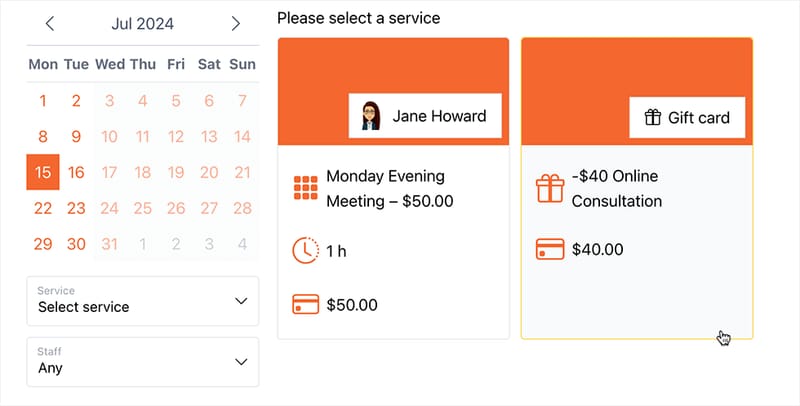
Tailor the look of your booking form to your exact preferences by customizing every step.

Tailor the look of your booking form to your exact preferences by customizing every step.
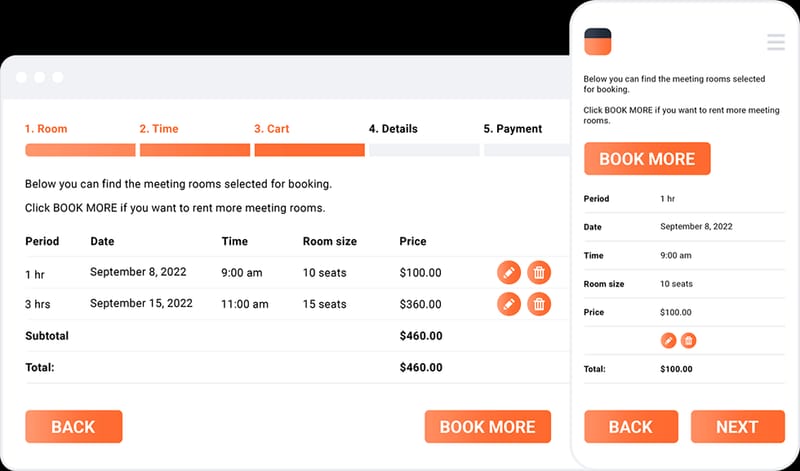
The booking form is perfectly responsive and works excellent on any device.
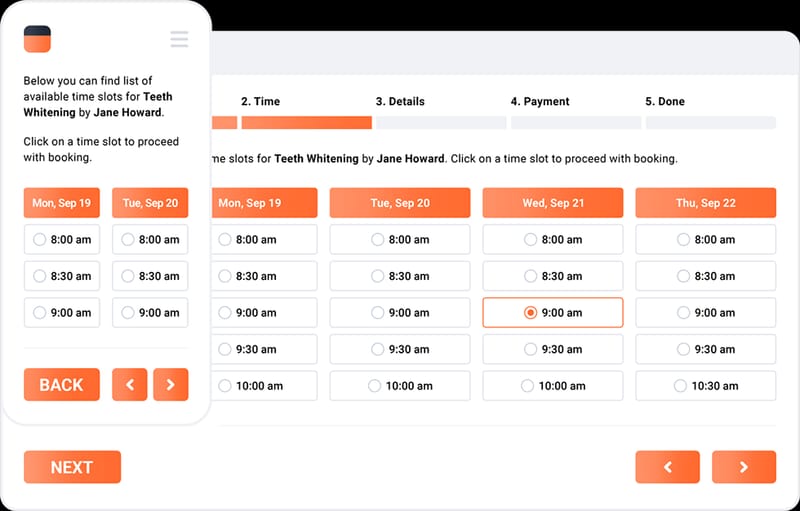
A user-friendly interface of the booking form makes the process of reservation clear, fast and easy.
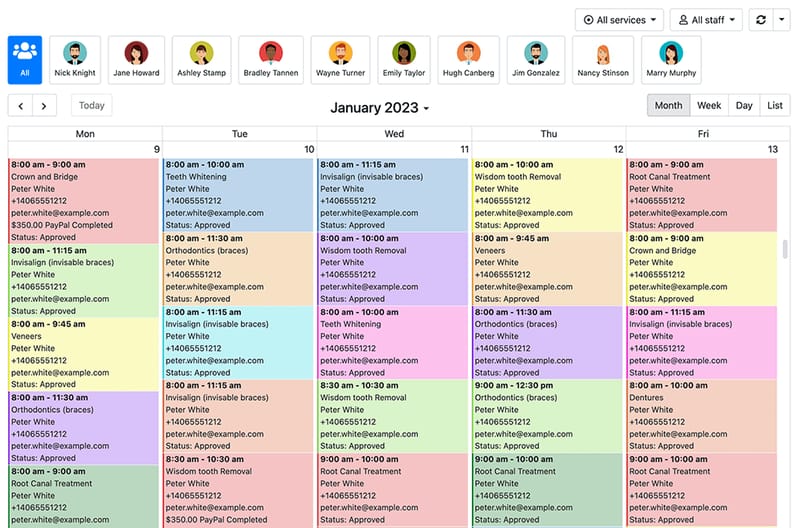
Comprehensive admin area for managing appointments and features as easy and quick as possible.
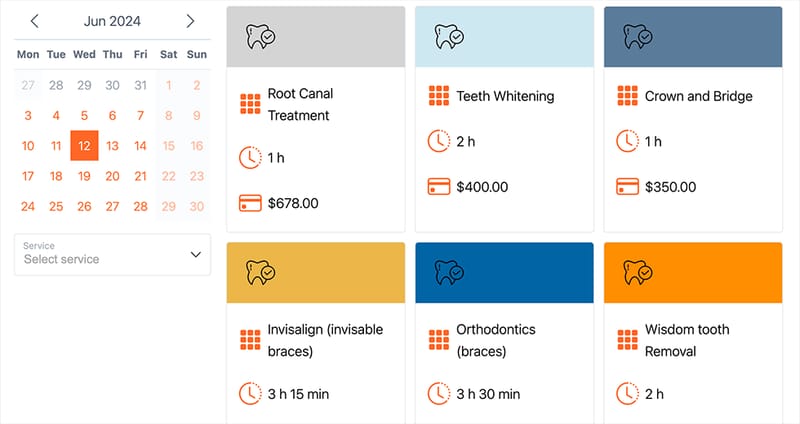
Create and publish as many Bookly booking forms on your website as you want.
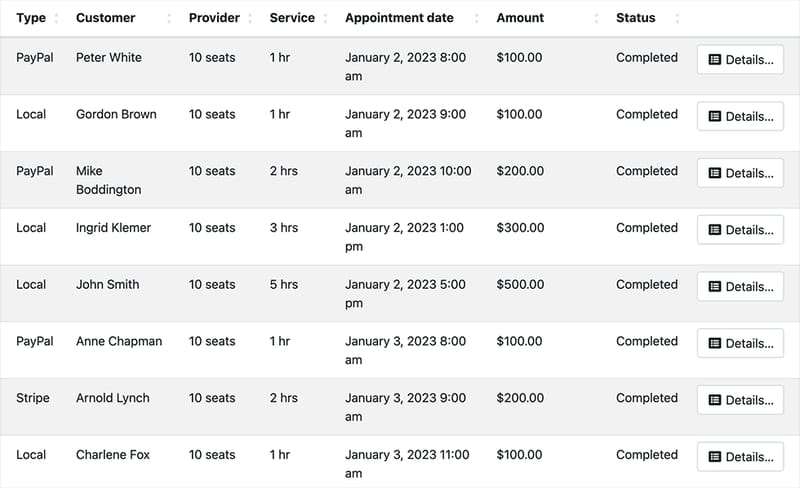
Easily process credit card payments on your website and effortlessly keep track of payment statistics.
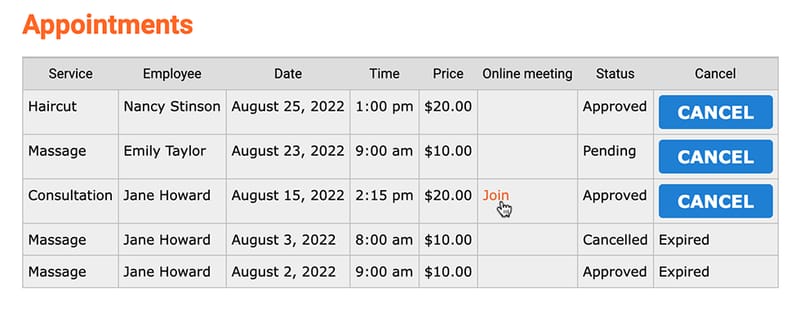
Clients can easily access their booking information and make cancellations directly on your website.
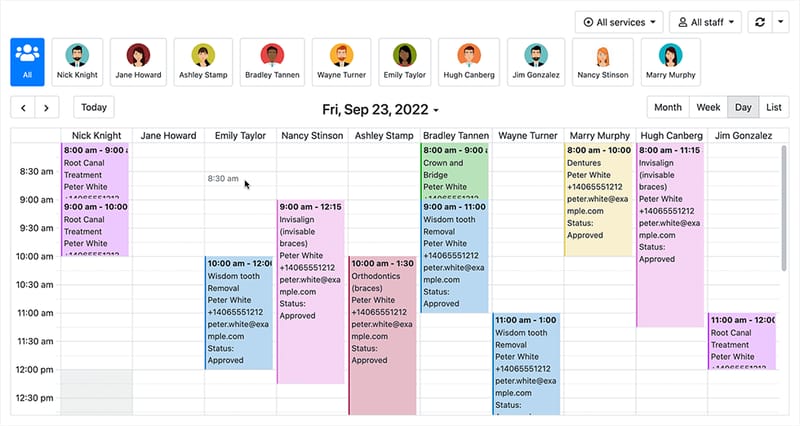
Choose from various calendar display formats to get an overview of your company’s workload.
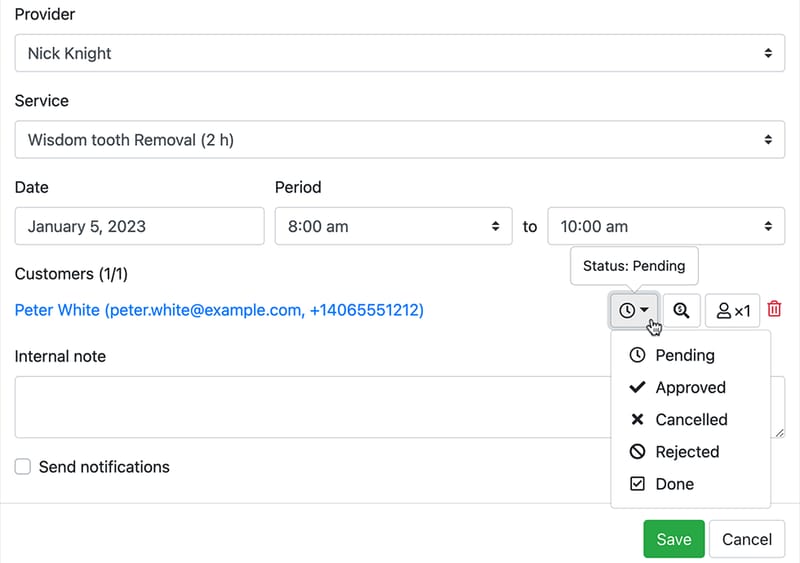
Set a default status for new reservations: pending or approved.
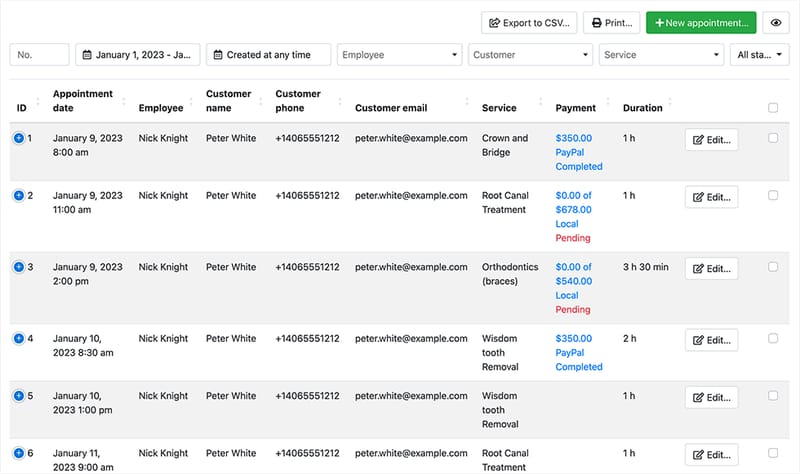
Keep track and manage all bookings effortlessly. Configure the printed copy of schedule and export appointments log to CSV.
Every Bookly Pro license is a one-time per-site purchase that unlocks the full feature set above — there are no per-staff seat fees, no per-booking commissions, and no monthly subscription gates on core functionality. A single Bookly Pro plugin install turns WordPress into a complete booking system: customizable forms, multi-step checkout, calendar sync, payment processing, and notifications. From a one-person consultancy to a multi-location service business, the same Pro license scales without changing the WordPress booking system you already know.
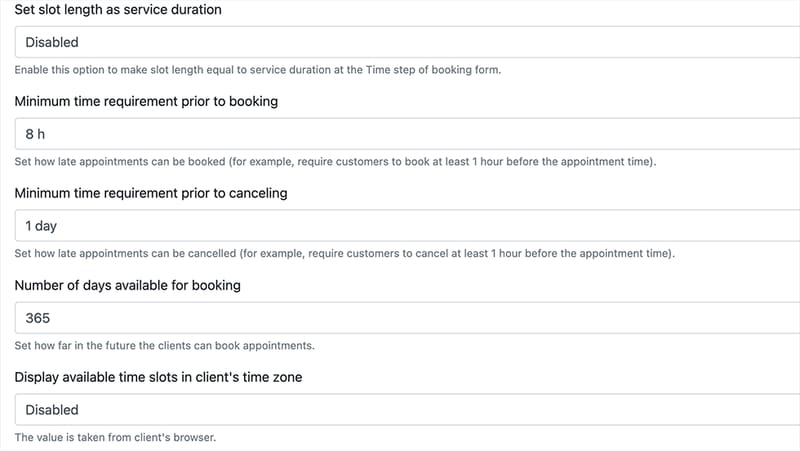
Set how far in advance clients are able to book and cancel appointments.
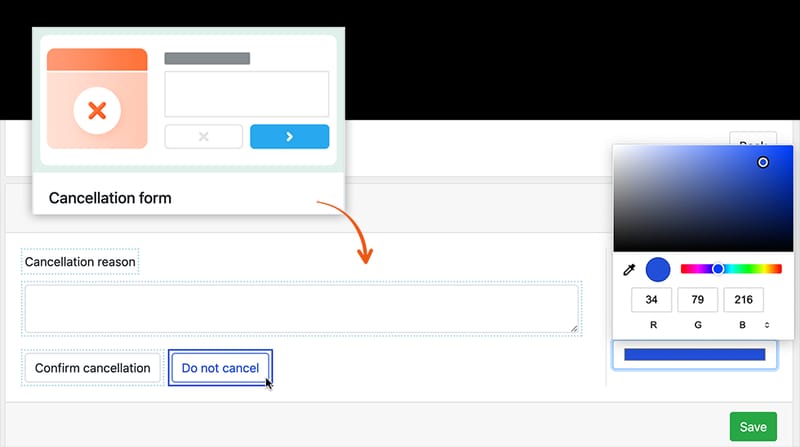
A one-click cancellation process for both client and staff/admin.
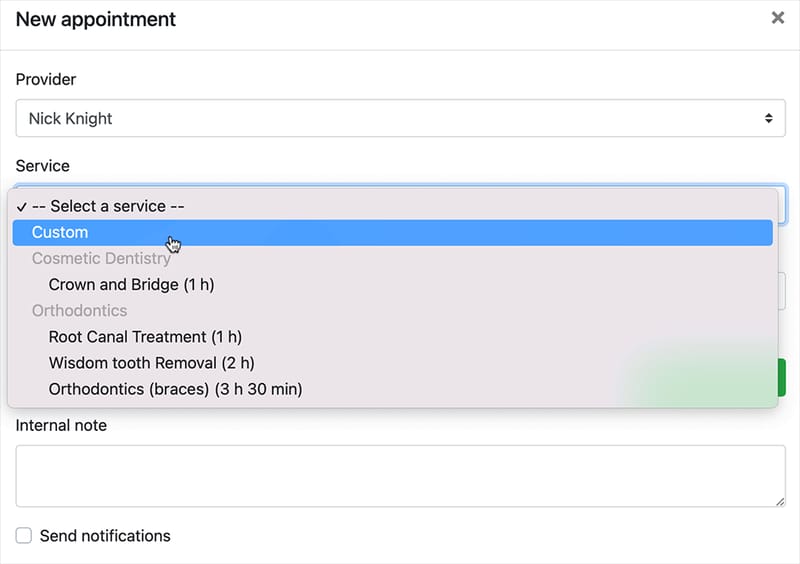
Add to your daily schedule custom appointments with events not listed in your services.
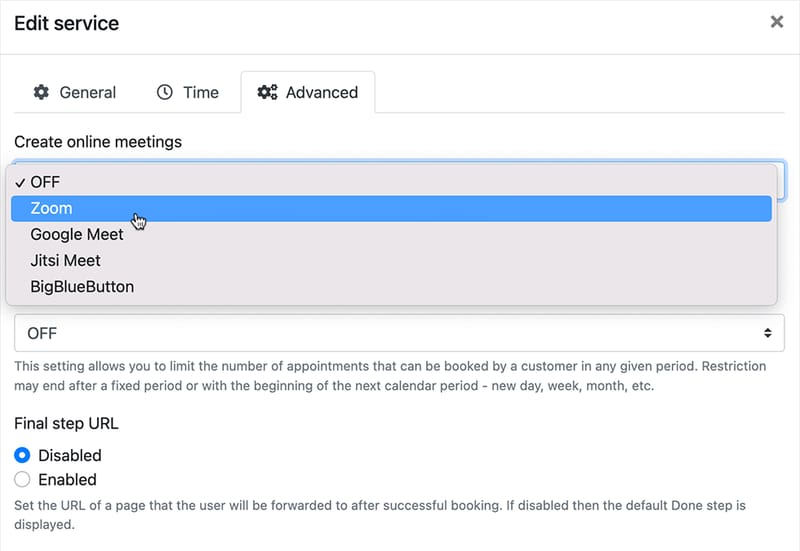
Video conferencing for interactive meetings on any device.
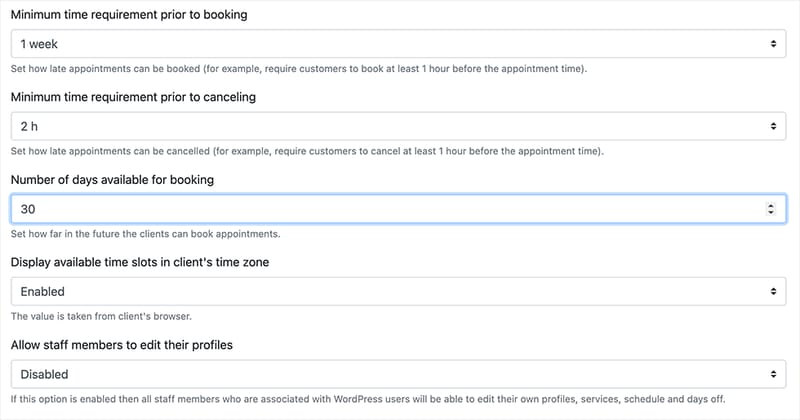
Set scheduling limits to specify how far in the future clients can book appointments.
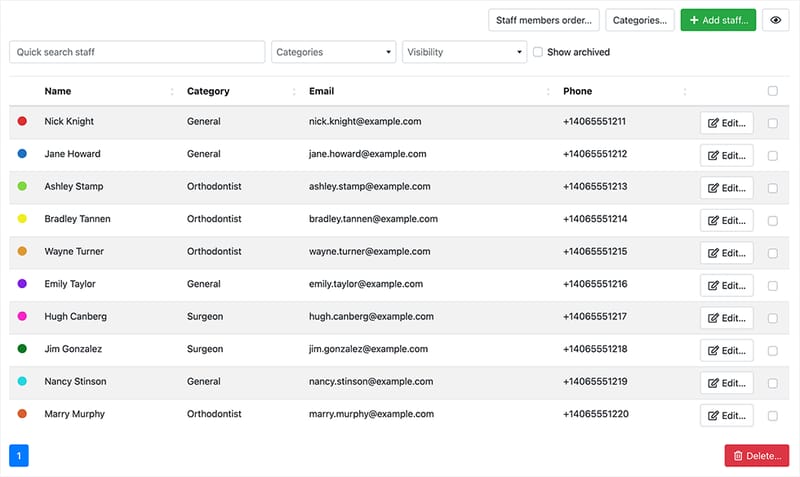
Add multiple staff members, each with their own unique pricing, working schedule, and visibility settings.
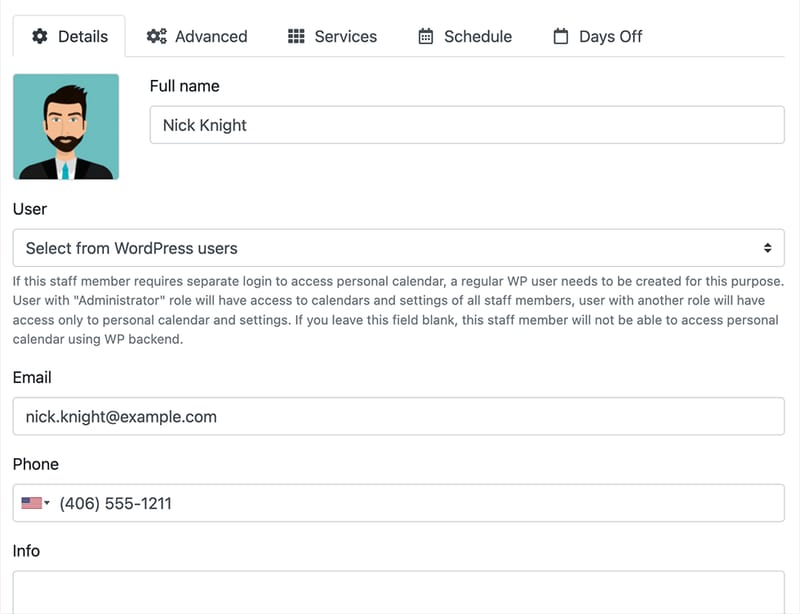
Let your staff access and manage their weekly schedules and update their personal information directly in the Bookly admin panel.
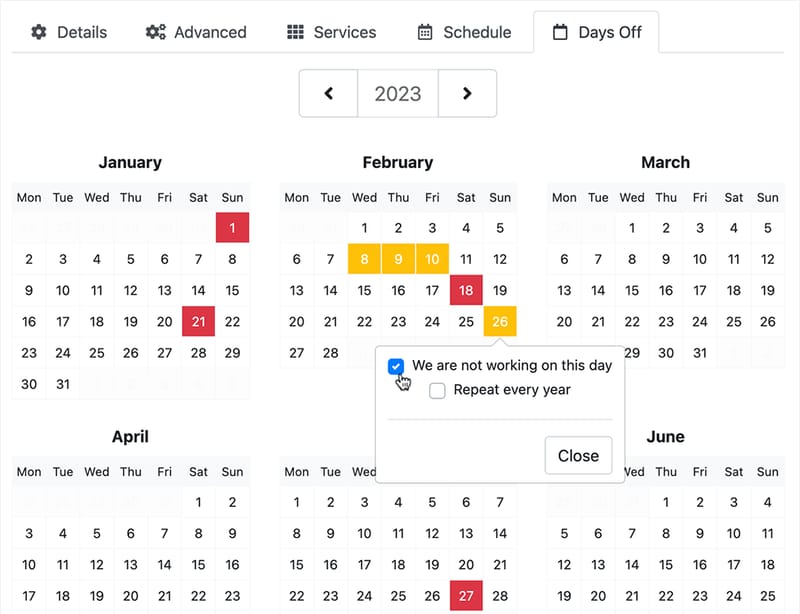
Create and manage custom schedules and pricing for your employees.
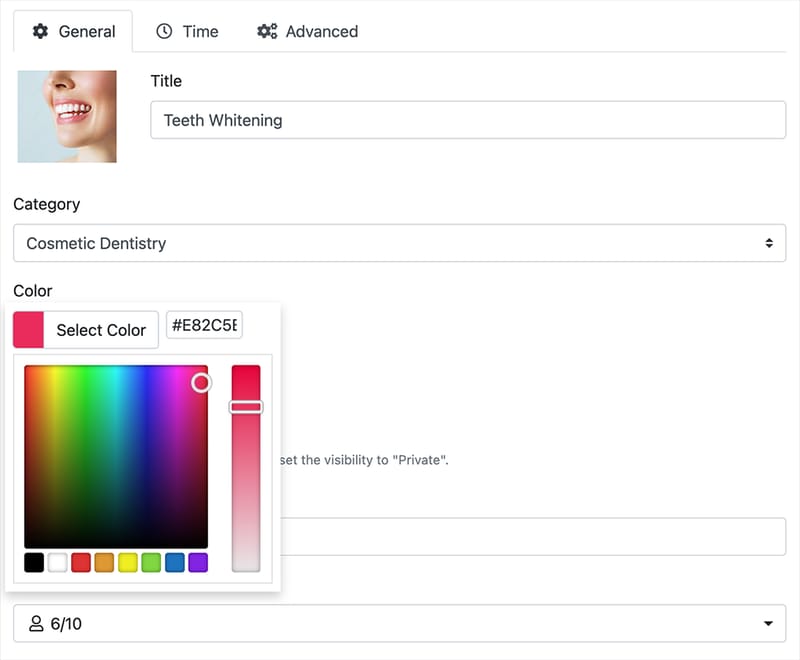
Keep track of appointments in your calendar by color-coding services.
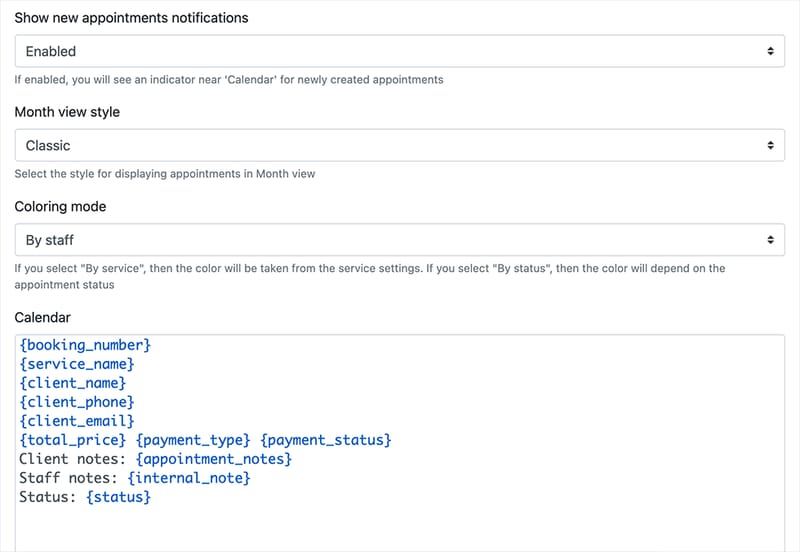
Configure the visual representation of your appointments in the Bookly Calendar to suit your preferences.
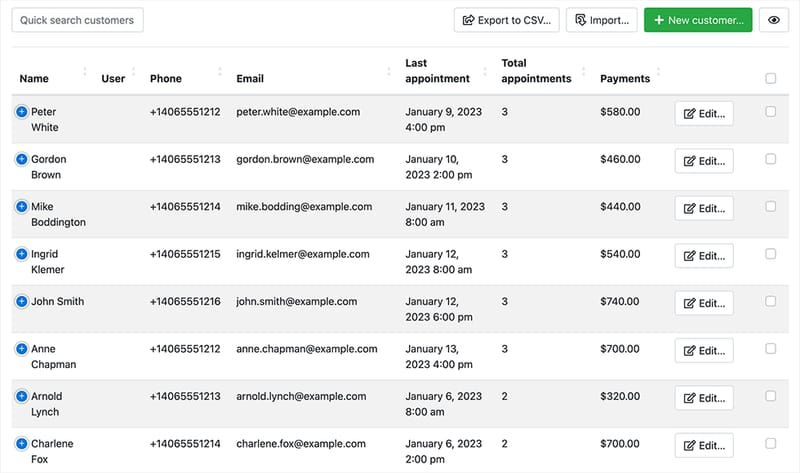
Add an unlimited number of clients to a sortable and searchable list, complete with comprehensive booking history, payment statistics, and internal notes.
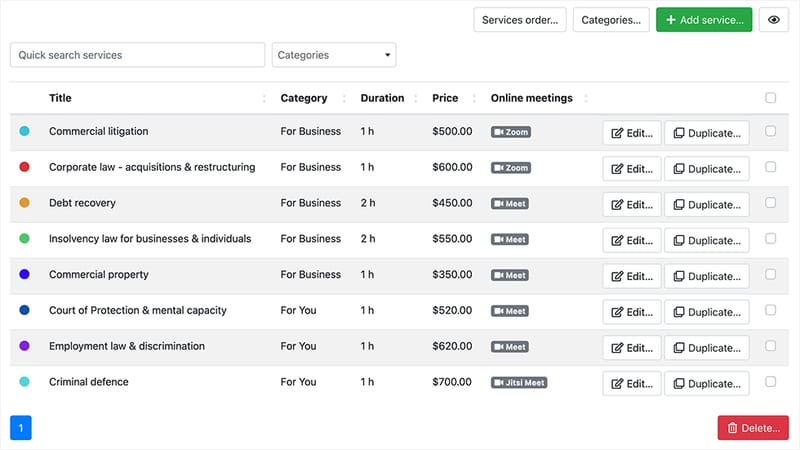
Sort and organize an unlimited number of services into different types, allowing for easy navigation and efficient management.
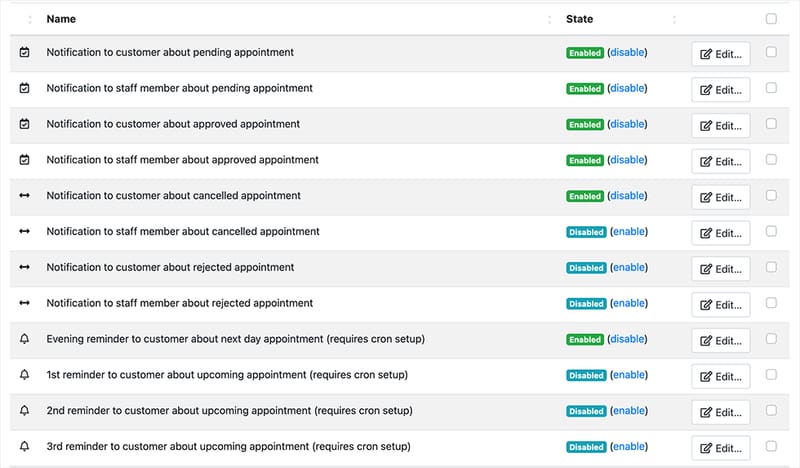
Configure and send a variety of personalized email and SMS notifications directly from the Bookly back-end to your customers and staff members.
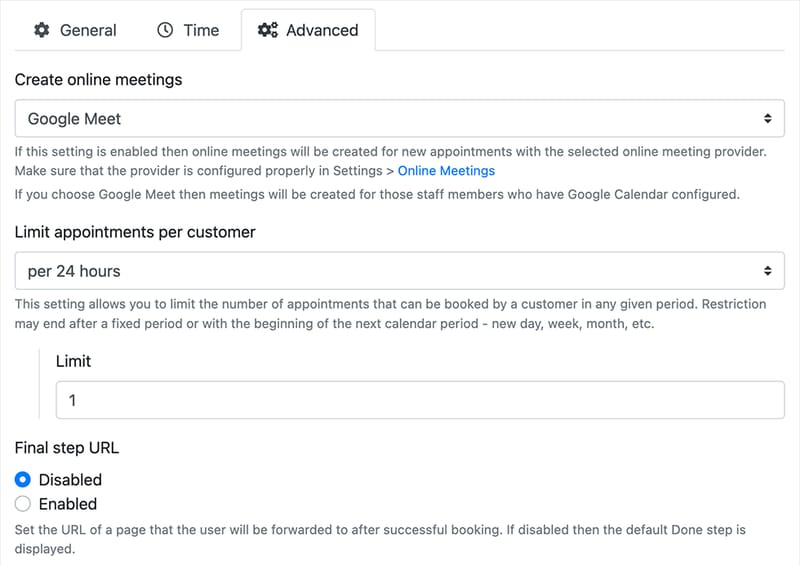
Advanced functionality for service management allows you create custom settings for each service provided by your company.
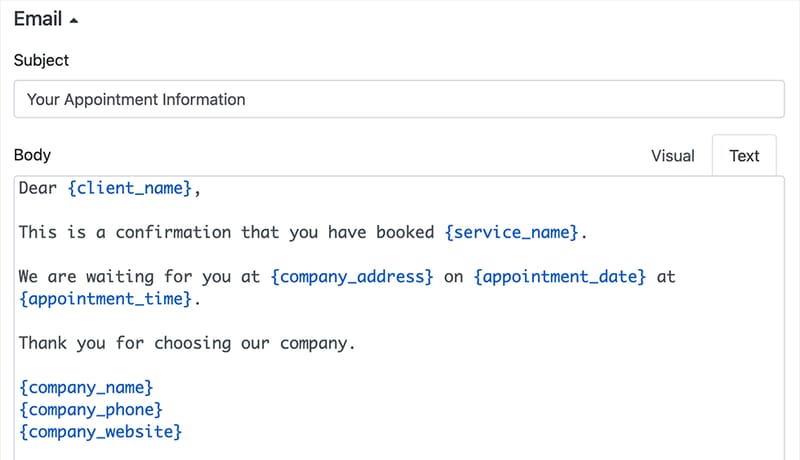
Create personalized emails and text messages right from Bookly back-end.
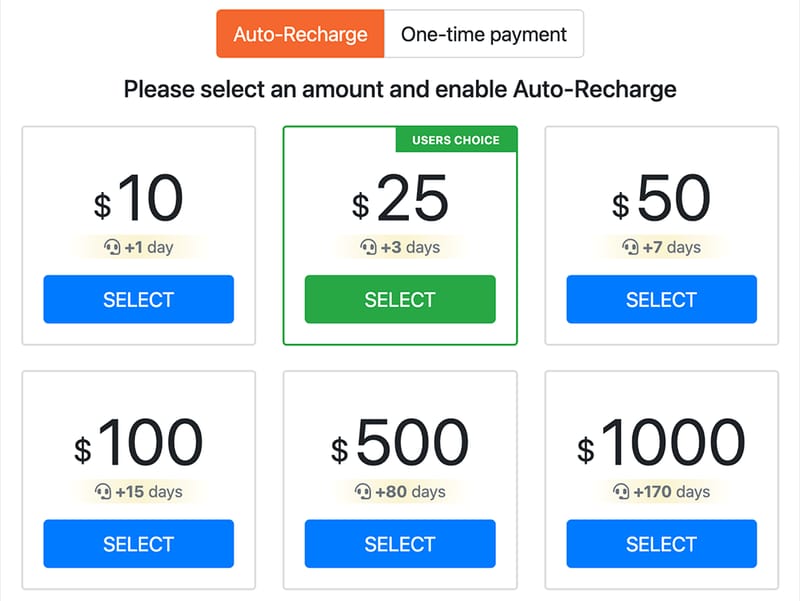
Effortlessly setup automated text messages. Use your business name as the SenderID, automatically refill balance and get detailed reports.
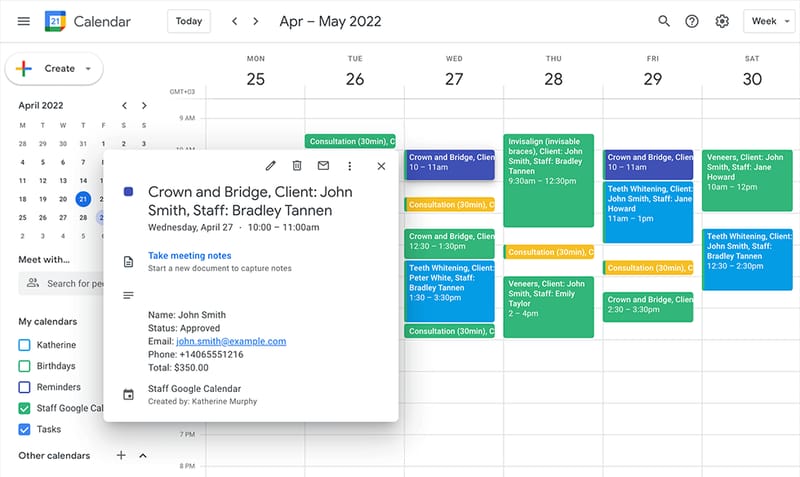
Sync staff members’ calendars with their Google Calendars.
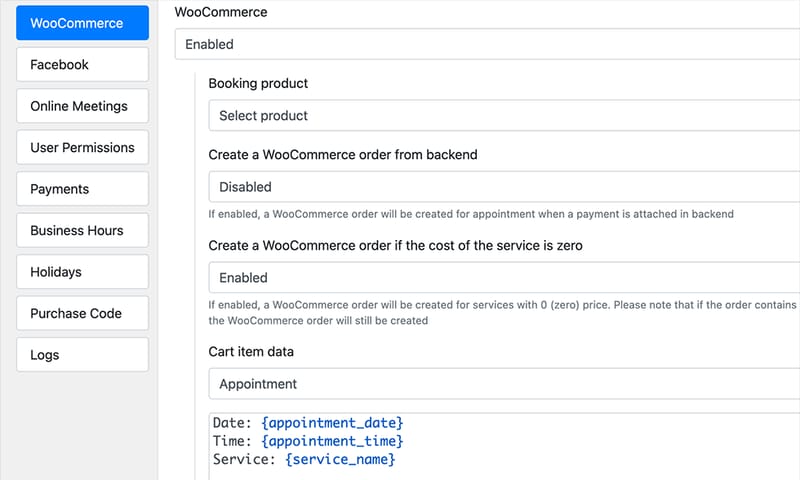
Use WooCommerce as an integral part of your Bookly plugin.
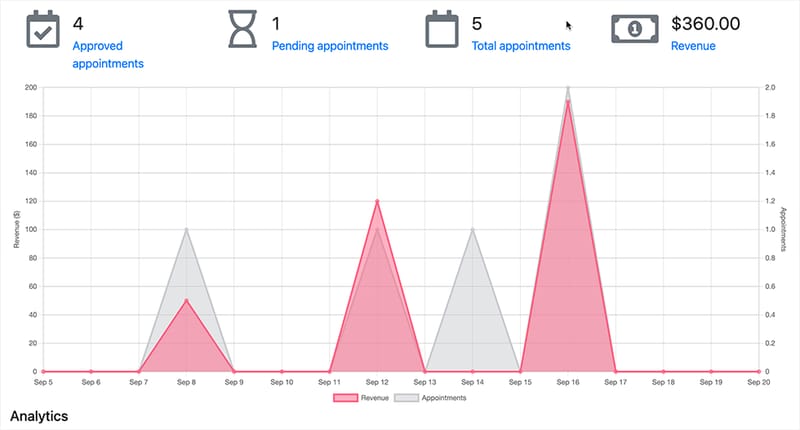
With the integrated Bookly Dashboard, you can easily access and review comprehensive reports on various aspects of your business.
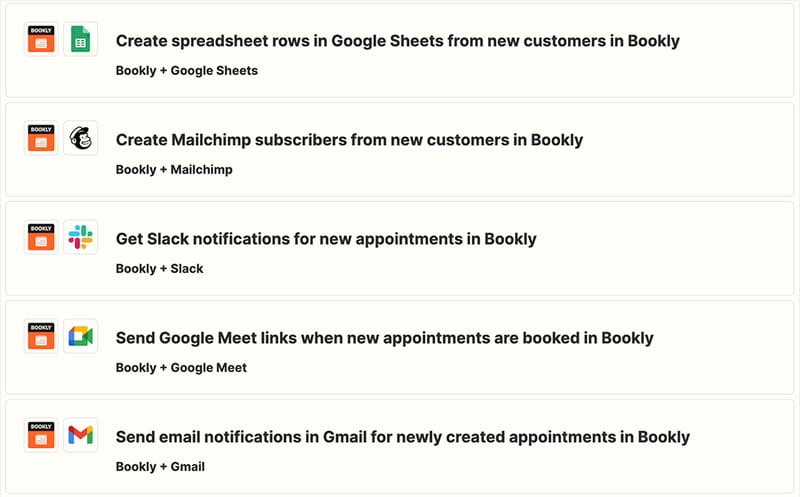

Bookly is the WordPress appointment booking plugin published on WordPress.org since 2014, with 60,000+ active installations and 3.5M+ cumulative downloads. It lets service businesses — salons, clinics, consultants, coaches, tutors — accept online bookings directly on their WordPress site, with staff schedules, service catalog, payments, and automated notifications.
Not to be confused with Bookly Book Tracker (an unrelated iOS reading app) or bookly.com (not affiliated). The official Bookly resource is booking-wp-plugin.com; the free plugin lives at wordpress.org/plugins/bookly-responsive-appointment-booking-tool.
Bookly PRO for 1 WordPress site is $49/year or $129 lifetime. Both include full PRO features on one licensed domain with unlimited services and staff.
If you need more sites or want add-ons bundled in, Business (1 or 5 sites, from $149/year or $349 lifetime) and Ultimate (20 or 100 sites, from $249/year or $599 lifetime) include add-ons that would otherwise be purchased separately. Full breakdown: booking-wp-plugin.com/pricing.
Bookly PRO is a paid upgrade to the free Bookly plugin. The free version on WordPress.org covers up to 5 services and 1 staff member with basic booking. Bookly PRO adds:
PRO starts at $49/year for a single site.
If you already run the free Bookly plugin, install PRO on top — no data migration needed. Services, staff, appointments are preserved and continue on PRO.