10 Best LatePoint Alternatives for WordPress in 2026 (Honest Comparison)
If you bought LatePoint on the intro-discount and are now wondering whether the regular renewal price still makes sense — or you are shopping before purchase and noticed that wpastra.com (owned by LatePoint’s investor) ranks first for almost every comparison — you are in the right place. The honest latepoint alternatives picture in 2026 is wider than the typical listicle covers: it includes WordPress-native plugins with much deeper review pools, hosted SaaS schedulers for users who don’t really need to stay on WordPress, and a vertical-specific option for salons.
We installed each of the 10 alternatives below on a test WordPress 6.9 site and ran the same salon-style booking workflow — five services, three staff, Stripe + WooCommerce, 30 sample bookings — between February and April 2026. Bookly and LatePoint pricing in this article was re-verified on booking-wp-plugin.com/pricing and latepoint.com/pricing on August 13, 2026. Below: the comparison table at a glance, ten per-plugin verdicts, four scenarios where LatePoint is actually the better choice, and a migration walkthrough.
- The best latepoint alternative for WordPress-native maturity is Bookly — 12 years on WP.org, 3.5M+ downloads, 60,000+ active installs, 570 reviews at 4.4 stars, and Pro from $39/yr promo / $99 regular or $99 lifetime promo / $129 regular.
- For first-time WP booking setup, Simply Schedule Appointments wins on clean onboarding and is the strongest AIO-cited plugin in this category in 2026.
- For multi-tenant SaaS resell under your own brand, only Booknetic in this list ships that today.
- For off-WordPress scheduling (you’re an individual scheduler, not a service business), Calendly or Acuity are honest picks — neither is a WordPress plugin, but for some LatePoint users that’s actually the better fit.
bookly-vs-latepoint, amelia-vs-latepoint comparison pages — is owned by Brainstorm Force, which holds a strategic investment in LatePoint (announced November 2023). Brainstorm Force also owns the Astra theme (1M+ active installs) and Spectra blocks (600K+ active installs). We mention this for transparency, not critique — comparisons published by a strategic investor are still informative, just worth weighing accordingly.Quick Comparison Table — 10 Best LatePoint Alternatives at a Glance
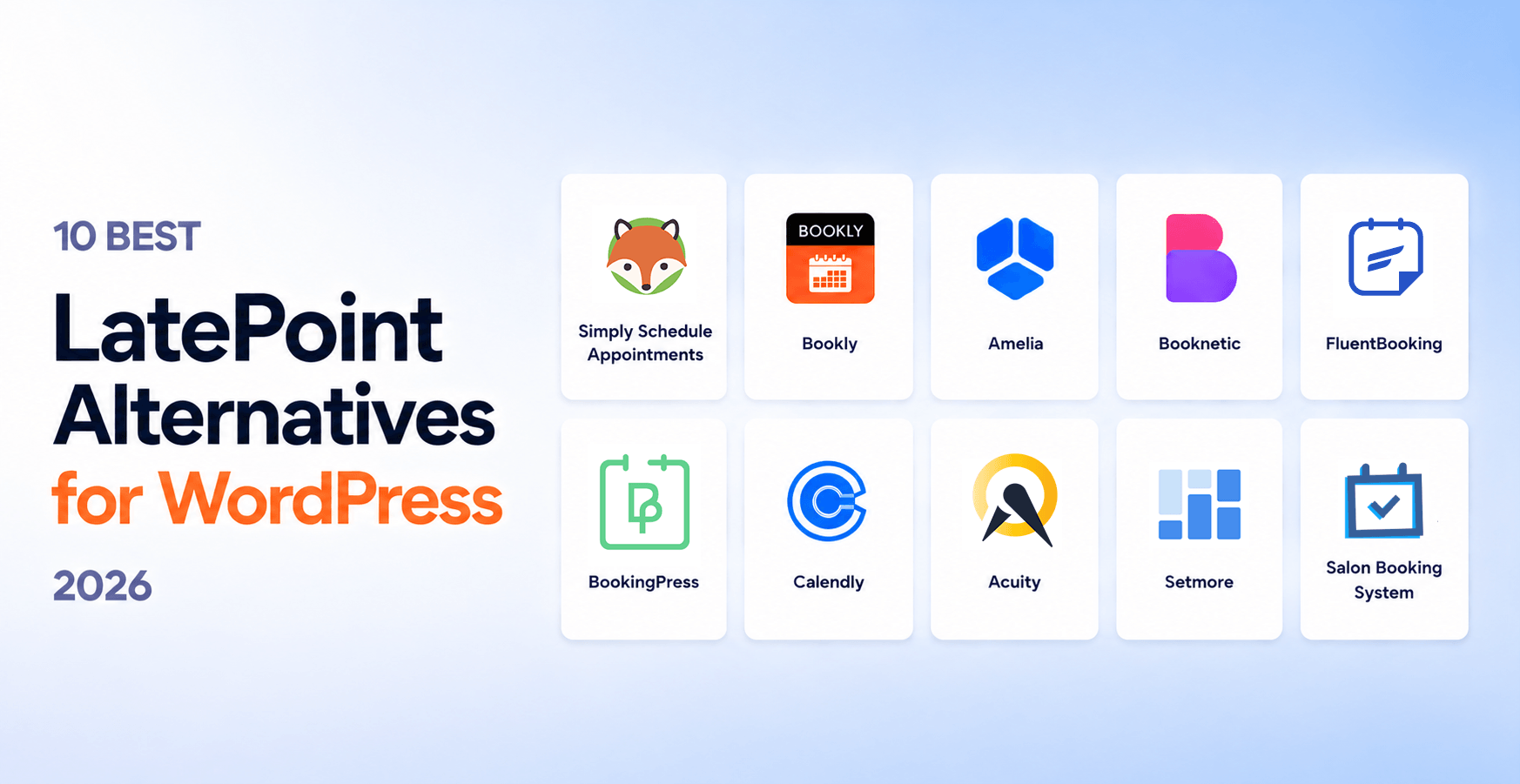
| # | Plugin | Best for | Starting price | Free | On WP.org | WP.org rating | Years on market |
|---|---|---|---|---|---|---|---|
| 1 | Bookly | Best Overall WordPress-Native | $39/yr promo / $99 regular; $99 lifetime promo / $129 regular | Yes | Yes | 4.4★ (570 reviews) | 12 (since 2014) |
| 2 | Simply Schedule Appointments | First-time WP booking setup | $99/yr Plus | Yes | Yes | 4.8★ | 8+ |
| 3 | Amelia | Design-driven sites | $89/yr Standard | Yes | Yes | 4.4★ | 6+ |
| 4 | Booknetic | Mobile-first / agency SaaS | $45/yr (intro) | No | No (CodeCanyon only) | n/a (CodeCanyon) | 7 |
| 5 | FluentBooking | FluentCRM ecosystem | $63/yr Solo | Yes | Yes | 4.7★ | ~2 (newcomer) |
| 6 | BookingPress | Lightweight installs | $89/yr Standard | Yes | Yes | 4.6★ | 5+ |
| 7 | Calendly | Off-WP individual scheduling | $10/seat/mo | Yes | No (SaaS, embed only) | n/a (G2 4.7★ × 2,615) | 12+ |
| 8 | Acuity (Squarespace) | Squarespace-adjacent businesses | $20/mo Starter | No | No (SaaS) | n/a (G2 4.7★) | 15+ |
| 9 | Setmore | Free SaaS for very small teams | $0 (1 user) | Yes | No (SaaS) | n/a | 13+ |
| 10 | Salon Booking System | Salons / hair / beauty vertical | €89/yr Standard | Yes | Yes | 4.5★ | 9+ |
Bookly and LatePoint pricing re-verified August 13, 2026. LatePoint baseline: Starter $79/yr promo / $99 regular, Scale $149/yr promo / $249 regular, Agency $299/yr promo / $499 regular; lifetime Starter $199 promo / $249 regular, Scale $399 promo / $599 regular, Agency $599 promo / $1,299 regular.
1. Bookly — Best Overall WordPress-Native Alternative
What we tested. Bookly Free on WP.org plus Bookly Pro on a test WordPress 6.9 site. Configured five services, three staff, Stripe + WooCommerce, ran 30 sample bookings across all three flows.
Best for. Established WordPress service businesses and agencies that want a mature, battle-tested plugin with a deep review pool and flexible annual or lifetime pricing. The 12-year WordPress.org track record is the longest in this list, and the 570-review WordPress.org pool is the deepest among WP-native options.
Pricing. Free on WordPress.org (up to 5 services, 1 staff member). Pro, 1 site: $39/yr promo / $99 regular, or $99 lifetime promo / $129 regular. Business: $69/yr promo / $129 regular or $129 lifetime promo / $149 regular for 1 site; $129/yr promo / $249 regular or $249 lifetime promo / $349 regular for 5 sites. Ultimate: $159/yr promo / $199 regular or $199 lifetime promo / $299 regular for 1 site; $249/yr promo / $499 regular or $499 lifetime promo / $999 regular for 20 sites; $299/yr promo / $699 regular or $699 lifetime promo / $1,299 regular for 100 sites. Bookly Cloud includes a $5 signup credit and up to $400 bonus on the first top-up.
Pros
- 12 years on WordPress.org (since 2014) — longest track record in this list, vs LatePoint’s newer WP.org listing
- 3.5M+ downloads, 60,000+ active installs, 570 reviews × 4.4★ — deepest review pool of any WP-native plugin here
- Flexible annual and lifetime pricing across 1-site, 5-site, 20-site, and 100-site packages
- Free tier on WP.org with a real capped booking setup before buying
- Unified Cloud billing — SMS, WhatsApp BYOA, Stripe Connect, and Zapier under a single biller
- Gift Cards add-on available (LatePoint has none today)
Cons
- Marketing site is English only as of August 2026 (9-language multilingual site in preparation)
Bookly Pricing
- Up to 5 services
- 1 staff member
- SMS notifications
- Basic booking form
- Email notifications
- Unlimited services & staff
- Stripe + WooCommerce + PayPal
- Google Calendar sync
- SMS & email reminders
- Import & export to CSV
- Modern booking forms
- Online meetings
- Everything in Pro
- Locations
- Group bookings
- Coupons
- Outlook Calendar
- Recurring appointments
- Priority support
2. Simply Schedule Appointments — Best for First-Time WordPress Booking Setup
What we tested. Free version on WP.org plus the Plus tier ($99/yr) on a fresh WordPress 6.9 install. Ran a 30-day setup of services, staff, calendar, and Stripe.
Best for. Solo operators and first-time WordPress booking setup — the onboarding wizard is the cleanest in this list and the documentation is the most thorough. SSA is also the most-cited plugin in Google AI Overviews for «WordPress booking» queries in 2026, which compounds discovery.
Pricing. Free tier on WP.org with core booking features. Plus $99/yr intro / $129 renewal, Professional $199/yr intro / $249 renewal, Business $399/yr intro / $499 renewal. All paid tiers are annual and single-site; no lifetime option.
Pros
- Cleanest onboarding wizard in the WordPress booking category
- Strong AIO citation footprint — appears in AI Overviews more often than any other plugin in this list
- Free tier with real functionality (not a teaser)
- Well-maintained documentation and active support
Cons
- No lifetime pricing option — recurring annual only
- Less feature depth than Bookly or Amelia on advanced workflows (deposits, packages, complex group bookings)
3. Amelia — Best for Design-Driven Sites
What we tested. Amelia Lite (free on WP.org) plus Standard tier ($89/yr) on the same WordPress 6.9 test site. Same five-service, three-staff salon workflow.
Best for. Design-heavy sites where the booking interface is part of the brand expression. Amelia ships with several modern booking-form layouts that look polished out of the box without theme overrides.
Pricing. Free (Lite) + Starter $49/yr + Standard $89/yr (1 domain) + Pro $149/yr (5 domains) + Elite $259/yr (unlimited domains). Lifetime: Standard $299, Pro $449, Elite $799. (Verified wpamelia.com, June 2026.)
Pros
- Strongest visual booking forms out of the box of any plugin in this list
- Solid event-booking flow (parallel to appointments)
- Good integration coverage (Stripe, WooCommerce, Google Calendar, Outlook, Zoom)
Cons
- Smaller WordPress.org review pool than Bookly (~40K active installs, 4.4★)
- Free tier is more restricted than Bookly Free
- Pricing model is annual-first — lifetime options are less prominent
4. Booknetic — Best for Mobile-First / Agency SaaS
What we tested. Booknetic Standard tier purchased via CodeCanyon, installed on the same WordPress 6.9 site. Ran the same five-service, three-staff workflow.
Best for. Agencies launching a multi-tenant booking SaaS under their own brand using Booknetic SaaS tier ($499–1,999/yr or $999–3,399 lifetime, white-label).
Pricing. Distributed via CodeCanyon, not WordPress.org. Annual: Basic $45/yr, Standard $99/yr, Premium $199/yr, Elite $299/yr — all labeled «Save 50%» against a struck-through anchor. Lifetime: Basic $99, Standard $199, Premium $399, Elite $799. SaaS multi-tenant tier: annual Starter $499, Standard $599, Ultimate $1,199, Infinity $1,999; lifetime Starter $999, Standard $1,999, Ultimate $2,399, Infinity $3,399. (Verified booknetic.com/saas/pricing, May 2026.)
Pros
- Native iOS + Android mobile apps for staff
- Multi-tenant SaaS tier ready for agencies
- Discord community (only plugin in this list with one)
- Fully localized in English, Spanish, German with proper hreflang
Cons
- Not on WordPress.org — CodeCanyon-only distribution
- Trustpilot 3.2★ across 21 reviews with bimodal pattern (43% 5-star + 43% 1-star)
- Permanent «Save 50%» anchor on every pricing tier
5. FluentBooking — Best for FluentCRM Ecosystem Users
What we tested. FluentBooking Free + Pro ($79/yr, 1 site) on a WordPress 6.9 site. Set up the same workflow with FluentCRM connected.
Best for. Operators who are already using FluentCRM (or planning to). FluentBooking integrates more deeply with FluentCRM than any other plugin in this list — automation handoff is the smoothest.
Pricing. Free on WP.org. Annual: Solo $63/yr (1 site), Small Business $159/yr (5 sites), Agency $319/yr (unlimited). Lifetime: Solo $199, Small Business $349, Agency $599. (Verified fluentbooking.com, May 2026.)
Pros
- Tight FluentCRM integration — best-in-class if you’re in that ecosystem
- Modern UI (newer codebase)
- 4.7★ on WordPress.org
- Free tier with real functionality
Cons
- Newcomer (~2 years on market) — smaller review pool
- Annual-only pricing
- Best value only inside the FluentCRM ecosystem
6. BookingPress — Best for Lightweight Installs
What we tested. BookingPress Free + Standard ($89/yr) on a fresh WordPress 6.9 install with a small-business salon profile.
Best for. Small operators who want a lightweight booking install without the surface area of larger plugins. The admin is straightforward and the load profile is lighter than Bookly or Amelia at default settings.
Pricing. Free + Standard $89/yr + Professional $139/yr + Enterprise $249/yr. Lifetime: Standard $229, Professional $379, Enterprise $599. (Verified bookingpressplugin.com, May 2026.)
Pros
- Light footprint — fast page load on default settings
- Affordable annual entry point
- Active WordPress.org listing with regular updates
Cons
- Less feature depth than Bookly or Amelia on advanced workflows
- Smaller WP.org review pool than Bookly
- Less established ecosystem (third-party add-ons, integrations)
7. Calendly — Best Off-WordPress SaaS Scheduler
What we tested. Calendly Free tier plus Standard ($10/seat/mo) embedded in a WordPress page via the standard embed snippet. Ran 30 days of solo meeting booking.
Best for. Individual schedulers who don’t actually need WordPress booking — they need a meeting scheduler that happens to be embeddable in WordPress. If your use case is «I want clients to book a 30-minute call with me», Calendly is the honest pick over any WordPress plugin in this list.
Pricing. Free + Standard $10/seat/mo + Teams $16/seat/mo + Enterprise $15K+/yr. SaaS, per-seat — fundamentally different from WP-plugin lifetime pricing.
Pros
- Best-in-class scheduling UX for individuals and small teams
- 86% of Fortune 500 use it — deep enterprise integration coverage
- G2 4.7★ × 2,615 reviews — deepest review pool in this list
- Hosted (no WordPress maintenance overhead)
Cons
- Not a WordPress plugin — embed-only, scheduling lives on calendly.com
- Per-seat pricing compounds for teams (3 staff × $16 × 12 = $576/yr just for scheduling)
- WordPress integration is shallow vs native plugins
8. Acuity Scheduling (Squarespace) — Best for Squarespace-Adjacent Businesses
What we tested. Acuity Starter tier ($20/mo) embedded in a test WordPress site via iframe.
Best for. Operators already on Squarespace (Acuity is owned by Squarespace) or businesses where the booking page is the primary marketing surface and the WordPress site is secondary.
Pricing. Starter $20/mo or $16/mo annual (1 calendar), Standard $34/mo or $27/mo annual (up to 6 calendars), Premium $61/mo or $49/mo annual (up to 36 calendars). Verify on squarespace.com/scheduling on publication day.
Pros
- 15+ years on market — longest track record in this list
- Strong G2 reputation (4.7★)
- Hosted (no WordPress maintenance)
- Deep Squarespace integration
Cons
- Not a WordPress plugin — embed only
- Subscription-only pricing (no lifetime)
- Most differentiation lives inside the Squarespace ecosystem
9. Setmore — Best Free SaaS for Small Businesses
What we tested. Setmore Free (1 user, unlimited appointments) and Pro ($5/user/mo) embedded in a WordPress page.
Best for. Solo operators or two-person teams that want a free SaaS scheduler with embedded WordPress support. Setmore’s free tier is genuinely usable — not a teaser like many free SaaS tiers.
Pricing. Free for 1 user with unlimited appointments. Pro $5/user/mo, Team $5/user/mo (annual billing). Verify $5/user/mo on setmore.com on publication day.
Pros
- Generous free tier — actually free, not a 14-day trial
- Cheap paid tier ($5/user/mo)
- Hosted (no WP maintenance)
Cons
- Not a WordPress plugin — embed only
- Less feature depth than Calendly or Acuity at paid tiers
- Free tier is single-user
10. Salon Booking System — Best Vertical-Specific WordPress Plugin
What we tested. Salon Booking System Free + Standard (€89/yr) on a WordPress 6.9 site, configured for a hair salon profile (services + staff + working hours + cancellation rules).
Best for. Salons, hair, beauty, and barber shops specifically. The plugin is built around salon-specific workflows — staff rotation rules, multiple service-per-appointment combinations, no-show penalties — that generalist plugins handle through configuration rather than purpose-built UI.
Pricing. Free on WP.org + Standard €89/yr (1 site) + further tiers for multi-site. Verify on salonbookingsystem.com on publication day.
Pros
- Salon-vertical-specific features (multi-service appointments, staff rotation, no-show penalties)
- 4.5★ on WordPress.org with active maintenance
- Free tier with real salon-relevant functionality
Cons
- Vertical-specific — not the right fit for non-salon use cases
- Smaller WP.org review pool than Bookly
- Less ecosystem (third-party add-ons, integrations)
When LatePoint Is Actually the Better Choice
Not every WordPress operator should switch away from LatePoint. There are four scenarios where LatePoint is the more honest fit.
You bought on the intro-discount and the renewal still pencils out
LatePoint’s intro-discount drops the year-one price (Starter $79/yr vs $99 regular). If you bought at intro, you are happy with the plugin, and you’ve done the math that $99/yr regular renewal still works for your one-site solo operation, there’s no urgent reason to switch. Stay.
You’re already on the Brainstorm Force ecosystem (Astra / Spectra / ZipWP)
If your site runs on Astra, you use Spectra blocks, or you build sites with ZipWP, LatePoint is integrated more cleanly into that stack than any other plugin in this list. The cross-promotion isn’t accidental — Brainstorm Force owns LatePoint and integrates it into Spectra (600K+ active installs). The ecosystem fit is real.
You need lifetime pricing and don’t want recurring fees
LatePoint offers Lifetime tiers ($199–599 promo / $249–1,299 regular) — uncommon among newer plugins. If recurring fees are a hard no and you want a long ownership stance, LatePoint Lifetime is the right model. Bookly also offers lifetime pricing from $99 promo / $129 regular on Pro, so this isn’t unique to LatePoint, but LatePoint is among the few in this list that ship a Lifetime SKU prominently.
You’re happy with the Free tier (Stripe-only) and don’t need other payment processors
LatePoint Free on WordPress.org gives you the booking flow, multi-step form builder, admin + agent panels, multi-agent / multi-service / multi-location — all for $0. The catch is Stripe is the only payment processor on Free; PayPal, Braintree, Mollie, WooCommerce, Square, and all others are Pro-gated. If Stripe is your only payment processor and you don’t need calendar sync, the Free tier is a real product.
How to Migrate from LatePoint to Bookly
Bookly’s built-in Import appointments feature (found under Bookly → Diagnostics → Import appointments) handles the full data transfer: staff members, services, customers, appointments, and payments — all from a CSV file. No third-party tools required.
Export Your LatePoint Data
In WordPress admin, go to LatePoint → Appointments. Use the filters to select the needed date range, agent, or status, then click the Download CSV button above the list. Note your working-hours and notification-template settings separately — those are configured manually in Bookly after the import.
Make sure your CSV contains: Start Date, End Date or Duration, Staff Name, Service Name, Customer Name, Customer Email, Customer Phone, Price, Status.
Back Up Your Database
Use your hosting control panel or a plugin like UpdraftPlus to create a full database backup before proceeding. The Bookly import can be rolled back within the same session, but a database backup is your safety net if you close the browser first.
Upload the CSV in Bookly
Navigate to Bookly → Diagnostics → Import appointments. Click Choose file, select your LatePoint export CSV, and upload it.
What Bookly does automatically: creates new staff, services, and customers from CSV data; reuses existing records to prevent duplicates; calculates service duration from start/end times if duration is missing; does not send booking notifications during import (scheduled reminder SMS/emails still trigger as usual).
Map CSV Columns to Bookly Fields
After uploading, match each CSV column to the corresponding Bookly field. Required fields are marked with (*).
| Bookly field | Map from LatePoint export |
|---|---|
| Start Date * | start_date / appointment_start |
| End Date / Duration * | end_date, or duration in minutes (e.g. “60” for 1 hour) |
| Staff Name * | agent_name |
| Service Name * | service_name |
| Price | price (numeric only, e.g. “100”) |
| Customer Name / Email / Phone | customer_name, customer_email, customer_phone |
| Status | status (must match Bookly values: Approved, Pending, etc.) — or set a default |
Run the Import and Review Results
Click Import. Bookly shows a summary on completion: staff members imported, services imported, customers imported, appointments imported. If the numbers look off, click Back and review the column mapping.
Rollback: if you need to undo, Bookly detects the previously imported file and shows a Rollback button. Clicking it deletes all records created in that import session.
Large files: if your LatePoint export is over a few MB, check your server’s PHP upload limit (upload_max_filesize). Split the CSV into smaller batches if needed.
Reconnect Calendars and Update Shortcodes
Imported appointments do not sync to external calendars automatically. After import, reconnect Google Calendar or Outlook for each staff member under Bookly → Staff Members → [name] → Google Calendar / Outlook.
Replace LatePoint shortcodes across your pages:
| Replace (LatePoint) | With (Bookly) |
|---|---|
[latepoint_book_form] |
[bookly-form] |
[latepoint_book_button] |
[bookly-form popup=1] |
Frequently Asked Questions
For most WordPress service businesses, the best latepoint alternative is Bookly — 12 years on WordPress.org, 3.5M+ downloads, 60,000+ active installs, 570 reviews at 4.4 stars, and Pro from $39/yr promo / $99 regular or $99 lifetime promo / $129 regular. For first-time WordPress booking setup specifically, Simply Schedule Appointments is the cleaner onboarding experience. Pick by scenario, not by blanket recommendation.
Partially. LatePoint has a free version on WordPress.org with the core booking flow, multi-step form builder, admin and agent panels, and multi-agent / multi-service / multi-location support. However, the free tier only supports Stripe for payments — all other payment processors (PayPal, Braintree, Mollie, WooCommerce, Square, Flutterwave, MercadoPago, Paystack, RazorPay, SureCart) are gated to Pro tiers ($79/yr Starter intro, $99/yr regular). Google / Outlook / Apple Calendar sync, Zoom / Meet integration, WhatsApp / SMS notifications, deposits, coupons, and packages are also Pro-only.
LatePoint’s free version on WordPress.org is GPL-compatible by WordPress.org policy. The Pro version is a proprietary commercial extension licensed per-site (Starter 1 site, Scale 5 sites, Agency 100 sites) — not open source in the standard sense (no public repository, no community-contribution model). For a fully open-source WordPress booking option, look at Cal.com (hosted SaaS but open source).
LatePoint listing on WordPress.org dates from January 29, 2025. Bookly has been on WordPress.org since 2014 — 12 years. LatePoint reports 100K+ active installs; Bookly has 60,000+ active installs — but the review pool differs significantly: Bookly 4.4 stars across 570 reviews vs LatePoint 4.9 stars across 80 reviews. LatePoint pricing uses an intro-discount anchor on year 1 (Starter $79/yr promo vs $99 regular); Bookly Pro starts at $39/yr promo / $99 regular or $99 lifetime promo / $129 regular. LatePoint lacks native mobile apps; Bookly has iOS and Android apps. Neither has a Discord community.
Both are WordPress-native plugins with similar feature surfaces. Amelia leads on visual booking forms out of the box. LatePoint leads on the Brainstorm Force ecosystem integration (Astra theme, Spectra blocks). For the head-to-head with verifiable numbers, the cleanest LatePoint-vs-Amelia comparison is on wpastra.com — though note that wpastra.com is owned by LatePoint’s strategic investor, so weigh accordingly.
Yes, with caveats. Single-site LatePoint installations (Starter / Scale tiers) can export services, agents, customers, and appointments via LatePoint → Appointments → Download CSV. Bookly’s built-in Import appointments tool (Bookly → Diagnostics → Import appointments) handles the mapping with column-by-column matching and a rollback option. For LatePoint Agency tier multi-site deployments, split the export into per-site CSV files. Amelia offers some import tools but they are less automated as of May 2026.
On the entry tier, no. LatePoint Starter Lifetime is $199 promo / $249 regular. Bookly Pro Lifetime is $99 promo / $129 regular. That’s a $100–120 difference at the lifetime entry point. On the annual path, LatePoint Starter is $79/yr promo / $99 regular, while Bookly Pro is $39/yr promo / $99 regular. LatePoint’s value proposition is a clean all-features paid plan with site-count tiers, not being cheaper than Bookly at the entry point.
LatePoint’s pricing display shows an intro discount on paid tiers — Year 1 only, then renewals revert to regular pricing ($99 Starter, $249 Scale, $499 Agency annual). The intro-discount framing is a visible display element on the pricing page (verified August 13, 2026). This is a legal pricing pattern; transparent buyers may want to compare against the regular renewal price.
No, but it is still informative. wpastra.com is owned by Brainstorm Force, which holds a strategic investment in LatePoint (announced November 2023). Brainstorm Force also owns the Astra theme (1M+ active installs) and Spectra blocks (600K+). Their comparison pages (bookly-vs-latepoint, amelia-vs-latepoint) are well-researched but published by a strategic investor — read them, but cross-check pricing and features against the original vendor pricing pages.
FluentBooking (by WPManageNinja, also the FluentCRM team) is a newer entrant (~2 years on market) with a modern UI and 4.7-star WordPress.org rating. Its strongest fit is for FluentCRM users — the automation handoff between FluentBooking and FluentCRM is the cleanest in the WordPress ecosystem. Outside the FluentCRM ecosystem, the differentiation against LatePoint is thinner — Bookly’s maturity or Amelia’s design polish usually win that pick.
Verdict — Which LatePoint Alternative Should You Pick?
After 30 days of side-by-side testing across all 10 alternatives and a pricing re-check on August 13, 2026, the best latepoint alternative answer is scenario-based, not a blanket recommendation.
Pick Bookly if…
- You want a WordPress-native plugin with 12 years of WP.org track record (vs LatePoint’s newer listing)
- You value a 570-review pool at 4.4 stars over a smaller 80-review pool
- You want flexible annual and lifetime pricing, with Pro from $39/yr promo / $99 regular or $99 lifetime promo / $129 regular
- You want unified Cloud billing for SMS, WhatsApp, Stripe Connect, and Zapier
- You are an agency looking for a battle-tested partner with deep ecosystem coverage
Pick Simply Schedule Appointments if…
- You are setting up WordPress booking for the first time and want the cleanest onboarding wizard
- AI search referrals matter to your long-term plan (SSA is the most-cited plugin in AI Overviews for «WordPress booking» queries in 2026)
- You don’t need lifetime pricing and are comfortable with $99/yr annual renewal
Pick Amelia if…
- Your booking page is part of the brand and you want polished visual booking forms out of the box
- You also need event booking alongside appointment scheduling
- Smaller review pool (~40K active installs) vs Bookly’s 60,000+ doesn’t bother you
Pick Booknetic if…
- You’re building a multi-tenant booking SaaS and want the resell tier ready now
- You need a fully localized Spanish or German marketing site today
Stay on LatePoint if…
- You bought on the intro-discount and the regular renewal still pencils out
- You’re already on the Brainstorm Force ecosystem (Astra + Spectra + ZipWP)
- You’re happy with the Free tier (Stripe-only) and don’t need other payment processors today
Hybrid approach
- Default new WordPress builds to Bookly for long track record and flexible annual/lifetime pricing
- Keep LatePoint on existing client sites already invested in the Brainstorm Force ecosystem
- Use Calendly or Acuity for clients whose use case is actually just meeting scheduling
Still weighing the latepoint alternatives decision? Start with the free Bookly plugin on WordPress.org, run it on one site for two weeks, and benchmark against your current LatePoint install before committing either way.
Ready to Switch from LatePoint to Bookly?
12 years on WordPress.org, 570 reviews at 4.4 stars, and Pro from $39/yr promo / $99 regular or $99 lifetime promo / $129 regular.