
Conversion Tracking with Google Analytics
At this time, embedding a tracking code directly is not supported in Bookly. However, there are workarounds you can use.
Create a separate ‘Final step’ page
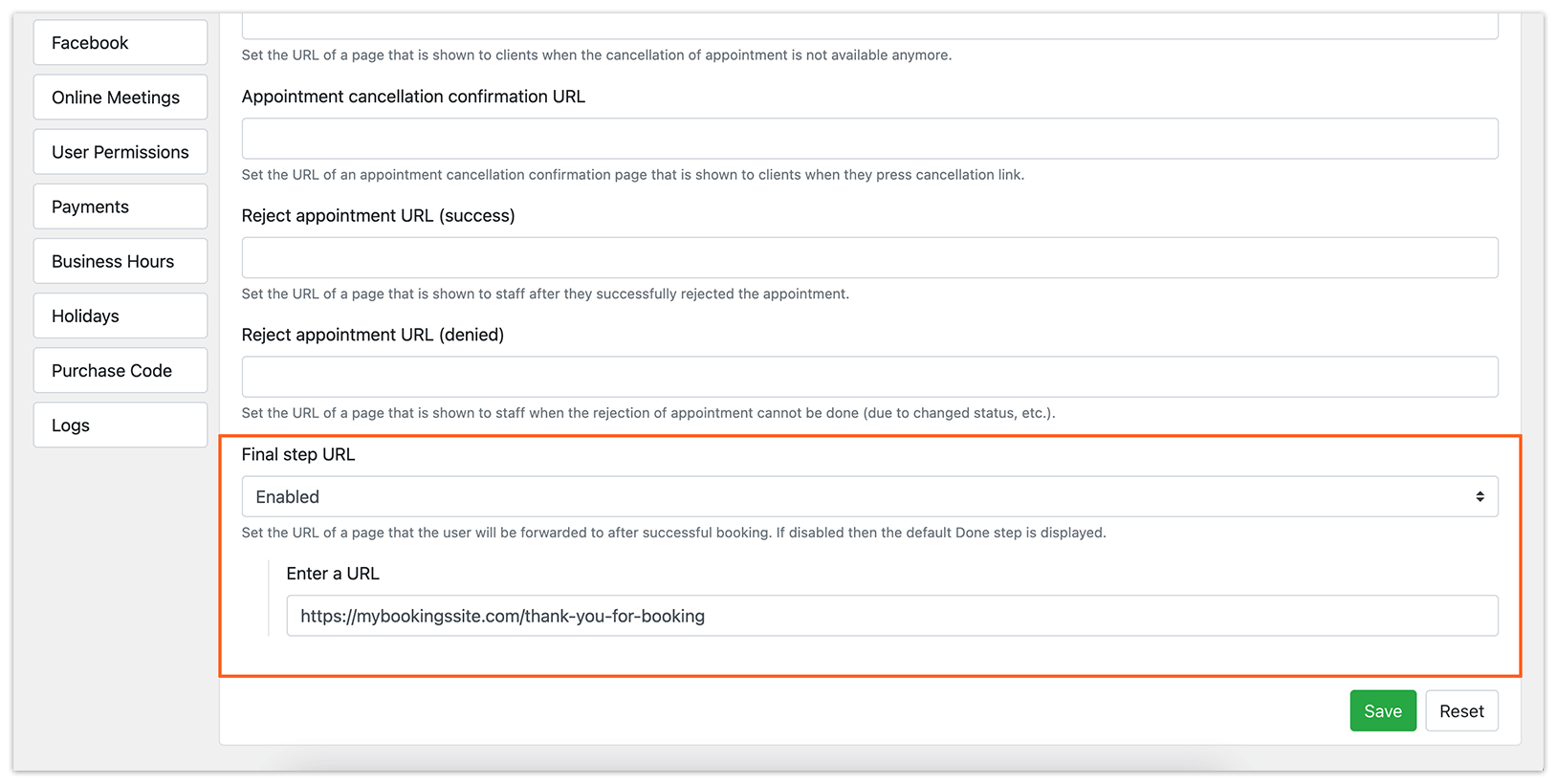
- Create a ‘thank you’ page on your website.
- Add the tracking script to that page.
- Set the URL of the ‘Final step’ page in the Bookly Settings > URL Settings > Final step URL.
Users will be forwarded to this page after a successful booking.
Add the tracking script directly to the booking form
You can insert the tracking script into the description text field of any step in the booking form. The script will be executed each time the user navigates to that step.
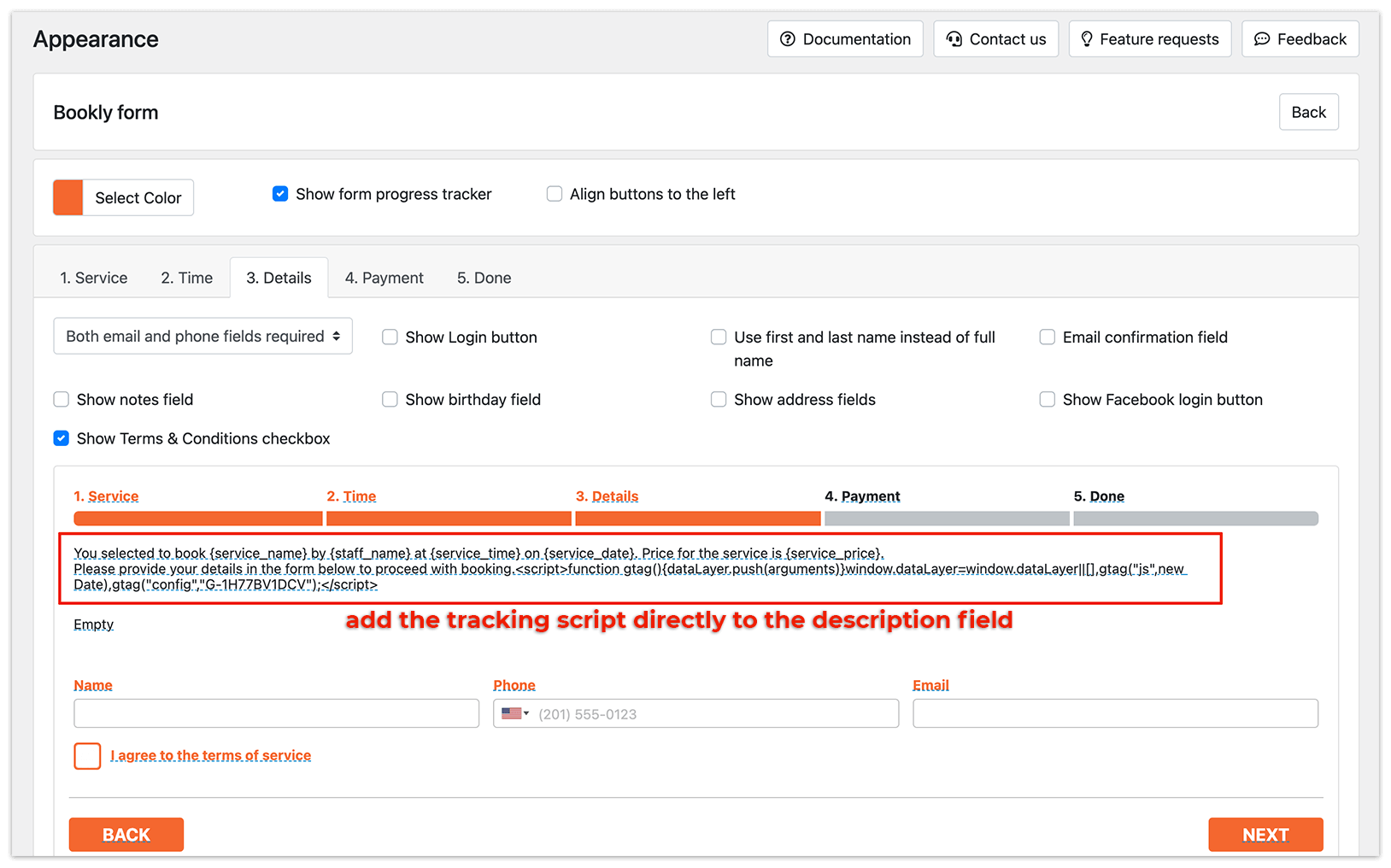
Tip: Ensure that the tracking script is on a single line without any line breaks to prevent issues with the booking form.