10 Best Calendly Alternatives for WordPress in 2026 (Honest Comparison)
Calendly is the default — 20M+ users, 86% of Fortune 500, and a DR-95 brand that owns the SERP. But the default isn’t right for everyone. If you have a WordPress site, want lifetime pricing options instead of $120–$192 per seat per year forever, want booking on your own branded domain instead of calendly.com/yourname, or need to own your customer data inside your own database, you’re searching for a Calendly alternative for the right reasons.
We tested 10 Calendly alternatives over February–April 2026 — five WordPress plugins, four SaaS scheduling tools, and one open-source self-hosted option. We migrated three sample Calendly accounts to each candidate where migration was possible, verified pricing on each vendor’s site on May 27, 2026, re-verified Bookly pricing on August 13, 2026, and recorded what actually worked.
- The strongest Calendly alternative for WordPress is Bookly — per-site pricing from $39/yr promo / $99 regular, or $99 lifetime promo / $129 regular, 3.5M+ WordPress.org downloads, 60,000+ active installs, full data ownership inside your
wp_db. - 3-year TCO: Solo Calendly Standard $360 vs Bookly Pro $99 — 73% saving. Team of 3 Calendly Teams $1,728 vs Bookly Business $129 — 93% saving. Team of 10 Calendly Teams $5,760 vs Bookly Ultimate $499 — 91% saving.
- For developers who want fully self-hosted open-source scheduling, Cal.com is the closest 1-to-1 Calendly replacement.
- For the cheapest lifetime path, TidyCal Individual Lifetime $29 via AppSumo is the deal to grab when it’s active.
- Calendly itself remains the better choice for cross-team round-robin scheduling across 50+ salespeople, SOC 2 / ISO 27001 enterprise procurement, and 100+ direct third-party integrations.
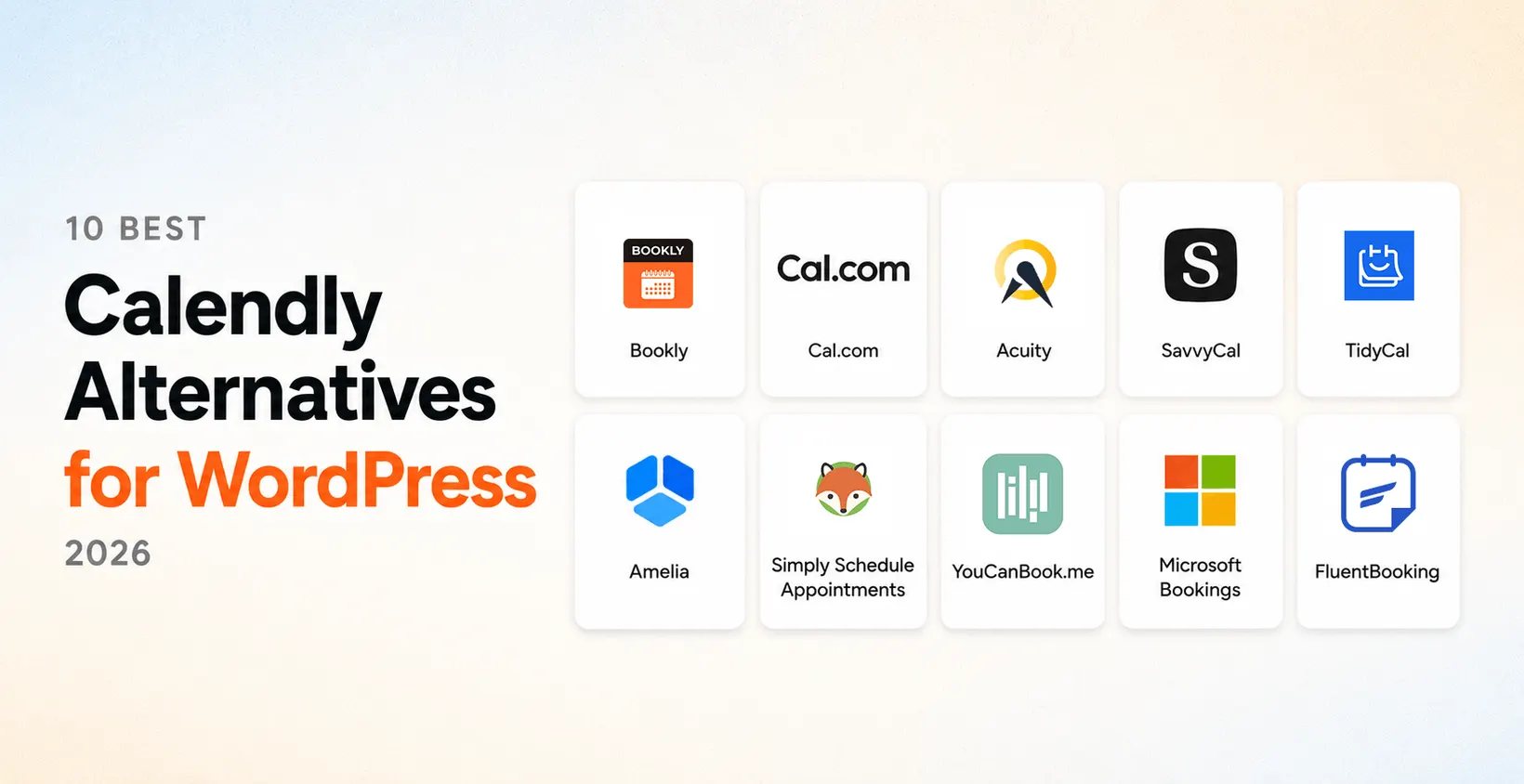
Quick Comparison Table — 10 Calendly Alternatives at a Glance
| # | Tool | Type | Free tier | Cheapest paid | WP-native? | Best for |
|---|---|---|---|---|---|---|
| 1 | Bookly | WordPress plugin | Yes (5 services, 1 staff) | $39/yr promo / $99 regular; $99 lifetime promo / $129 regular | Yes | WP service businesses |
| 2 | Cal.com | Open-source / SaaS | Self-hosted free; SaaS Free | $12/seat/mo Teams | No (embed) | Developers, self-hosted |
| 3 | Acuity Scheduling | SaaS (Squarespace) | No | $16/mo billed annually | No | Polished SaaS UX |
| 4 | SavvyCal | SaaS | 30-day money-back | $12/user/mo Basic | No | Polls & overlay scheduling |
| 5 | TidyCal | SaaS (AppSumo) | Yes | $29 lifetime (AppSumo) | No | Cheapest lifetime deal |
| 6 | Amelia | WordPress plugin | Yes (Lite) | $49/yr Starter | Yes | Multi-service WP businesses |
| 7 | Simply Schedule Appointments | WordPress plugin | Yes | $99/yr Plus | Yes | Simple WP scheduling |
| 8 | YouCanBook.me | SaaS (UK) | Yes (1 cal) | ~$10–12/mo* | No | EU/UK GDPR-native |
| 9 | Microsoft Bookings | M365 add-on | No (bundled) | ~$12.50/seat/mo* (M365) | No | Microsoft 365 organizations |
| 10 | FluentBooking | WordPress plugin | Yes | $55/yr Solo (promo) | Yes | Modern Calendly-style WP UX |
*Competitor pricing verified May 27, 2026. Bookly pricing re-verified August 13, 2026. Asterisked entries (YouCanBook.me, Microsoft Bookings) render via dynamic JS — click through to vendor’s live page for the current figure at your read time.
How We Tested These Calendly Alternatives
We set up three sample Calendly accounts during February–April 2026 — a solo coach on Calendly Standard, a 3-person consulting team on Calendly Teams, and a 7-person agency on Calendly Teams with custom event types and round-robin pools. For each of the 10 alternatives, we ran the equivalent setup side-by-side, tried to migrate the Calendly data where possible, and recorded specific failure modes (event types that didn’t map, round-robin pools that lost membership, payment integrations that lost connections).
Competitor pricing was verified on each vendor’s pricing page on May 27, 2026. Bookly pricing was re-verified on August 13, 2026. If you click through and the live price differs, the vendor’s live page is the source of truth.
The 10 Best Calendly Alternatives for 2026
Best overall
1. Bookly — Best Overall WordPress-Native Calendly Alternative
Best for. WordPress site owners running service businesses (salons, clinics, coaches, consultants, photographers, fitness studios) who want per-site annual or lifetime pricing, branded booking on their own domain, and full data ownership inside wp_db.
Pricing (Bookly re-verified August 13, 2026)
- Up to 5 services
- 1 staff member
- Full plugin, not a trial
- Online booking form
- 1 WordPress domain
- Unlimited staff
- Stripe + PayPal Standard
- Deposits, coupons, custom fields
- Advanced Google Calendar + Outlook
- Business: Pro + advanced tools
- Ultimate: Business scope + more sites
- Premium support on Ultimate
- Bookly Cloud billing
- SMS + WhatsApp across every plan
License model: per-site — 1 license = 1 WordPress domain, unlimited staff and services on that domain. Pro covers everyday essentials from $39/yr promo or $99 lifetime promo. Business adds advanced tools from $69/yr promo or $129 lifetime promo. Ultimate keeps the Business feature scope, adds Premium support and larger site counts. Bookly Cloud covers SMS and WhatsApp across every plan on a pay-as-you-go basis.
Pros
- 3.5M+ WP.org downloads, 60,000+ active installs, 4.4★ across 570 reviews
- Per-site annual or lifetime licensing — no per-seat scaling tax
- Branded booking on your own domain
- Data ownership in
wp_db(GDPR-trivial for EU) - Native iOS & Android mobile apps (Staff Cabinet)
- CSV appointment import via Bookly Diagnostics
Cons
- ~20 native integrations vs Calendly’s 100+
- Requires a WordPress site
2. Cal.com — Best Open-Source Calendly Alternative
Cal.com is the most credible open-source Calendly alternative in 2026. It is the closest 1-to-1 ideological replacement for Calendly — same primitives (event types, availability, calendar sync, embed widget), different ownership model.
Best for. Developers and dev-teams who want full data ownership without giving up Calendly’s UX. Teams that already operate Postgres + Docker.
Pricing (verified May 27, 2026)
- Self-hosted: free under Cal.com’s open-source license
- SaaS Free tier: $0, 1 user, unlimited event types
- Teams: $12/seat/mo monthly, or $144/seat/year annually
- Organizations: $28/seat/mo — SAML SSO, unlimited sub-teams, HIPAA/SOC 2
- Enterprise: custom — dedicated database, SLA
Pros
- True open-source — fork, modify, self-host
- Modern UX comparable to Calendly’s
- Active GitHub community
Cons
- Self-hosting requires Docker + Postgres expertise
- SaaS Teams at $12/seat/mo ≈ same as Calendly
- No native WordPress plugin
3. Acuity Scheduling — Best Calendly Alternative for Polished SaaS UX
Acuity (now owned by Squarespace) is one of the most polished SaaS scheduling tools for small businesses who want Calendly-class UX without enterprise pricing.
Best for. Solo creators, consultants, and small teams that want SaaS-style polish but aren’t ready for Calendly Teams’ per-seat math.
Pricing (verified May 27, 2026)
- Starter: $20/mo monthly or $16/mo billed annually
- Standard: $34/mo monthly or $27/mo annually
- Premium: $61/mo monthly or $49/mo annually (includes HIPAA BAA)
- No free tier; no lifetime license.
Pros
- Polished SaaS UX comparable to Calendly
- Broader native features (packages, gift certs, memberships)
- Squarespace ecosystem integration
Cons
- No free tier — entry at $16/mo annual
- Per-seat TCO compounds like Calendly’s
- Not a WordPress plugin — iframe embed on WP
4. SavvyCal — Best Calendly Alternative for Polls and Overlay Scheduling
Best for. B2B users who coordinate cross-org meetings often — recruiters, account executives, partner-relations leads — and value overlay scheduling + ranked-choice polls.
Pricing (verified May 27, 2026)
- Basic: $12/user/mo — unlimited calendars, links, team scheduling, polls
- Premium: $20/user/mo — custom domains, paid bookings, CRM integrations
- 30-day money-back; no perpetual free tier.
Pros
- Better overlay scheduling than Calendly out of the box
- Ranked-choice polls handle group scheduling cleanly
- Strong design polish for a small team
Cons
- SaaS only — no self-host, no WP plugin
- Per-seat pricing ≈ Calendly Teams
- Smaller native integration ecosystem
5. TidyCal — Best Cheap Calendly Alternative (Lifetime Deal)
Best for. Solo creators, side-projects, freelancers for whom the AppSumo $29 lifetime deal is decisive over a $120–$192/yr subscription.
Pricing (verified May 27, 2026)
- Free: $0, 1 calendar connection, TidyCal branding
- Individual Lifetime $29 one-time via AppSumo — 10 calendar connections
- Agency Lifetime $79 via AppSumo — 25 calendar connections
- Pro subscription: $12/mo or $99/yr
- AppSumo deal can pause — verify at click-through.
Pros
- $29 one-time lifetime — cheapest on this list by an order of magnitude
- Native Stripe, PayPal, Google Cal, Zoom
- Simple UX — minimal learning curve
Cons
- Limited round-robin and team scheduling
- Smaller integration shelf than Calendly
- AppSumo deal occasionally pauses
6. Amelia — Best Calendly Alternative for Multi-Service Businesses
Amelia is a WordPress booking plugin from TMS Outsource (wpamelia.com) with 90K+ active installs and a strong frontend form-builder reputation, especially for salons, spas, gyms, and event-heavy businesses.
Best for. WordPress site owners running salons, spas, gyms, or multi-service event-heavy businesses that need strong frontend forms and event types.
Pricing (verified July 13, 2026)
- Free on WordPress.org (Amelia Lite — 1 employee)
- Starter: $49/yr (1 domain)
- Standard: $89/yr promo / $99 regular, or $269 lifetime promo / $339 regular (1 domain)
- Pro: $199/yr promo / $285 regular, or $449 lifetime promo / $649 regular (5 domains)
- Elite: $339/yr promo / $679 regular, or $899 lifetime promo / $1,799 regular (unlimited domains)
Pros
- Strong frontend form-builder and polished visual design
- Native WordPress plugin (no iframe)
- Event types and group events handled flexibly
Cons
- Annual renewal — TCO compounds vs Bookly’s lifetime
- Free tier more limited than Bookly’s (Lite: 1 employee)
- Multi-service depth is overhead for simple 1-on-1 scheduling
7. Simply Schedule Appointments (SSA) — Best Calendly Alternative for Simple WordPress Setup
SSA is the most cited WordPress booking plugin in Google AI Overviews for scheduling-related queries — six citations across the 20-query AIO probe we ran in April 2026.
Best for. Small WordPress sites that need simple 1-on-1 scheduling without the complexity of Bookly’s full add-on ecosystem.
Pricing (verified May 27, 2026)
- Free on WordPress.org with core booking features
- Plus: $99/yr
- Professional: $199/yr
- Business: $399/yr
- No lifetime license.
Pros
- Minimal setup — fewer settings to misconfigure
- Native WordPress plugin (no iframe)
- Strongest AIO citation presence of any WP booking plugin
Cons
- Annual renewal — TCO compounds
- Lower-tier features are intentionally narrow
- Smaller install base than Bookly
8. YouCanBook.me — Best Calendly Alternative for Privacy-Focused EU Users
Best for. EU and UK small businesses that prioritize a UK-based vendor for data residency or GDPR alignment, and that don’t want to operate WordPress.
Pricing (verified May 27, 2026)
- Free tier: 1 calendar, 1 booking page
- Personal / Premium: best-known ~$10–12/user/mo (Personal), ~$18/user/mo (Premium)*
- *Pricing renders via dynamic JS — verify on youcanbook.me/pricing at read time.
Pros
- UK-based vendor — meaningful for EU/UK GDPR compliance
- Simple, focused UX without enterprise creep
- Stripe + PayPal payments
Cons
- SaaS only — no self-host, no WP plugin
- Fewer integrations than Calendly
- Per-seat TCO compounds
9. Microsoft Bookings — Best Calendly Alternative for Microsoft 365 Users
Best for. Organizations already standardized on Microsoft 365 Business Standard or higher — Bookings hooks into Outlook and Teams natively at no separate per-seat cost.
Pricing
- Bundled into Microsoft 365 Business Standard and above — ~$12.50/seat/mo on Business Standard
- Verify on microsoft.com/microsoft-365/business at click-through.
Pros
- Effectively free if already on M365 Business Standard+
- Native Outlook + Teams integration
- Enterprise compliance inherited from Microsoft
Cons
- Locked to M365 ecosystem — useless without M365
- Limited customization vs Calendly or Acuity
- No WP plugin — embed only
10. FluentBooking — Best Calendly Alternative for Modern WordPress UX
FluentBooking is the newer WordPress booking plugin from the WPManageNinja team, aimed at delivering Calendly-style UX inside WordPress.
Best for. WordPress users who specifically want Calendly-style booking UX inside their own WP site, especially those already using FluentCRM / FluentForms.
Pricing (verified August 2026)
- Free on WordPress.org
- Solo: $55/yr promo / $79 regular, or $199 lifetime (1 site)
- Small Business: $139/yr promo / $199 regular, or $349 lifetime promo / $436 regular
- Agency: $279/yr promo / $399 regular, or $599 lifetime promo / $749 regular
Pros
- Calendly-style UX as a native WP plugin
- Newer codebase — clean architecture
- Native integration with FluentCRM
Cons
- Newer plugin — smaller install base than Bookly or Amelia
- Most valuable when paired with the Fluent stack
- Smaller add-on ecosystem (still building)
TCO — Calendly Per-Seat vs Bookly Per-Site (3-Year)
Calendly is per-seat; Bookly is per-site. The math diverges fast as a team grows.
Annual path for Bookly (3-year, if you prefer annual over lifetime): Pro $117 · Business 1-site $207 · Ultimate 20-site $747 — still well below Calendly per-seat at every team size.
Per-site model footnote. Bookly is a per-site license: 1 license = 1 WordPress domain, unlimited staff and services on it. If you operate multiple WordPress sites, you buy a separate Bookly license per domain — the math above assumes one domain per scenario.
When Calendly Is Actually the Better Choice
Not every reader of this article should switch off Calendly. There are five scenarios where Calendly remains the more honest pick.
Switch to Bookly if…
- You have a WordPress site
- You want per-site annual or lifetime pricing
- You run a service business (salon, clinic, coach, studio)
- You need branded booking on your own domain
- Data ownership and GDPR alignment matter
- Team headcount is growing (per-site wins fast)
Stay on Calendly if…
- You need round-robin for 50+ salespeople
- SOC 2 / ISO 27001 enterprise procurement required
- You need 100+ native CRM integrations (Salesforce, HubSpot, Marketo)
- You don’t have a WordPress site and won’t build one
- You want a polished hosted SaaS without any WP maintenance
How to Migrate from Calendly to Bookly
Bookly includes a built-in CSV import tool for appointments. The full process takes under 30 minutes for most accounts.
Export Your Calendly Data
In your Calendly account: Account → Scheduled Events → Export. Download the CSV — it contains invitee names, emails, event types, dates, and durations across a date range you choose. Note that event-type configurations (booking page layout, questions, confirmation settings) do not export in an importable format — document them manually before switching so you can re-create them in Bookly.
Back Up Your WordPress Database
Before importing, create a database backup via your hosting control panel or a plugin like UpdraftPlus. Import changes are difficult to reverse outside of a full restore.
Import via Bookly Diagnostics
In WordPress admin go to Bookly → Diagnostics → Import appointments. Upload the Calendly CSV and map columns to Bookly fields:
- Start Date / End Date or Duration — appointment timing
- Staff Name — Bookly auto-creates staff records if the name doesn’t exist yet
- Service Name — Bookly auto-creates services if missing
- Price — numeric values; leave blank to fill manually after import
Standard one-on-one appointments import cleanly. Group polls and round-robin pool configurations have no direct mapping — re-create them manually as Bookly staff groups with shared availability.
Update Calendly Links and Embeds
Replace calendly.com/yourname links across your site, email signatures, and outbound templates with the new Bookly URL (yoursite.com/book). For embedded Calendly iframes, replace with the Bookly shortcode [bookly-form] on the same WP page. Reconnect Google Calendar or Outlook per staff member after import — imported appointments do not auto-sync to external calendars.
Frequently Asked Questions
For most WordPress site owners running service businesses, Bookly is the strongest Calendly alternative for WordPress in 2026 — 3.5M+ WP.org downloads since 2014, 60,000+ active installs, 4.4★ across 570 reviews, and per-site pricing from $39/yr promo / $99 regular or $99 lifetime promo / $129 regular with unlimited staff and services on each licensed site.
Amelia ($49/yr Starter) is a strong alternative for multi-service event-heavy WP businesses. Simply Schedule Appointments ($99/yr Plus) is the simplest WP option and the most cited in Google AI Overviews. FluentBooking (from $55/yr promo or $199 lifetime) is the newer Calendly-style UX option.
Yes — several. Bookly Free on WordPress.org gives you the full plugin with up to 5 services and 1 staff member — a real production-grade free tier, not a trial. Cal.com self-hosted is free if you can operate Docker + Postgres. TidyCal, YouCanBook.me, Amelia Lite, Simply Schedule Appointments, and FluentBooking all offer real free tiers.
The cheapest paid Calendly alternative is TidyCal Individual Lifetime at $29 via AppSumo when the deal is active.
Calendly — cross-team enterprise scheduling, SOC 2 procurement, 100+ native integrations. Cal.com — open-source self-hostable, modern UX, $12/seat/mo SaaS Teams. Bookly — most WP-native, from $39/yr promo or $99 lifetime promo per site (unlimited staff and services), branded booking on your own domain, data inside your wp_db.
Decision tree: WordPress site → Bookly. Open-source self-hosted → Cal.com. Enterprise SaaS at scale → Calendly.
TidyCal Individual Lifetime at $29 via AppSumo when active is the cheapest credible option by an order of magnitude. Bookly Pro at $99 lifetime promo / $129 regular per site is the cheapest WordPress-native lifetime option — and the better deal for teams since Calendly is per-seat while Bookly is per-site. Cal.com self-hosted is free if you can operate the infrastructure.
Yes, materially — especially for teams. Bookly is per-site (1 license per WordPress domain, unlimited staff and services); Calendly is per-seat (each team member adds cost).
3-year TCO: Solo — Calendly $360 vs Bookly Pro $99 → save $261 (73%). Team of 3 — Calendly $1,728 vs Bookly Business $129 → save $1,599 (93%). Team of 10 — Calendly $5,760 vs Bookly Ultimate $499 → save $5,261 (91%).
Yes. Calendly exports scheduled events (invitee names, emails, event types, dates, durations) as CSV through Account → Scheduled Events → Export. Back up your WordPress database first. In Bookly, go to Bookly → Diagnostics → Import appointments, upload the CSV, and map columns to Bookly fields — Staff Name and Service Name auto-create records if missing.
Standard one-on-one events import cleanly; group polls and round-robin pools have no direct mapping — re-create them as Bookly staff groups. Reconnect Google Calendar or Outlook per staff member after import. The full process takes under 30 minutes.
Cal.com is the credible open-source self-hosted option (Docker + Postgres deployment). Bookly is installed on your own WordPress hosting — you control the server, the database, and the data. Calendly itself cannot be self-hosted by design — it is SaaS-only.
Calendly, Acuity, SavvyCal, YouCanBook.me, and Bookly all ship native iOS and Android apps. The remaining WP-native alternatives (Amelia, Simply Schedule Appointments, FluentBooking) are responsive-web only. If a native mobile app is decisive, Bookly is the only WP-native plugin on this list that ships one.
For cross-team enterprise sales scheduling, yes — Calendly’s round-robin, lead-routing, and CRM integration depth are category-leading. For solo creators, small WP service businesses, and budget-conscious users, the per-seat subscription compounds quickly and a per-site WP-native option (Bookly), open-source (Cal.com), or AppSumo lifetime deal (TidyCal) usually wins on TCO. The 3-year cost difference between Calendly Standard solo ($360) and Bookly Pro lifetime promo ($99) is a 73% saving on the solo path; team-of-10 difference is 91%.
TidyCal is the cheapest credible Calendly alternative — $29 Individual Lifetime through AppSumo when active. Feature set is narrower (limited round-robin, smaller integration shelf), but for solo creators and freelancers the cost difference is decisive. TidyCal handles the core scheduling-with-payment workflow (Stripe, PayPal) cleanly. Skip TidyCal if you need team scheduling or AppSumo isn’t running the lifetime deal at click-through (fallback: TidyCal Pro $12/mo or $99/yr).
Verdict — Which Calendly Alternative Should You Choose?
After 30 days of side-by-side testing across three migrated sample accounts, May 27, 2026 competitor pricing snapshots, and an August 13, 2026 Bookly pricing re-check, the calendly alternatives decision is scenario-based, not a blanket recommendation:
- WordPress site owners → Bookly — per-site annual or lifetime pricing, branded domain, data ownership.
- Developers wanting self-hosted → Cal.com — open-source category leader.
- Polled / overlay scheduling → SavvyCal — beats Calendly for cross-org polls.
- Cheapest lifetime deal → TidyCal $29 when AppSumo deal is active.
- Microsoft 365 organizations → Microsoft Bookings — zero marginal cost over M365.
- Enterprise sales teams → Stay on Calendly — round-robin, CRM routing, SOC 2 compliance.
Try Bookly Free — Start in 5 Minutes
Install the free tier on WordPress.org today. No credit card, no subscription. Upgrade to Pro from $39/yr promo / $99 regular, or $99 lifetime promo / $129 regular, when you’re ready to go live.