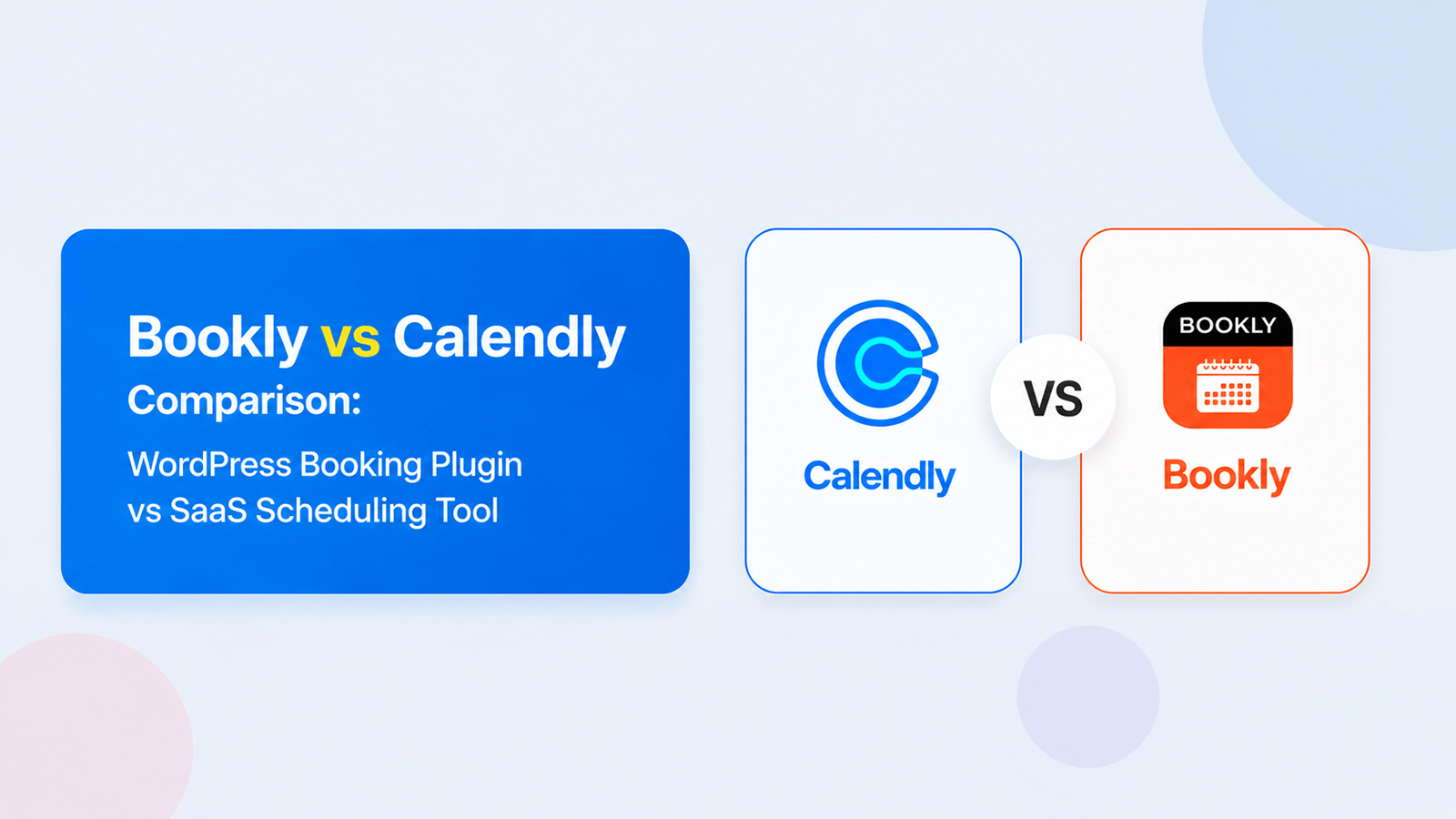
Calendly Alternative for WordPress: Bookly vs Calendly Compared (2026 Honest Review)
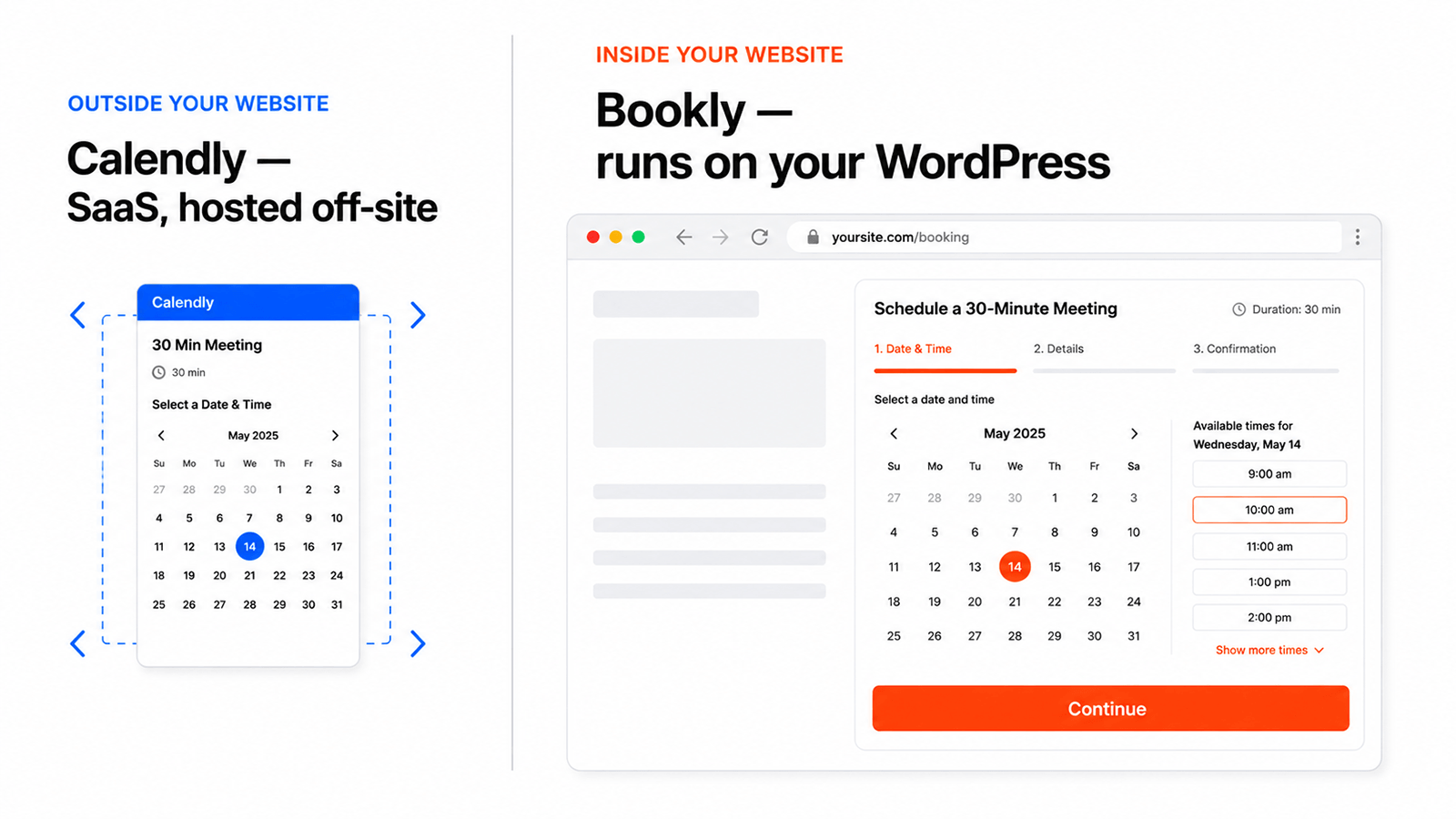
If you run a WordPress site and want a calendly alternative wordpress users can actually own, the math shifts quickly. Paying $10–$16 per seat per month to Calendly—while your booking page lives on their domain and their database holds your customer list—is a deliberate tradeoff, not a universal default. This bookly vs calendly comparison breaks down when that tradeoff makes sense and when a WordPress-native plugin is the better call.
We migrated 4 sample Calendly accounts to Bookly between February–April 2026, tested Calendly Free, Standard, and Teams plans alongside Bookly Free, Pro, Business, and Ultimate. Here’s the honest account of the bookly vs calendly decision.
- Bookly is a WordPress-native plugin — your domain, your database, one-time license. Calendly is SaaS — their cloud, their domain, per-seat subscription.
- 3-year TCO for a solo user: Bookly $99 vs Calendly $360 — 73% savings.
- Calendly is the stronger choice for large B2B sales teams, enterprise compliance buyers, and users with no WordPress site.
- Bookly wins for service businesses (salons, clinics, coaches, consultants) already on WordPress who want branded booking on their own domain.
Calendly vs Bookly at a Glance
| Criterion | Bookly | Calendly |
|---|---|---|
| Type | WordPress plugin (self-hosted) | SaaS (cloud) |
| Hosting | Your server | Calendly’s AWS (US) |
| Pricing model | Per-site annual or lifetime license | Per-seat subscription |
| Free plan | Yes — full plugin on WordPress.org | Yes — 1 event type, Calendly branding |
| Cheapest paid | $39/year promo / $99 regular, or $99 lifetime promo / $129 regular (Pro, 1 site) | $10/user/month ($120/year/seat) |
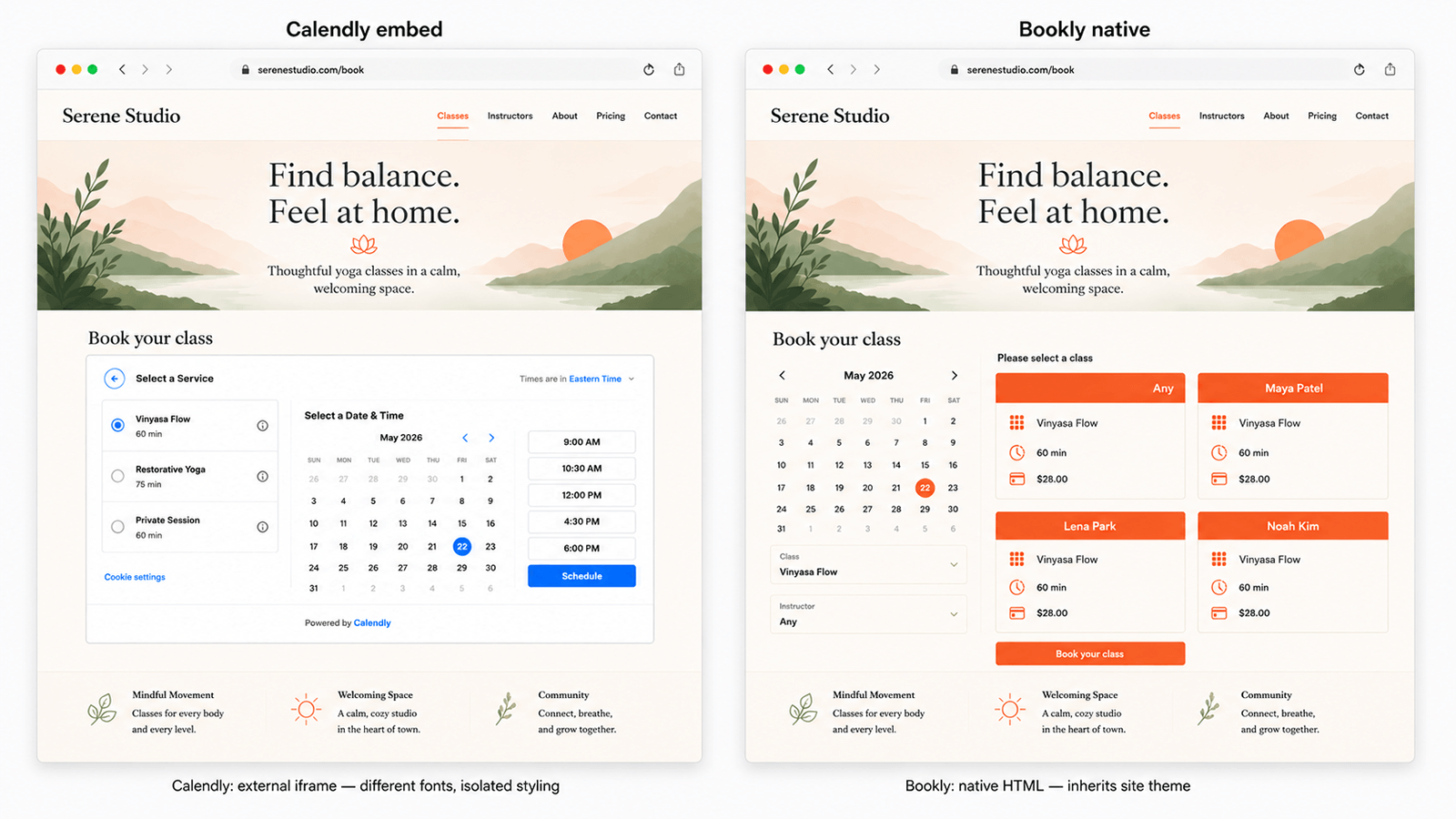
| WordPress integration | Native (WP page, WP DB, WP theme) | Iframe / JS embed only |
| Booking page URL | yoursite.com/book |
calendly.com/yourname/30min |
| Data location | Your wp_db on your hosting | Calendly’s US cloud |
| Mobile app | Responsive WP frontend | Native iOS + Android |
| Best for | WP service businesses | Sales teams, enterprises, non-WP users |
The Fundamental Difference: SaaS vs WordPress-Native
How Calendly Works
Calendly is a standalone SaaS scheduling platform hosted on AWS. Sign up, connect Google Calendar or Outlook, share a calendly.com/yourname link. To embed it on a site you drop in an iframe or JavaScript snippet — but scheduling runs on Calendly’s servers, customer data lives in their database, and the domain is always theirs. Calendly has 20M+ users, a 4.7/5 rating across 2,615 G2 reviews, and counts 86% of Fortune 500 companies as customers. The per-seat subscription is how the business model works.
How Bookly Works
Bookly is a WordPress plugin installed on your existing WP site. The booking form renders as a native WordPress page — same domain, same theme, same CSS — not an iframe. All appointment data is stored in your wp_db on your hosting. Bookly is sold as a one-time lifetime license or an annual subscription — no per-seat charges either way. Bookly has 3.5M+ downloads, 60,000+ active installations, and a 4.4/5 rating across 570 WordPress.org reviews. It integrates natively with Elementor, Divi, WooCommerce, and WPML.
Why It Matters: Branding, Data, Cost, Control
Three practical consequences follow from this architectural difference:
Domain and SEO: Your booking page at yoursite.com/book sends every visit to your domain. A Calendly booking page at calendly.com/yourname sends that signal to Calendly. For businesses investing in SEO, this compounds over time.
Data ownership: Calendly holds your customer list and appointment history on US servers. Bookly stores everything in your database — relevant for GDPR data-residency. Cancel Calendly and your data is deleted after a 30-day grace period. Cancel Bookly and your data stays in your WordPress database permanently.
Cost: The per-seat model compounds fast. A 3-person team on Calendly Teams pays $1,728 over 3 years. Bookly Business covers unlimited staff from $69/year promo / $129 regular for 1 site, or $129 lifetime promo / $149 regular. For 5 sites, Business is $129/year promo / $249 regular, or $249 lifetime promo / $349 regular.
Pricing Comparison: Calendly vs Bookly (3-Year True Cost)
Calendly Pricing in 2026
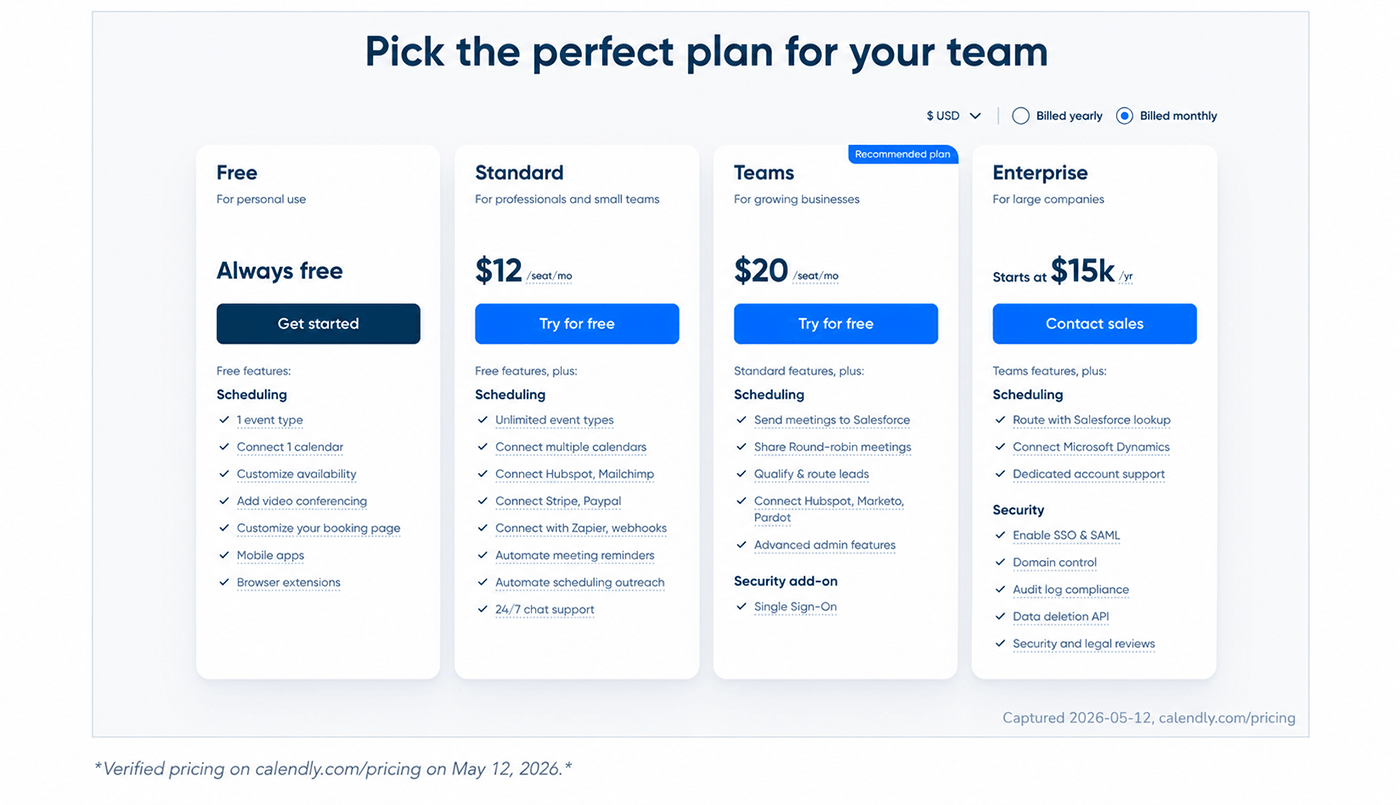
Verified pricing on calendly.com/pricing on May 11, 2026.
| Plan | Monthly billed | Annual per seat |
|---|---|---|
| Free | $0 | 1 event type, Calendly branding |
| Standard | $12/user/mo | $10/user/month ($120/year) |
| Teams | $20/user/mo | $16/user/month ($192/year) |
| Enterprise | Custom | $15,000+/year |
Annual billing saves 16% (Standard) and 20% (Teams). A 14-day Teams trial auto-downgrades on expiry.
Bookly Pricing in 2026
Bookly Pro
- ✓Unlimited staff & services
- ✓Stripe, PayPal Standard, and Deposit Payments
- ✓Group Booking, Recurring Appointments, and Custom Fields
- ✓Locations, Cabinets, Coupons, Service Extras + Cart
- ✓No per-seat fee
Bookly Business
- ✓Everything in Pro
- ✓Unlimited staff (no seat caps)
- ✓Priority support
- ✓Advanced payments, packages, waiting list, invoices, taxes
- ✓One-time license available
Bookly Ultimate
- ✓Business feature scope plus Premium support
- ✓Larger site-count packages: 1, 20, or 100 sites
- ✓Same feature scope as Business, sized for scale
- ✓Premium support
- ✓Lifetime path available
There are no per-seat license fees on any tier. Lifetime licenses never renew. Bookly Cloud SMS, WhatsApp notifications, and Stripe Connect carry optional pay-as-you-go usage charges — these are add-on services, not base licensing costs. Bookly Cloud also includes a $5 signup credit and up to $400 bonus on the first top-up.
3-Year TCO Calculator: Solo, Small Team (3), Growing Team (10)
| Scenario | Calendly (annual billing) | Bookly (lifetime path) | Savings | % Saved |
|---|---|---|---|---|
| Solo (1 user) | $360 (Standard $120/yr × 3 yrs) | $99 (Pro lifetime promo) | $261 | 73% |
| Team of 3 | $1,728 (Teams $192/yr × 3 seats × 3 yrs) | $129 (Business 1-site lifetime promo) | $1,599 | 93% |
| Team of 10 | $5,760 (Teams $192/yr × 10 seats × 3 yrs) | $499 (Ultimate 20-site lifetime promo) | $5,261 | 91% |
Calendly Standard at $120/seat/year (solo). Calendly Teams at $192/seat/year (small/growing teams use round-robin and CRM features that require Teams). Bookly is a per-site license (1 license = 1 WordPress domain, unlimited staff and services on it). If you operate multiple WordPress sites, you buy a separate Bookly license per domain. The 3-year TCO above uses the lifetime path: Pro 1 site $99 promo / $129 regular, Business 1 site $129 promo / $149 regular, Ultimate 20 sites $499 promo / $999 regular. Annual alternatives are Pro $39/year promo / $99 regular, Business 1 site $69/year promo / $129 regular, Ultimate 20 sites $249/year promo / $499 regular — see booking-wp-plugin.com/pricing/. No add-on costs included for either platform.
3-year TCO comparison
Who Saves What: Real-World Scenarios
The breakeven for a solo user on Bookly Pro lifetime ($99 promo / $129 regular) versus Calendly Standard ($120/year) is under 1 year on the promo lifetime path. For a salon with 3 stylists on Calendly Teams ($192/seat/year), the 3-year bill reaches $1,728 — and continues compounding indefinitely. Bookly Business 1-site at $129 lifetime promo / $149 regular, or $69/year promo / $129 regular, covers unlimited staff on one WordPress domain. The gap widens further as Calendly seats compound.
Feature Comparison: What Each Tool Does Well
Scheduling Core
Calendly wins on setup speed. Sign up, connect Google Calendar or Outlook, share a link — you’re live in under 5 minutes without a WordPress install. Its availability controls (buffers, daily limits, minimum notice, round-robin pools) are polished and comprehensive.
Bookly requires WordPress. For users who already run a WP site, that’s a 10-minute install. For users without one, it is genuine overhead. Bookly supports multiple service types, staff schedules, custom availability windows, and multi-location setups out of the box.
Payments
Calendly requires Standard plan ($120/year/seat minimum) for any payment collection and supports Stripe and PayPal. Bookly Pro starts at $99 lifetime promo / $129 regular and includes Stripe, PayPal Standard, and Deposit Payments. Business adds advanced processors such as PayPal Checkout, Authorize.Net, 2Checkout, and PayU. Bookly Cloud services, including SMS and WhatsApp, work pay-as-you-go across plans.
Notifications
Both platforms send email notifications. Calendly adds SMS via a $3/month add-on. Bookly offers Cloud SMS and WhatsApp on a pay-as-you-go basis.
Customization
Calendly allows color and logo customization on paid plans, but the booking-page URL and structure are fixed. Full white-labeling requires Enterprise.
Bookly booking forms render as native WordPress HTML and CSS, fully overrideable via your theme or custom CSS. Multilingual support runs through WPML without additional configuration.
Integrations
This is Calendly’s clearest advantage. Calendly has 100+ native integrations: Salesforce, HubSpot, Zoho, Marketo, Zoom, Microsoft Teams, Slack — maintained by Calendly’s team. Bookly has approximately 20 native integrations plus Zapier access to 1,000+ apps. For the typical service business, Google Calendar, Outlook, Zoom, Stripe, PayPal Standard, and Bookly Cloud notifications cover the full workflow. For sales-heavy organisations running CRM automation at scale, Calendly’s integration depth is a real advantage.
Data Ownership and Privacy
Where Your Bookings Live
With Calendly, every appointment and every customer email lives on Calendly’s AWS infrastructure in the United States. You access data through their dashboard and API, but you don’t control the infrastructure.
With Bookly, booking data writes directly to your WordPress database. Your hosting provider, your server, your backup schedule. Deactivate the plugin and your appointment history stays in the database indefinitely.
| Factor | Bookly | Calendly |
|---|---|---|
| Data location | Your hosting (configurable region) | AWS US (fixed) |
| Database owner | You | Calendly |
| GDPR DPA | Your hosting provider | Calendly’s DPA (SCCs) |
| Data on cancel | Stays in your wp_db forever | Deleted after 30-day grace |
| Data export | Direct DB access + CSV | CSV export (manual) |
GDPR and Data Residency
For EU businesses, Calendly’s US-hosted infrastructure means customer data crosses the Atlantic under Standard Contractual Clauses. Bookly on EU hosting keeps data in the EU by default — meaningful for healthcare, legal, or financial verticals with data-residency requirements.
What Happens If You Cancel
Cancel Calendly: access ends at billing cycle close, data deleted after 30-day grace. Export your CSV before that window closes.
Cancel Bookly: a lifetime license never needs to be cancelled — it stays active forever. If you stop renewing the annual subscription, your purchase code becomes invalid: auto-updates stop and the activated Pro/Business/Ultimate features revert. Existing booking data stays in your WordPress database. To keep features active without renewals, choose the lifetime license. Either way, there is no SaaS termination event that wipes your records.
When Calendly Is Actually the Better Choice
In the bookly vs calendly matchup, Calendly is a mature, well-built product. There are scenarios where it is the objectively stronger tool.
Cross-Team Round-Robin Scheduling for 50+ Salespeople
Calendly Teams was built for B2B sales organisations: routing rules, collective events, round-robin pools across large teams, with CRM sync to Salesforce or HubSpot. Bookly supports staff-level round-robin assignment, but at the 50+ rep scale with CRM automation depth, Calendly is the more mature solution.
Enterprise Compliance Buyers (SOC 2 / ISO 27001)
Calendly holds SOC 2 Type II and ISO 27001 certifications. If your vendor procurement checklist requires these, Calendly passes. Bookly does not hold these certifications — the compliance posture depends on your hosting provider.
No WordPress Site and No Plans to Build One
If you have no WordPress site — and no immediate plan to build one — Bookly requires infrastructure investment that Calendly does not. Calendly’s 5-minute signup-to-live flow is a genuine advantage for this profile, and it’s worth stating plainly.
When Bookly Wins
For users explicitly searching for a wordpress alternative to calendly, Bookly is the most direct fit. Here is where it consistently wins.
You Already Have a WordPress Site
If your site runs on WordPress, Bookly installs in under 10 minutes. No new SaaS vendor, no iframe that looks slightly off from your site, no per-seat subscription that scales with every hire. As a calendly alternative wordpress site owners can self-host, Bookly is the most direct drop-in for WP-based service businesses.
You Want a One-Time Cost, Not a Subscription
For any WordPress user evaluating a calendly alternative wordpress option, the lifetime license model means Calendly’s compounding seat charges go to zero. Solo 3-year savings: $261. Team of 3: $1,599. Team of 10: $5,261.
You Need Branded Booking on Your Own Domain
Your booking page at yoursite.com/book reinforces your domain with every visit. A calendly.com/yourname booking page reinforces Calendly’s domain. For businesses compounding SEO equity, the difference is not cosmetic.
You’re a Service Business, Not a Sales Team
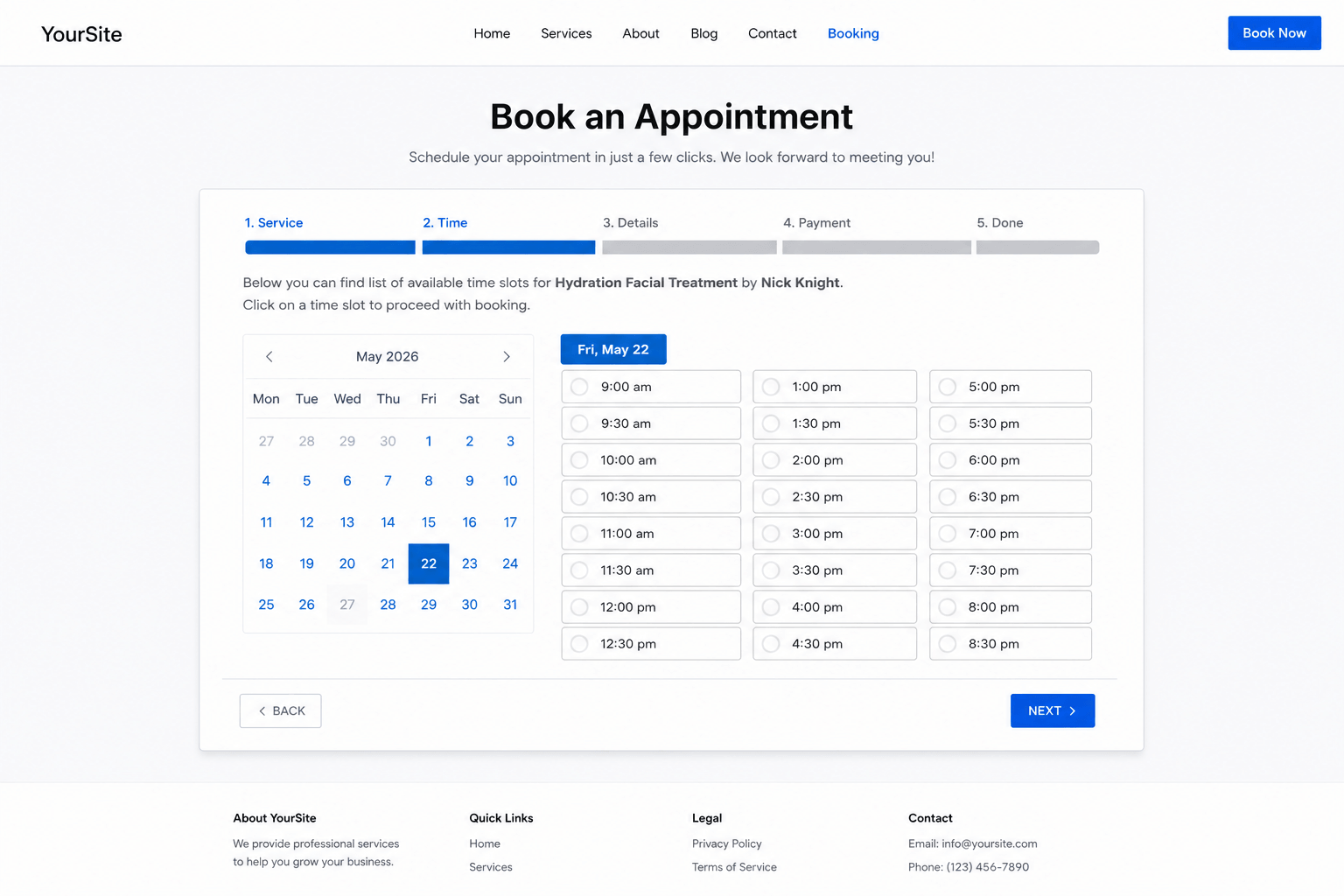
Bookly’s service/staff/availability model was built for appointment-based service businesses: hair salons, physiotherapy clinics, life coaches, tutors, photographers. These workflows map cleanly onto Bookly without workarounds. The bookly vs calendly question for a 3-chair barbershop is a different question than for a 40-rep outbound sales team — and the answer differs accordingly.
How to Migrate from Calendly to Bookly in Under 30 Minutes
Bookly ships with a built-in CSV import tool under Diagnostics → Import appointments that ingests staff, services, customers, appointments, and payments in one pass. Standard event types and one-on-one meetings import cleanly. Group polls and round-robin pool configurations don’t have a direct 1:1 mapping in Bookly and need manual setup after import.
Step 1 — Export Your Calendly Data
In Calendly: Account → Scheduled Events → Export. Select your date range (12 months back covers most historical records). Download the CSV — it includes invitee names, emails, event types, dates, and durations. Note your availability settings manually; Calendly does not export event-type configurations as importable files.
Step 2 — Back Up Your WordPress Database
Before importing, take a database backup (your hosting control panel, UpdraftPlus, or any standard WP backup plugin). Bookly’s import creates new records in wp_db and changes can’t be easily undone outside the tool’s own rollback. This step is explicitly recommended in the Bookly support docs.
Step 3 — Run the Bookly Import
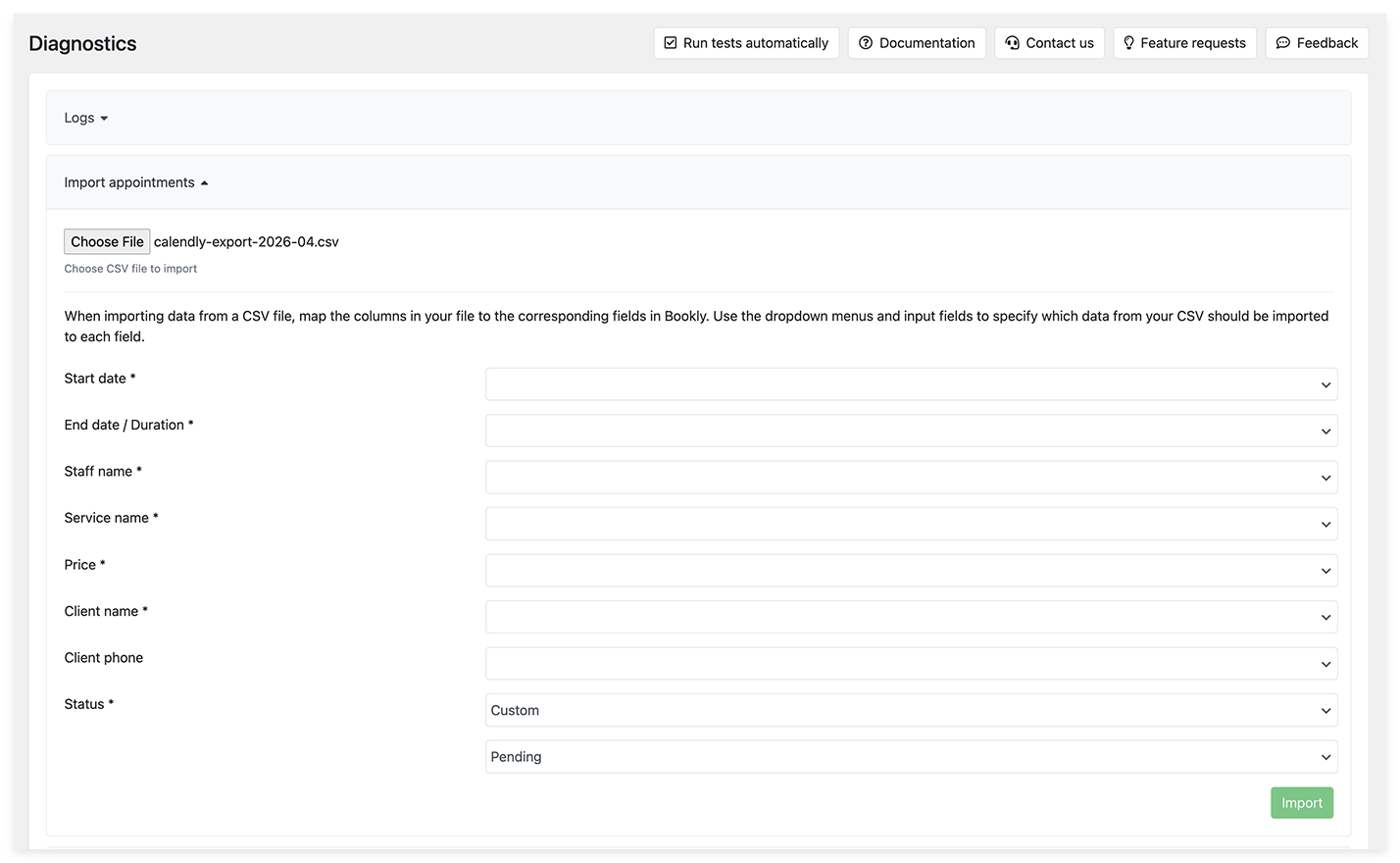
In WP admin, go to Bookly → Diagnostics → Import appointments. Click Choose file and upload the Calendly CSV. Bookly then asks you to map the CSV columns to Bookly fields:
- Start Date — appointment start datetime
- End Date / Duration — either an end timestamp or a duration in minutes (e.g.
60for 1h,85for 1h 25m) - Staff Name — column with staff member names (auto-creates staff if not yet in Bookly)
- Service Name — column with service names (auto-creates services if missing)
- Price — numeric appointment price (
100= $100); empty values must be set manually - Customer Details — name, email, phone columns
- Status — appointment status, or set a default (Approved / Pending) if absent
Click Import. Bookly returns a summary: staff members imported, services imported, appointments imported, customers imported. If something looks off, click Back, fix the CSV, and re-run — or use the Rollback option to undo the entire import and start clean.
Two things to know: imported appointments do not auto-sync to external calendars (Google Calendar, Outlook) — you’ll reconnect those per staff member after import. Notification emails are not sent for imported records, but reminder emails and SMS continue to fire as scheduled going forward.
Step 4 — Verify Event Types, Availability, and Integrations
In the Bookly admin: confirm service names, durations, and prices; set availability windows and working hours per staff; connect Google Calendar / Outlook for each staff member; reconnect payment gateways, notification templates, Zoom, and Zapier webhooks.
Step 5 — Update Booking Links and Embeds
Replace calendly.com/yourname links in your site, email signatures, and external profiles with your new yoursite.com/book URL. Replace Calendly iframe embeds with the Bookly shortcode [bookly-form] or the Bookly Gutenberg block. Calendly’s free plan keeps your existing link live during the transition — no forced hard-cut.
Frequently Asked Questions
Verdict — Should You Switch from Calendly to Bookly?
The bookly vs calendly verdict, after migrating 4 real Calendly accounts and comparing TCO, feature parity, and data ownership in detail, is scenario-based — not a blanket endorsement.
Switch If…
- ✓You already run WordPress and want booking native to your infrastructure.
- ✓You want to eliminate per-seat subscription costs ($261–$5,261 in 3-year savings depending on team size).
- ✓Your booking page URL matters for your SEO strategy.
- ✓GDPR data residency or data ownership is a compliance or policy concern.
- ✓You’re a service business — salon, clinic, coach, consultant — not a B2B sales organisation.
Stay on Calendly If…
- ✓You run a large sales team with round-robin routing and deep Salesforce or HubSpot sync.
- ✓Your vendor procurement requires SOC 2 Type II or ISO 27001 certification.
- ✓You have no WordPress site and no plans to build one.
Hybrid Approach: Use Both
Agencies building WordPress sites for clients already on Calendly can maintain Calendly for those who prefer not to migrate, and default to Bookly for all new WP projects. The TCO difference becomes a concrete line item in proposals — one clients can evaluate themselves.
Still weighing the bookly vs calendly decision? Start with the free version and test it against your actual workflow before committing to either path.
Ready to switch from Calendly to Bookly?
Install the free version, run a migration on a staging site, and compare on your real workflow.
Last updated August 13, 2026 · Calendly and Bookly prices verified August 13, 2026 · Bookly metrics from WordPress.org plugin reviews.