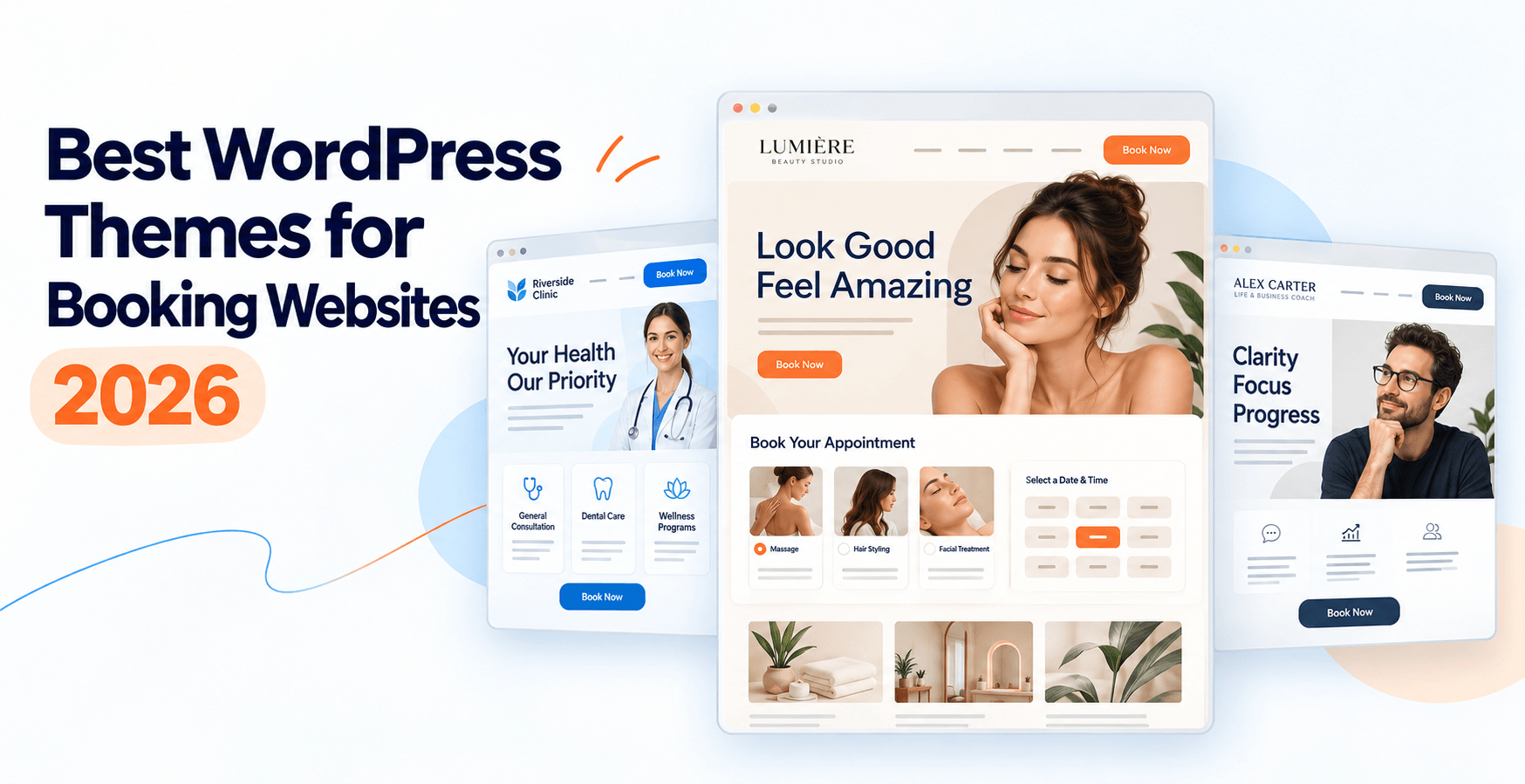
Best WordPress Themes for Booking Websites in 2026: A Bookly Team Guide
If you’re building a WordPress site that takes online bookings, your theme choice matters more than most people expect. A slow, bloated theme adds seconds to your booking form load time; a template with an inflexible header buries your “Book Now” button below the fold; a page builder your booking plugin can’t hook into breaks your form entirely.
We’ve watched Bookly run on thousands of themes over the past 12 years. In this guide we cover 9 WordPress themes that work well for service businesses — salons, medical practices, tutors, coaches, wellness studios — and specifically what to look for when your site needs to convert traffic into booked appointments.
Our three picks for different scenarios:
- Performance-first: GeneratePress — lightweight, fast, minimal design opinion.
- Builder-first with template library: Divi or Kadence — visual editing, big template libraries including service business layouts.
- Elementor ecosystem: Hello Elementor — Elementor’s own minimal base, zero theme opinion.
All nine themes below are compatible with Bookly’s booking form (through blocks, shortcodes, or page-builder widgets). The differences are in speed, template libraries, ease of customisation, and how the header/CTA area handles your primary “Book Now” call to action.
For a closer look at the plugin’s features and limitations, read our Bookly Pro review.
Prices for premium themes change frequently and often carry seasonal promotions — verify the current price on each vendor’s site before purchasing. All theme fit notes below are based on Bookly’s compatibility experience as of October 9, 2026.
Why your theme choice matters for booking sites
A booking website has one job most other WordPress sites don’t have: it needs to convert visitors into confirmed bookings, right there on the page. That changes what you should optimise for.
Page speed on the booking-form page. Your booking form loads inside your theme’s page shell. If the theme ships with a 400 KB base stylesheet, 12 fonts, sliders, and unused plugin scripts, your booking form waits behind all of that before it becomes interactive. Faster themes let the form appear sooner, which reduces abandonment on the “should I book” moment.
Mobile-first rendering. Most booking traffic today is on mobile. Your theme’s mobile stylesheet decides whether the booking form is a comfortable full-width flow or a squeezed sidebar element that customers pinch-zoom. Themes that don’t take mobile seriously in 2026 shouldn’t be on your shortlist.
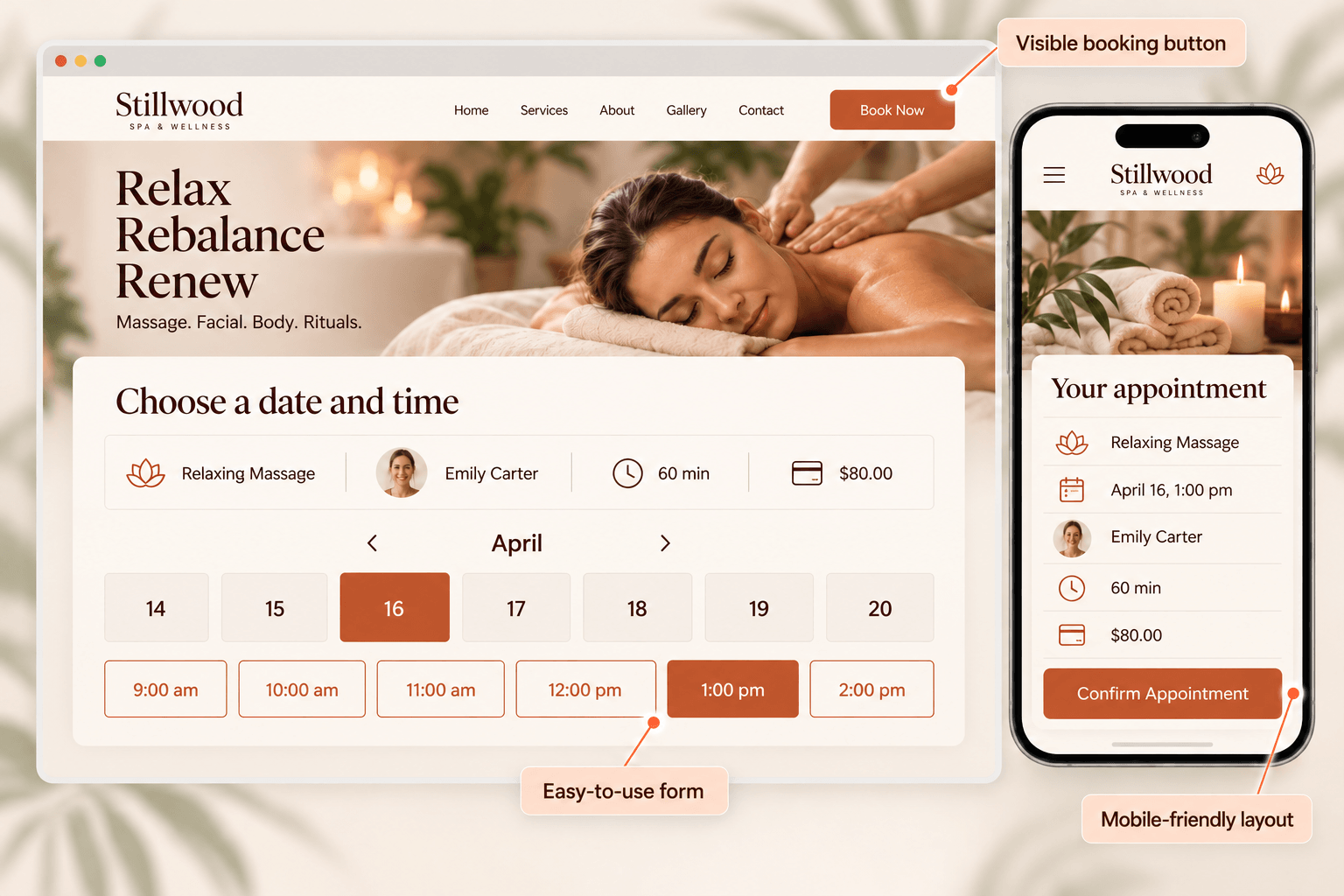
Header and hero CTA placement. Your “Book Now” (or “Book Appointment” or “See Availability”) button should be in the sticky header and repeated in the hero section. Themes with rigid header templates make this harder than it needs to be. Themes with a customisable header — where you can insert a button widget into the top-right slot — save you hours of workaround CSS.
Compatibility with your page builder. If you use Elementor, Divi Builder, Beaver Builder, or Gutenberg, your theme needs to play nicely with it. Some themes are built for a specific builder (Hello Elementor for Elementor; Divi’s own theme for Divi Builder); some are builder-agnostic (GeneratePress, Kadence, OceanWP). Pick a theme that matches how you already build pages, or one that supports what you’re planning to use.
Booking form insertion. Whether you’re using Bookly’s Gutenberg block, its Elementor widget, or the shortcode, the theme needs to render the form without breaking its CSS. Modern themes handle this without issue; we’ve had reports from customers using very heavily-customised premium themes where CSS specificity fights break form styling. We flag those in the notes below.
How we picked these nine
We drew on three sources: Bookly customer support ticket patterns over the past 12 months (which themes get flagged in compatibility questions and which never do), the current WordPress.org theme repository popularity list, and our own team’s testing across a rotating set of WordPress installations. We looked for themes that:
- Have active development and a real support channel.
- Work with Bookly’s booking form without workaround CSS in the default install.
- Give you flexibility to make the primary CTA prominent.
- Have either a strong free tier or a reasonable paid entry price.
We excluded highly niche premium themes (booking-only marketplace themes) and themes without a WordPress.org listing or active vendor support.
The 9 themes
1. Divi — visual editing + template library
Best for: designers who want visual page building and don’t mind a heavier codebase.
Divi is a theme and page builder combined, sold by Elegant Themes. It’s a design-first product — you build pages by dragging modules onto a canvas and configuring them visually. The template library is massive, with hundreds of pre-built layouts including salon, spa, medical, coaching, and consulting variants. If you like the look of a template, you can import it in one click.
Pros: best-in-class visual editor, huge template library, popular enough that hiring a Divi designer is easy, active development.
Cons: heavier than lightweight themes; you’re locked into Divi Builder for content; unbinding from Divi later is painful (shortcodes get left behind).
Bookly compatibility: confirmed. Bookly’s shortcode works inside Divi modules; the block editor version also works if you switch away from Divi Builder for booking pages.
Best pick for: designers or design-conscious site owners who want to build everything visually.
2. GeneratePress — performance-first
Best for: speed-conscious site owners who want minimal opinions from the theme.
GeneratePress is one of the fastest themes on the market. The base theme is under 30 KB unstyled; there are almost no design assumptions imposed on you. Premium unlocks a modular set of design controls and starter sites.
Pros: fastest-loading in this list; developer-friendly hooks; strong support forum; well-priced premium.
Cons: you get very little “design” out of the box — you build it yourself or import a starter site.
Bookly compatibility: confirmed. GeneratePress is a Bookly team favourite for fast booking forms.
Best pick for: site owners for whom speed and Core Web Vitals scores are a KPI.
3. Kadence — block-editor native
Best for: site owners committing to Gutenberg / block editor as their primary building interface.
Kadence is one of the strongest themes built around the block editor. It ships with a well-designed set of custom blocks (advanced accordion, tabs, testimonials, count-ups) and starter templates that render in Gutenberg — no separate page builder needed. Performance is competitive with GeneratePress.
Pros: block-editor native, growing template library, fast, active development.
Cons: newer than GeneratePress; smaller ecosystem of designers-for-hire.
Bookly compatibility: confirmed. Bookly’s Gutenberg block sits naturally alongside Kadence blocks.
Best pick for: site owners who prefer editing in Gutenberg over Elementor or Divi.
4. OceanWP — huge free starter library
Best for: site owners who want a good-looking site up in an afternoon without a page builder subscription.
OceanWP built its reputation on the number and quality of free starter sites. You install the theme and the OceanWP demo importer, browse a library of designs (many with service business templates), and import a full site in one click. WooCommerce integration is strong if you’re selling products alongside services.
Pros: big free starter library, WooCommerce-ready, page-builder-agnostic (works with Elementor, Beaver Builder, Divi Builder, Brizy).
Cons: codebase heavier than GeneratePress; some Pro extensions are needed for full customisation.
Bookly compatibility: confirmed. Works via shortcode and Elementor widget without adjustment.
Best pick for: site owners who want to skip the design work and start from a polished template.
5. Blocksy — modern block-editor theme
Best for: site owners who want a modern-looking design system without a heavyweight page builder.
Blocksy is a newer theme built for the block editor era. Design defaults are clean and modern (2025-era typography, spacing, subtle animations), and the Pro extensions add solid header/footer options and content blocks. Performance is competitive.
Pros: modern design defaults, fast, block-editor native, good for content-forward sites.
Cons: smaller community than GeneratePress; template library is smaller than OceanWP or Divi.
Bookly compatibility: confirmed via Gutenberg block and shortcode.
Best pick for: design-conscious site owners who don’t want to run a full page builder.
6. Neve — from Themeisle, AMP-ready
Best for: site owners looking for a lightweight, AMP-ready theme with a starter site library.
Neve is Themeisle’s flagship theme. It’s built lightweight (~28 KB base) and AMP-ready out of the box. The Sites Library gives you a solid set of starter designs including service business layouts. Pro unlocks additional header options and elements.
Pros: lightweight, AMP-ready, active development, well-documented.
Cons: design system is minimal — you’ll rely on starter sites or your own design.
Bookly compatibility: confirmed. Works cleanly with Bookly’s booking form.
Best pick for: sites with mobile-heavy traffic where AMP or performance matter.
7. Hello Elementor — Elementor’s minimal base
Best for: sites built entirely in Elementor where you want the smallest possible theme footprint.
Hello Elementor is Elementor’s own theme, designed to be the absolute minimum WordPress theme so Elementor’s builder does all the styling. It’s under 10 KB of CSS and JS. If you use Elementor for everything (header, footer, pages, posts), Hello Elementor stays out of the way.
Pros: smallest theme footprint in this list; officially maintained by Elementor.
Cons: requires Elementor (free or Pro) to be usable; not a general-purpose theme.
Bookly compatibility: confirmed. Bookly’s Elementor widget is a first-class citizen here.
Best pick for: Elementor-first sites where you want zero theme opinion.
8. Salient — premium with service-business templates
Best for: design-focused service businesses willing to invest in a premium theme with rich animations.
Salient (from ThemeNectar) is a premium theme with a strong reputation for design polish. It includes WPBakery Page Builder and a template library that includes salon, spa, medical, coaching, and consulting designs. Animation and micro-interaction options are more sophisticated than most themes in this list.
Pros: design-forward, strong template library, popular in creative service categories.
Cons: premium-only (no free tier); WPBakery-based (some site owners prefer Elementor or Gutenberg); heavier codebase than performance-first themes.
Bookly compatibility: confirmed via shortcode. Elementor widget also works if you replace WPBakery in specific pages.
Best pick for: design-focused salons, spas, and studios that want a polished premium look.
9. BeTheme — huge template library
Best for: site owners who want maximum choice from a template library.
BeTheme (from MuffinGroup) is known for its enormous template library — hundreds of pre-built designs across nearly every business category, including many service business options (salons, wellness, medical, tutoring, coaching). Includes Muffin Builder and works with Elementor and WPBakery too.
Pros: likely the largest template library of any single theme; premium price includes lifetime updates and support.
Cons: heavier codebase; the sheer number of options can be overwhelming for first-timers; Muffin Builder is proprietary.
Bookly compatibility: confirmed via shortcode and Elementor widget.
Best pick for: site owners who want to browse a huge template library and pick a design close to their vision.
Features to look for in a booking-site theme
Regardless of which theme you pick, here’s the checklist we suggest running against any candidate before you commit:
- Header customisation — can you add a persistent “Book Now” button to the header without workaround CSS?
- Hero section flexibility — can you place a booking CTA above the fold on the homepage?
- Page speed — does the theme’s demo site score 80+ on mobile Lighthouse?
- Booking form styling — does the booking form render with your theme’s typography and colours, or does it look grafted on?
- Mobile view — is the booking form comfortable to complete on a phone in portrait mode?
- Sticky header behaviour — does the header stay accessible as customers scroll, so the CTA is always one tap away?
- Page builder compatibility — if you plan to use Elementor / Divi / Gutenberg, does the theme actively support it?
- Support and updates — is the theme actively maintained (updates within the last 3 months)?
- Documentation quality — is there a clear docs site with search, or just a forum?
Common pitfalls to avoid
Picking a heavy multipurpose theme “because it has a booking template.” Many multipurpose themes include a “booking” or “spa” demo. That demo is a design; it doesn’t mean the theme is optimised for booking flow. If the theme also comes with 60 other demos, sliders, and a portfolio module, you’re carrying weight you don’t need.
Assuming any theme + any page builder = fine. Some combinations fight over CSS specificity. Test the booking form on your intended page-builder + theme combo before finalising.
Ignoring mobile Lighthouse scores. A theme demo might look fast on your desktop; on a mid-range Android phone on a 4G connection, it’s a different story. Run Lighthouse mobile on the theme’s booking demo page before you buy.
Buying a theme without checking the last-update date. Themes that haven’t been updated in 12+ months are compatibility risks — especially against WordPress core updates and modern page-builder versions.
Forgetting the booking-form page itself. The theme’s homepage design gets the attention, but the page where customers actually book is the one that converts. Make sure the booking-form page renders well before you commit.
Frequently asked questions
Does Bookly work with any WordPress theme?
In principle, yes — Bookly’s booking form renders through standard WordPress front-end methods (Gutenberg block, Elementor widget, shortcode). In practice, some heavily-customised premium themes create CSS specificity conflicts. All 9 themes in this list are confirmed working; if you’re using something more niche, test on staging first.
Which theme is fastest for a Bookly booking form?
In our internal testing, GeneratePress and Hello Elementor consistently score highest on Lighthouse mobile for the booking-form page. Kadence and Neve are close behind. Your actual scores depend on hosting, images, and other plugins.
Do I need a page builder to run Bookly?
No. Bookly’s Gutenberg block lets you insert the booking form on any page using the block editor. If you already use Elementor, Divi Builder, or another page builder, Bookly ships widgets or shortcodes for those too.
Is there a WordPress theme designed specifically for Bookly?
There are niche marketplace themes that advertise “Bookly-ready” designs. We don’t endorse a specific one — the nine themes in this guide are general-purpose themes we know work reliably with Bookly, which gives you flexibility if you switch booking plugins later.
Should I pick a free theme or a paid theme?
For a first booking site, a free theme (GeneratePress Free or Hello Elementor) is often enough. You upgrade to Pro when you need specific features — starter templates, advanced header options, additional design modules. There’s no need to buy premium on day one.
Can I switch themes later without losing my Bookly bookings?
Yes. Bookly stores all bookings, staff, services, and settings in the WordPress database, independent of your active theme. Switching themes may require re-inserting the booking form on your pages (block, widget, or shortcode) but no booking data is lost.
Which theme is best for a multi-location business?
Any of the themes in this list will handle a multi-location booking site. The difference is design flexibility: Divi, OceanWP, and BeTheme have starter templates with location-specific layouts. On the Bookly side, the Locations add-on handles the multi-location scheduling logic regardless of theme. It requires Bookly Pro and is purchased separately from the Pro plan; it does not work with the free version.
What about page speed impact on booking conversion?
Booking form abandonment increases sharply when time-to-interactive exceeds 3 seconds on mobile. The fastest themes in this list (GeneratePress and Hello Elementor) give you the best starting point; a solid host (any managed WordPress host with HTTP/2 and caching) is at least as important as the theme.
Theme compatibility, Bookly integration, and version 28.5 were checked as of October 9, 2026. Bookly has 60,000+ active WordPress installations and a 4.4-star rating on WordPress.org; the review count is 584 as of October 9, 2026. Theme prices, features, and template libraries change frequently — please verify current details on each theme vendor’s site before purchasing.