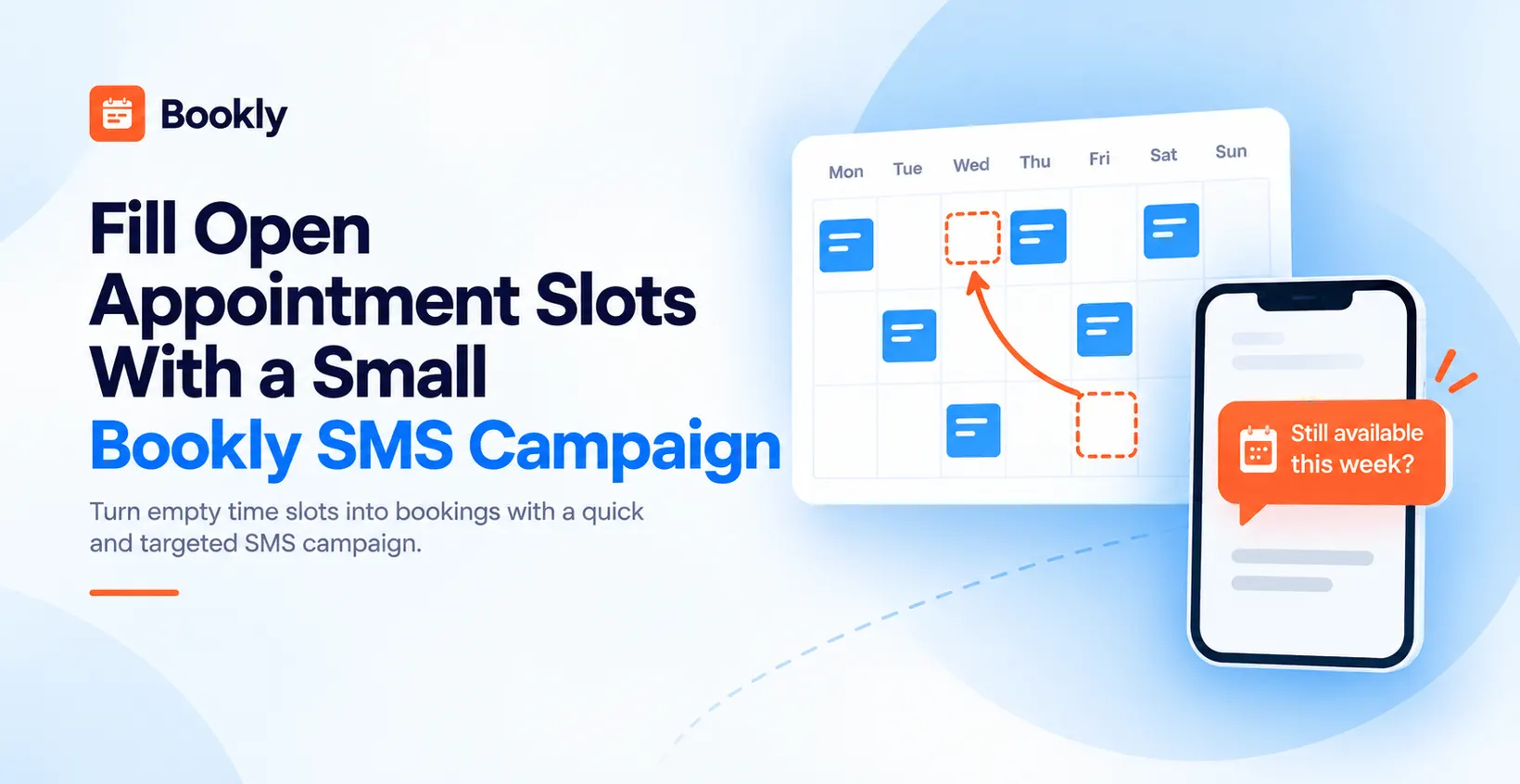
Fill Open Appointment Slots With a Small Bookly SMS Campaign
Empty slots on the calendar are not the same as a slow week — they are visits that could still happen if the right customers knew the opening existed. A short text to a small, permission-based list is the fastest way to test whether that is true, and Bookly SMS Campaigns runs the whole flow from your WordPress admin without a monthly subscription.
This guide walks a small, honest SMS campaign end to end: when it makes sense, who to send to, what to write, what it costs, and how to tell whether it worked. Example numbers are illustrative; the workflow is real and matches what you will see in your Bookly admin today.
When a small SMS campaign makes sense
Not every gap in the schedule is worth a promotional message. Before you spend anything on SMS, four conditions should be true at once:
- Specific open slots this week. A whole empty Tuesday reads different from three isolated afternoon openings. Both work — but know exactly which times you are advertising.
- Regular customers who visited recently. Returning customers are far more likely to book than cold names. Look for people who came in during the last 60 to 90 days for a matching service.
- Documented consent for promotional SMS. Appointment reminders and promotional messages are different categories, and consent for one does not cover the other. Without a written opt-in for promotional SMS, do not send.
- A genuine offer. Real availability, real prices, no invented scarcity, no last-minute discount that undercuts customers who paid full price yesterday.
To fill empty appointment slots with a Bookly SMS campaign:
- Confirm you have open slots this week and regular customers who consented to promotional SMS.
- Build a small reviewed list of 20 to 50 customers who match the offer.
- Write a short message with the times, a booking link, and a "Reply STOP" opt-out; check its segment count.
- Check the price per SMS segment for each destination country in SMS Notifications → SMS Details and estimate the campaign cost yourself.
- Send manually 24 to 48 hours before the open slots.
- Track new appointments in the advertised window over the following seven days.
If those conditions do not match, hold off. Do not blast the whole list, do not manufacture urgency, and do not staple a discount onto a service reminder. When they do match, the rest of this guide is the recipe.
A concrete example (illustrative)
Disclosure: Ember Hair Studio is a made-up business. Numbers below are for illustration only and are not a real customer case.
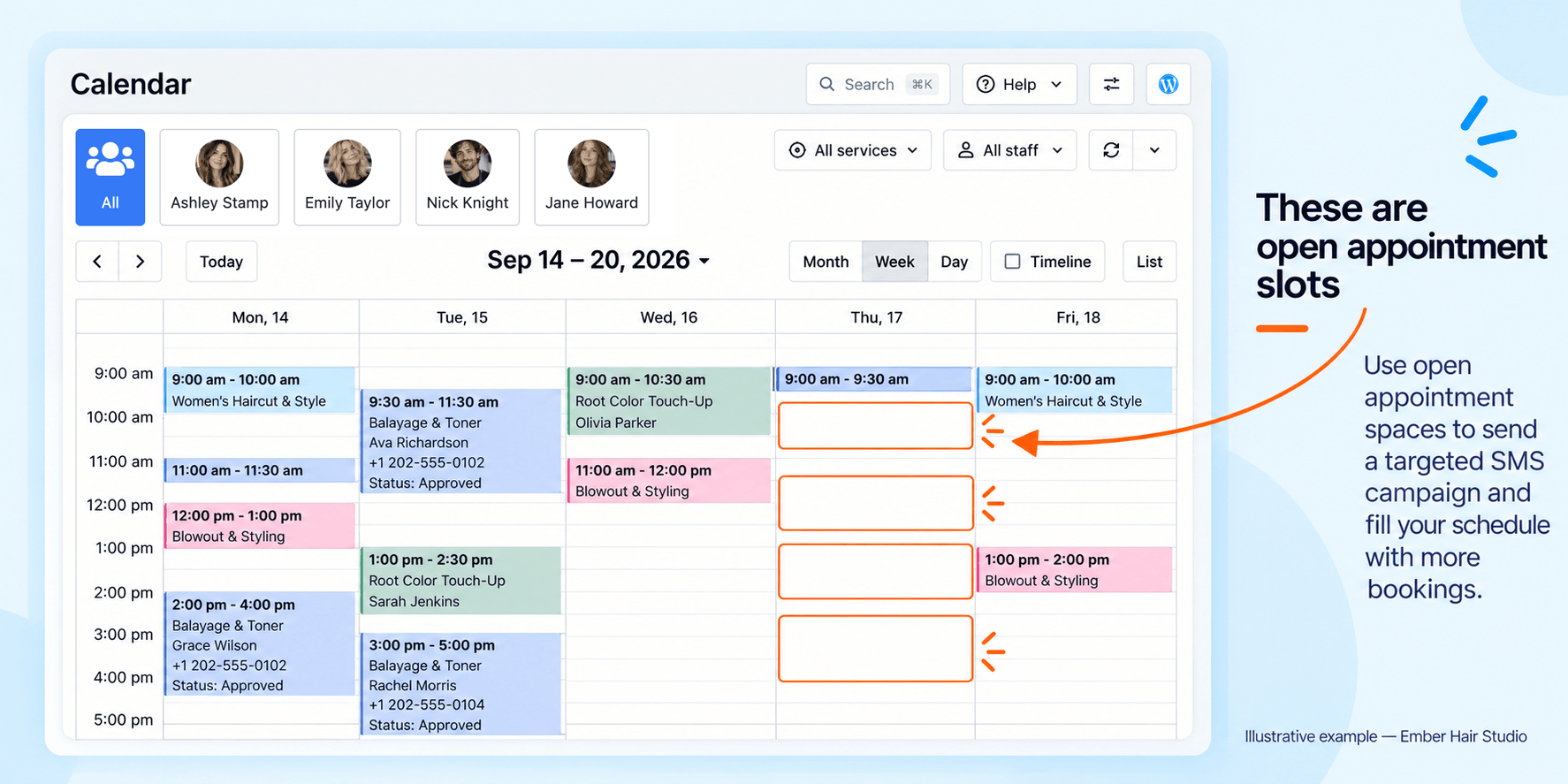
Ember Hair Studio, a small independent salon, notices on Monday that two slots are still open for Thursday — at 10 am, and one each at 2, 3, and 5 pm. Average service around $50.
The owner reviews a list of 40 customers who visited in the last 90 days for matching services and opted into promotional SMS. She writes one short message with the times and a booking link, checks its segment count, and estimates the cost before sending. For 40 customers receiving one segment each in the same destination country, she multiplies 40 by the current per-segment rate shown in SMS Notifications → SMS Details. She compares that estimate with the contribution from any extra bookings before deciding to send.
The point of running the numbers is not to guarantee an outcome — nobody can. It is to know in advance how many bookings the campaign needs to pay for itself, so you can decide whether the offer is strong enough.
Choose the right group of customers
Who receives the message is the single biggest driver of the outcome. A reviewed manual list of 20 to 50 people who plausibly want to hear from you nearly always outperforms an unfiltered blast to hundreds.
In SMS Notifications → Campaigns → Mailing lists, you can add recipients manually or filter by service, provider, number of appointments, and payment history. Bookly gives you the controls — it does not guarantee the list is correct, so always review before you send.
What to check on the reviewed list:
- Recent activity. Customers who visited in the last 60 to 90 days are the strongest signal.
- Service match. If the open slots are one-hour cuts, target customers who booked one-hour cuts before.
- Consent on record. Only include customers who specifically agreed to promotional SMS. Consent to reminders is not the same permission. Bookly has no consent filter when adding mailing list recipients. Export your customer list to Excel, check consent in each customer's profile, and manually separate out eligible recipients before building the mailing list.
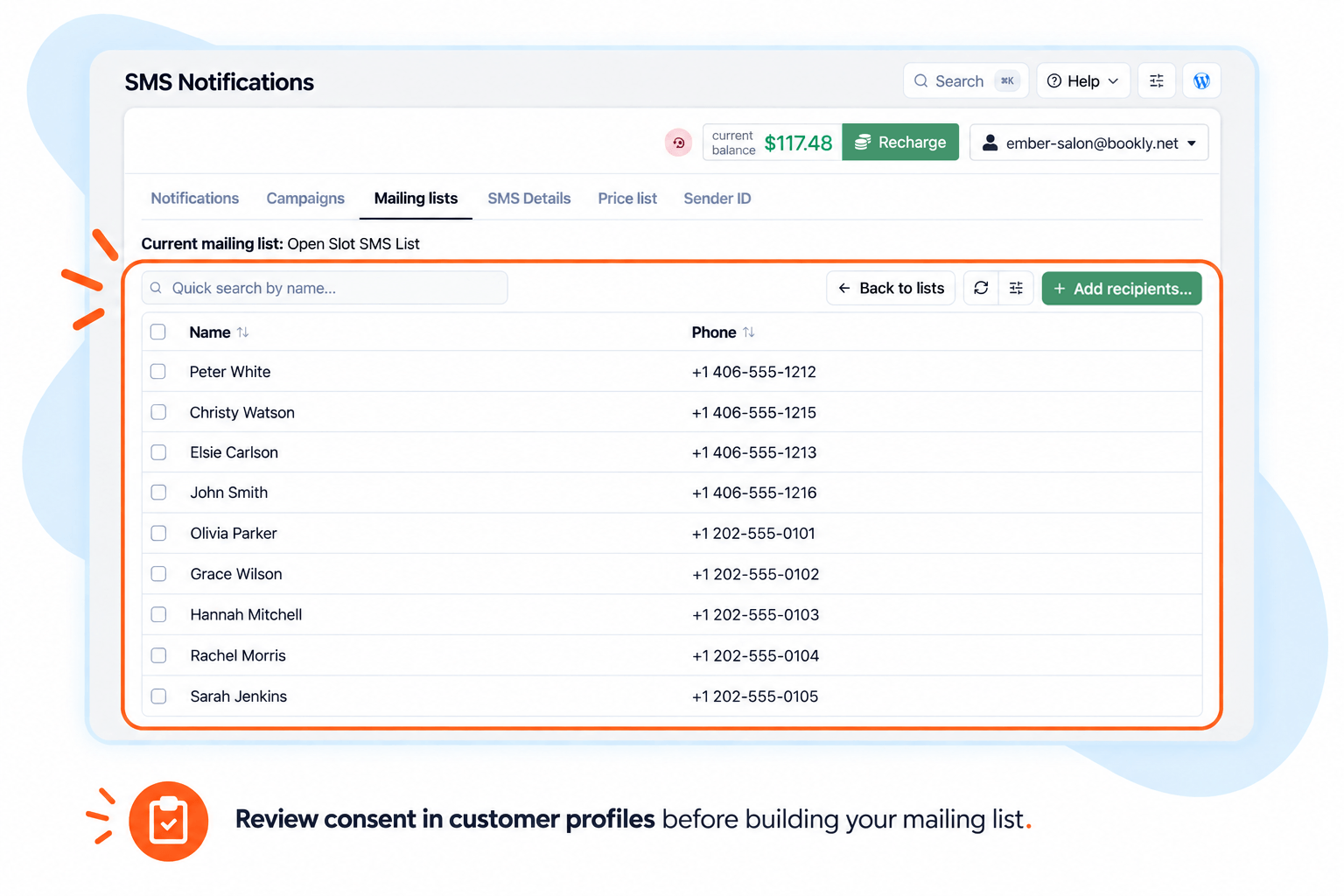
Before sending, make sure you have permission to send promotional SMS, clearly identify your business and include a short opt-out instruction in every promotional SMS, such as "Reply STOP to opt out."
Write a short SMS that fits one segment
A single SMS segment on the GSM-7 alphabet is 160 characters. Messages with characters outside the GSM-7 alphabet — Cyrillic, Chinese, many accented letters — are sent in Unicode (UCS-2), where one segment holds only 70 characters, so the same reminder in another language can take two or three segments. Longer messages split into multiple segments, and you pay per segment. If one message quietly turns into three because of an emoji or a long tracking URL, campaign cost triples without anyone noticing.
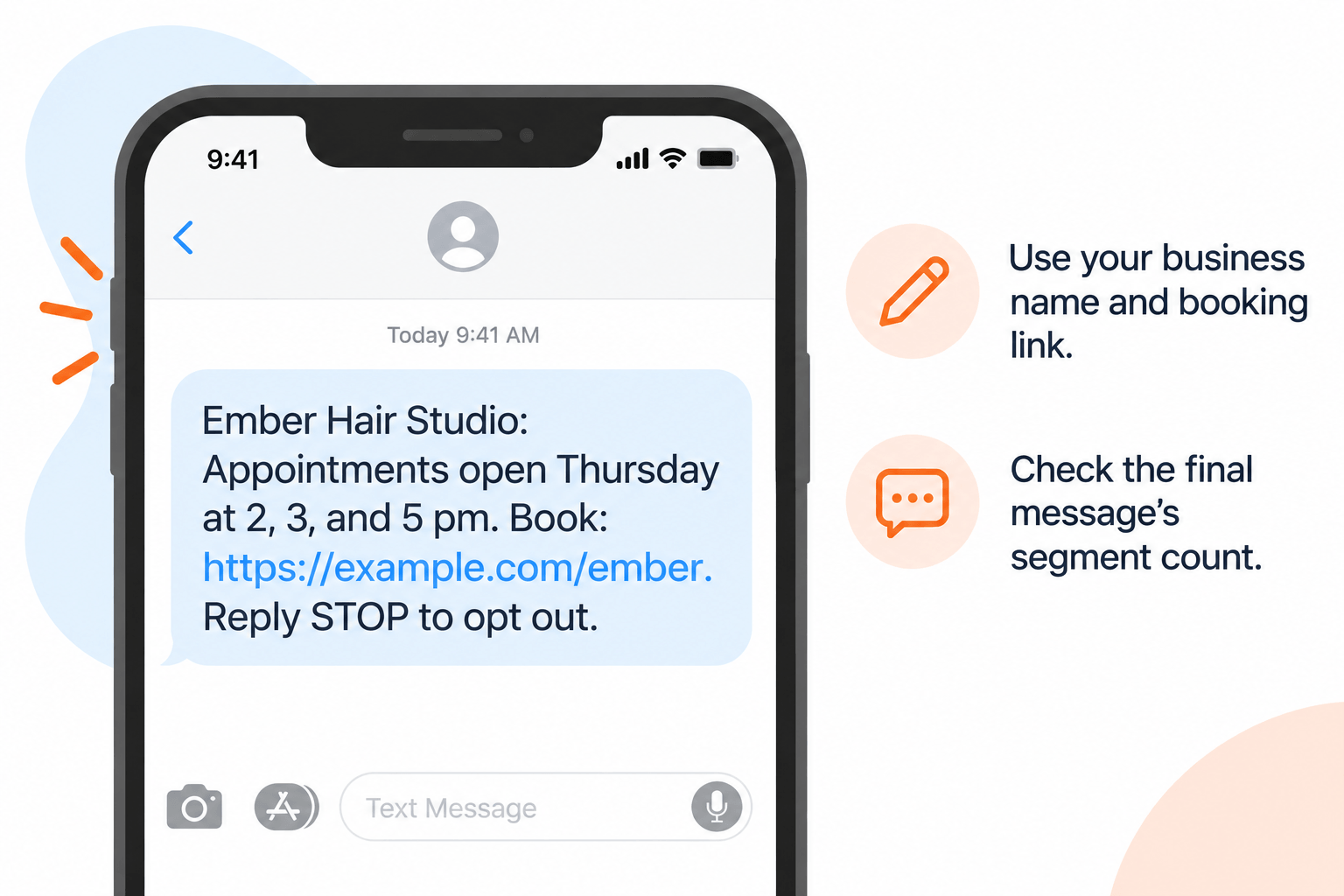
Use this example as a starting point:
Ember Hair Studio: Appointments open Thursday at 2, 3, and 5 pm.
Book: [SHORT_URL]. Reply STOP to opt out.
Type your own business name in place of Ember Hair Studio and replace [SHORT_URL] with your booking link. Include "Reply STOP to opt out". Check the complete final text in an SMS segment counter before saving: the business name, link, and character encoding can change the number of billable segments.
What to strip out:
- Emoji. One emoji flips the message from GSM-7 to UCS-2 and cuts segment length to 70 characters. A single party-popper can double the bill.
- Long URLs. Use a short link. Full tracking URLs eat 50+ characters on their own.
- Greetings with unreliable merge tags. If some records have no first name,
HibecomesHi ,on send. Better to skip the greeting than send a broken one. - Anything that reads like a reminder. This is a promotional SMS, not a reminder. Reminders go automatically to booked customers via Bookly Notifications; promotional campaigns go to your mailing list via Bookly Campaigns. Keep the two separate — mixing them is a fast way to confuse recipients and trigger opt-outs.
For setup details on both categories, the Bookly SMS setup guide and the Notifications overview walk through the differences.
Estimate the cost before you send
Bookly does not display a total campaign cost before sending. In SMS Notifications → SMS Details, check the current price for one SMS segment for each destination country. You can also check destination-specific rates in the Price List tab. Use those rates and the segment count of your final message to estimate the campaign cost yourself:
Recipients × segments per message × price per segment
If your recipients are in different countries, calculate each destination group separately and add the estimates together. Check that your Cloud balance covers your estimate before sending.
For recipients in the same destination country, let r be the current price per segment shown in SMS Details:
| Recipients | Estimate for a one-segment message | Estimate for a three-segment message |
|---|---|---|
| 50 | 50 × r | 150 × r |
| 200 | 200 × r | 600 × r |
| 500 | 500 × r | 1,500 × r |
A three-segment message costs three times as much as a one-segment message at the same rate. That also raises the amount you need to earn back to cover the campaign cost.
To estimate the extra bookings needed to cover SMS costs, divide your estimated campaign cost by the contribution from one extra appointment and round up to a whole booking. Use the service price minus the variable costs of providing that appointment, rather than the full service price.
Compare that number with the slots available and a realistic booking response. If the campaign would need more bookings than the available slots can generate, reduce the list, shorten the message, or reconsider the offer before sending.
Send manually and set a deadline
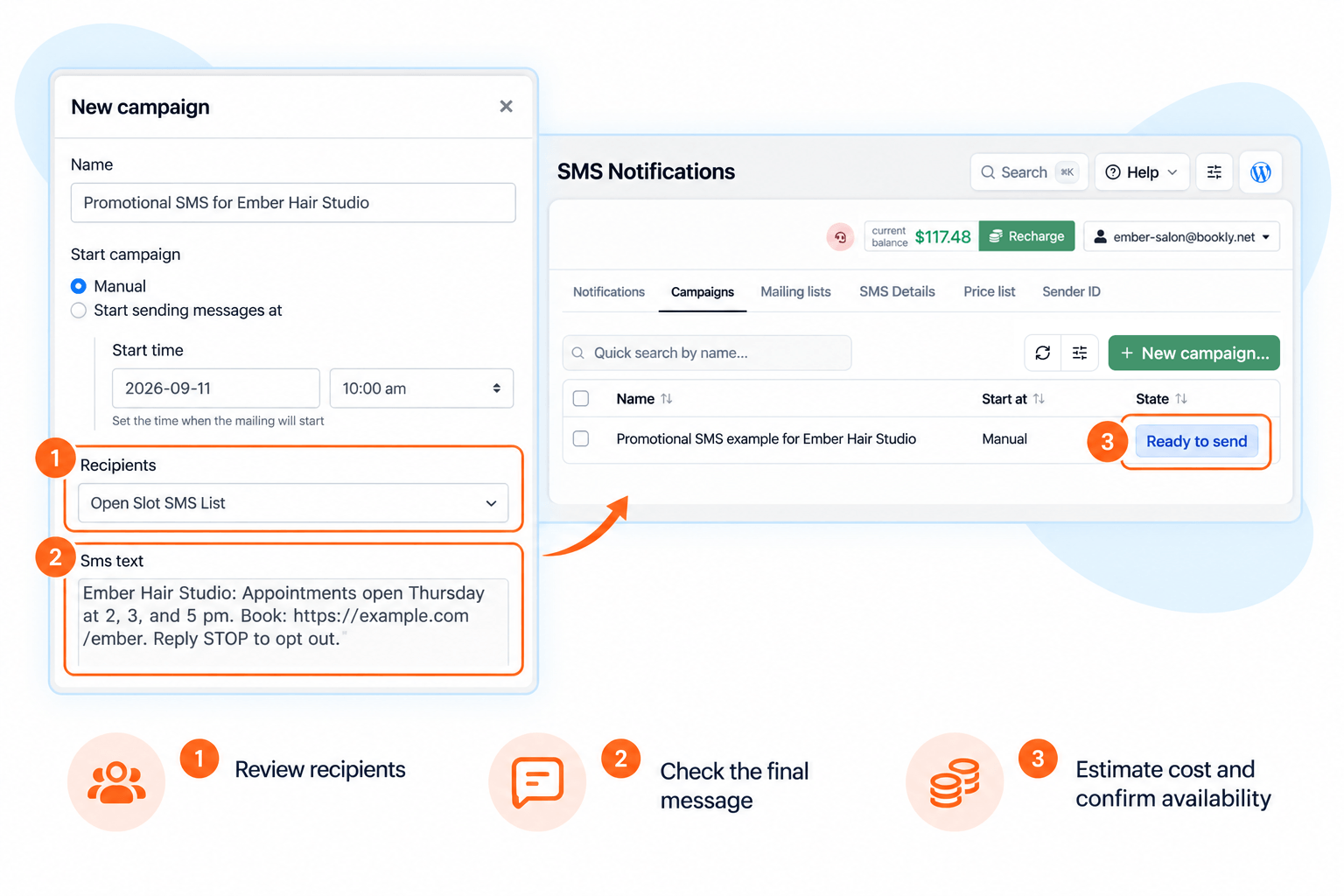
Before sending, review your recipient list and message, estimate the cost, and check how many appointments are still available. Choose a small recipient list that fits that availability. Pressing Send starts the campaign for the whole selected list, and its status may change to Completed immediately. Complete these checks before launching; do not rely on pausing the campaign as slots fill.
Timing rules of thumb for a "fill Thursday" campaign:
- Send Monday evening or Tuesday morning, not Thursday. Give people a 24 to 48 hour window.
- Advertise only times you can honour. Recheck availability before sending and again before planning any follow-up.
- Review results after sending. Check SMS Details for delivery statuses and errors, then track bookings for the advertised times. Resolve delivery issues before sending another campaign.
The workflow: SMS Notifications → Campaigns → New campaign → select your reviewed mailing list → add your final message → Send. Estimate the cost yourself before pressing Send. For a longer walk-through with screenshots, see the Bookly SMS mailing campaigns setup guide.
Measure what actually happened
A small campaign deserves a small measurement plan. Do not try to attribute every future booking to the SMS — watch the specific outcomes it was supposed to produce.
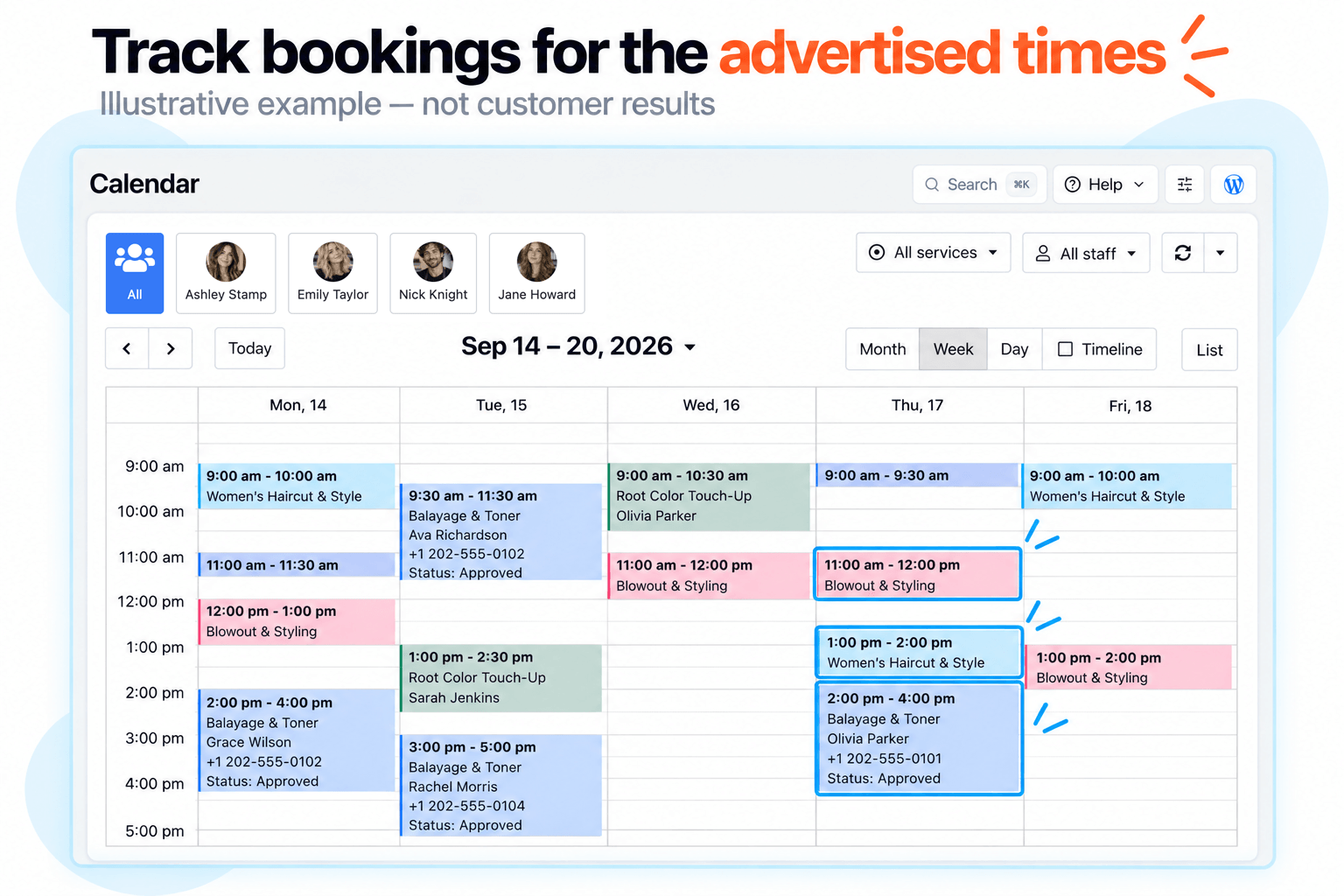
Three numbers to watch, in order of importance:
- New appointments in the advertised time window, over the next 7 days. The direct outcome. If you advertised five Thursday slots and three booked between the send and Thursday morning, the campaign worked.
- New appointments overall in that same 7-day window. Sometimes the message nudges someone to book a different slot. Count these as partial attribution.
- SMS delivery rate in SMS Notifications → SMS Details. If more than a few percent are failing, something is off with the list, sender, or destinations — fix before the next send.
What not to measure: click-through on the SMS itself. Native click-tracking is not built into Bookly Campaigns today, and a tracked URL usually eats characters and adds cost. For a small campaign, the calendar is the source of truth — if the slots fill, the campaign worked.
Before planning another campaign, address any consent problems, duplicate sends, delivery errors, or messages that arrived after the offer expired. Recheck your list, availability, and estimated cost before sending again.
Frequently asked questions
How do I fill last-minute salon appointment cancellations?
Build a short reviewed list of regular customers who visited recently for a matching service and opted into promotional SMS. Send one short message with the open times, a booking link, and a "Reply STOP" opt-out — 24 to 48 hours before the slot, not on the day. Track new bookings in that window over the next week.
Can I text existing customers without their consent?
No. Consent to appointment reminders does not cover promotional SMS. Check each customer's profile to confirm permission for promotional text messages from your business. There is no consent filter for mailing list recipients: export the customer list to Excel and manually keep only eligible recipients before building your mailing list.
How much does one SMS message cost through Bookly?
Check the current price per SMS segment for the destination country in SMS Notifications → SMS Details or in the Price List tab. Bookly does not show a total campaign estimate before sending. Calculate it yourself by multiplying recipients by segments per message and the destination's per-segment rate; calculate each country separately if needed, then add the estimates.
What is the difference between an appointment reminder and a promotional SMS?
A reminder goes automatically to a booked customer with details of a visit they already made. A promotional SMS goes to a mailing list to encourage new bookings. They are set up in different areas of Bookly — Notifications for reminders, Campaigns for promotions — and are governed by different consent rules.
How many customers should I include in an SMS campaign?
For a first campaign, 20 to 50 well-matched recipients is enough to test the offer without large upfront spend. Once you know your break-even, you can scale — but keep the message short and the segment count at one.
Do I need Bookly Cloud to send an SMS campaign?
Yes — SMS delivery for Bookly Campaigns runs through Bookly Cloud. You top up a balance and pay per segment as you send. There is no monthly SMS subscription, and adding Cloud does not change your existing plugin setup.
Ready to try your first SMS campaign?
Bookly Cloud runs SMS Campaigns directly from your WordPress admin. Top up your balance, send when you are ready, and pay only for the messages you send — no monthly SMS subscription.
Prefer to see the setup screens first? Walk through the Bookly SMS mailing campaigns setup guide.