Bookly 28.8: Meet Your AI Admin Assistant
You know what you want to change in Bookly—but you may not know where to find the right setting.
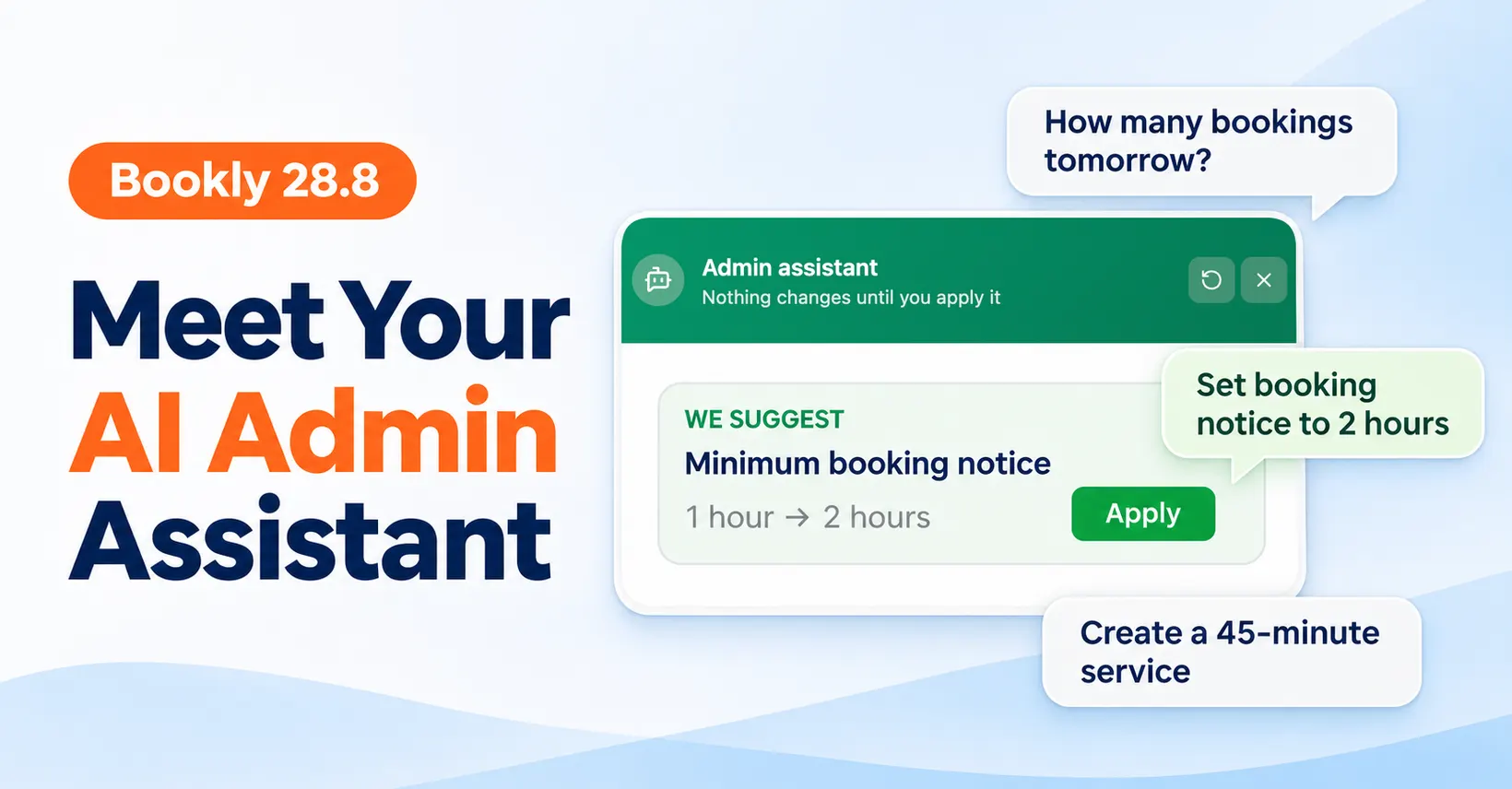
Bookly 28.8 introduces AI Admin Assistant, a chat inside your WordPress admin that helps you configure Bookly.
Spend less time searching through settings and more time running your business. AI Admin Assistant works with your actual Bookly setup, turning requests into changes you can review and apply right in WordPress—with you in control of what gets saved.
Start with what you need
You don’t always need to change a setting. Sometimes, you just want a clearer picture of the day ahead: how many appointments are booked, who’s busy, and where there’s room for another booking.
Here are a few requests to try:
Check your bookings
- “How many appointments are booked for tomorrow?”
- “Show me this week’s cancelled appointments.”
See your team’s workload
- “How many appointments does each staff member have today?”
- “Does Anna have any available slots for a Gel Manicure tomorrow afternoon?”
Update your setup
- “Set the minimum booking notice to two hours.”
- “Create a 45-minute service called Gel Manicure and assign it to Anna.”
Understand your settings
- “How can I remind customers before their appointments?”
- “Which settings should I check to start taking deposits?”
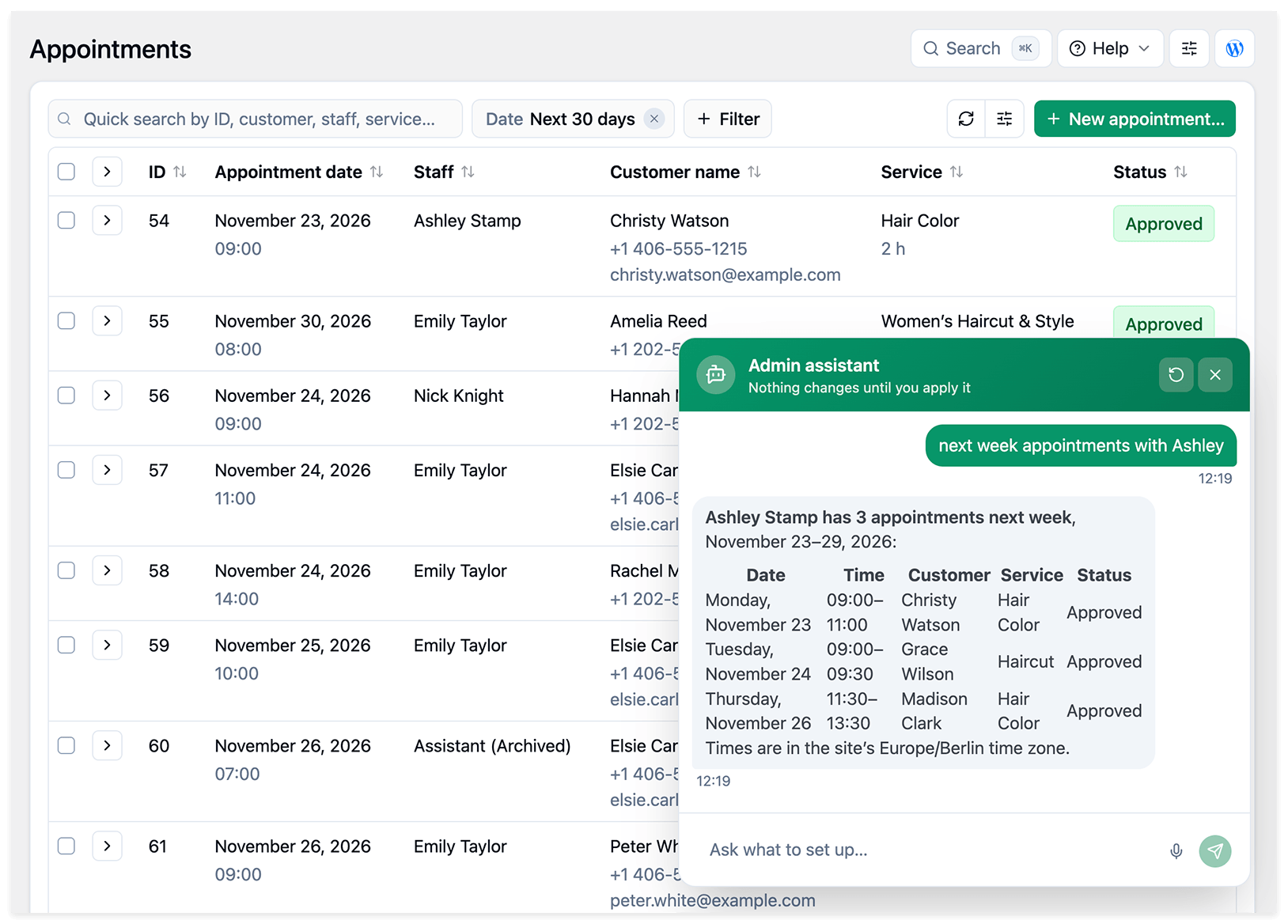
The assistant uses relevant Bookly settings and data to answer your questions. When a request involves changing your setup, it prepares a proposal for you to review. Available capabilities depend on your installed Bookly version and add-ons.
Review before you apply
Each proposal explains the changes and shows the previous and proposed values. Apply saves them; Undo lets you restore the previous values afterward.
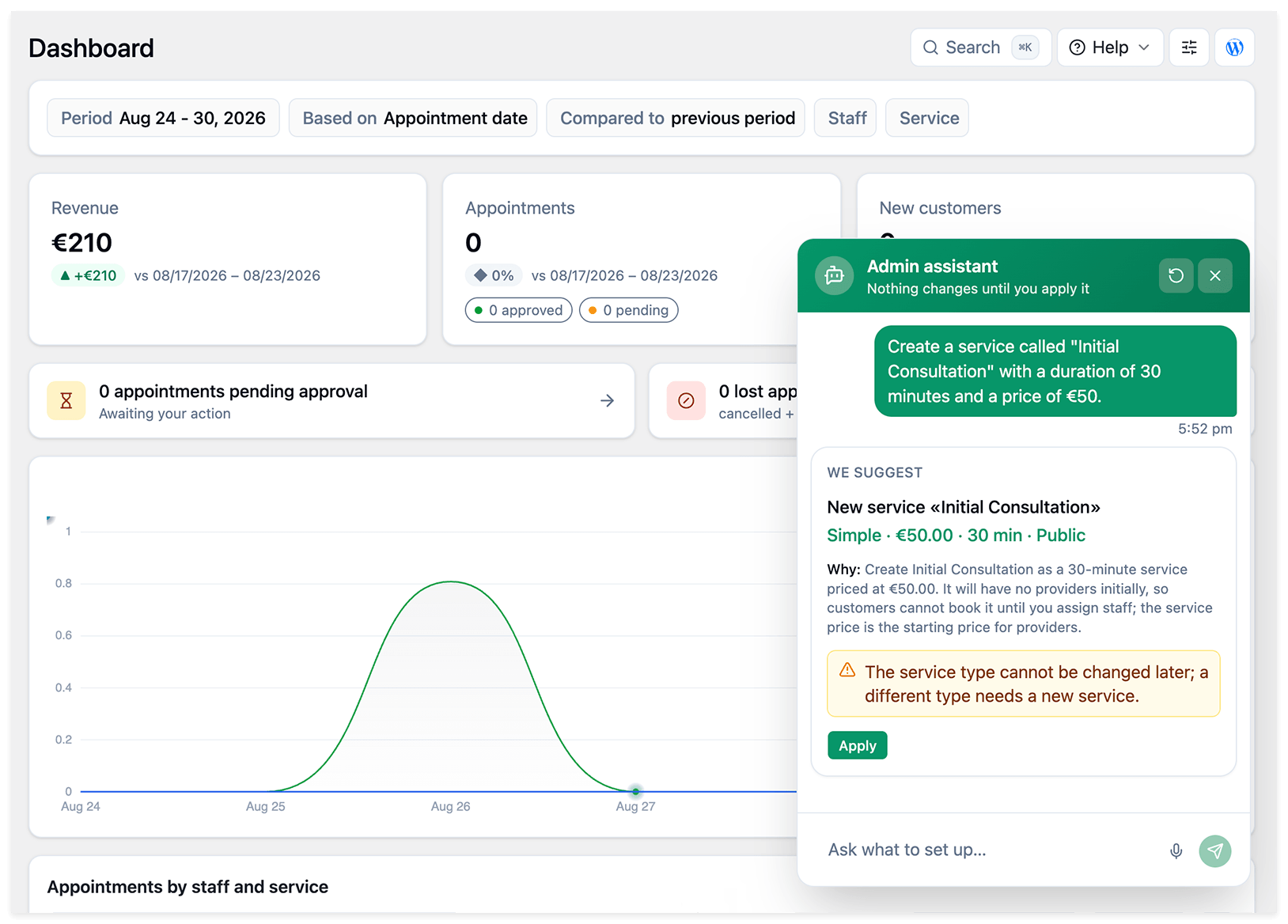
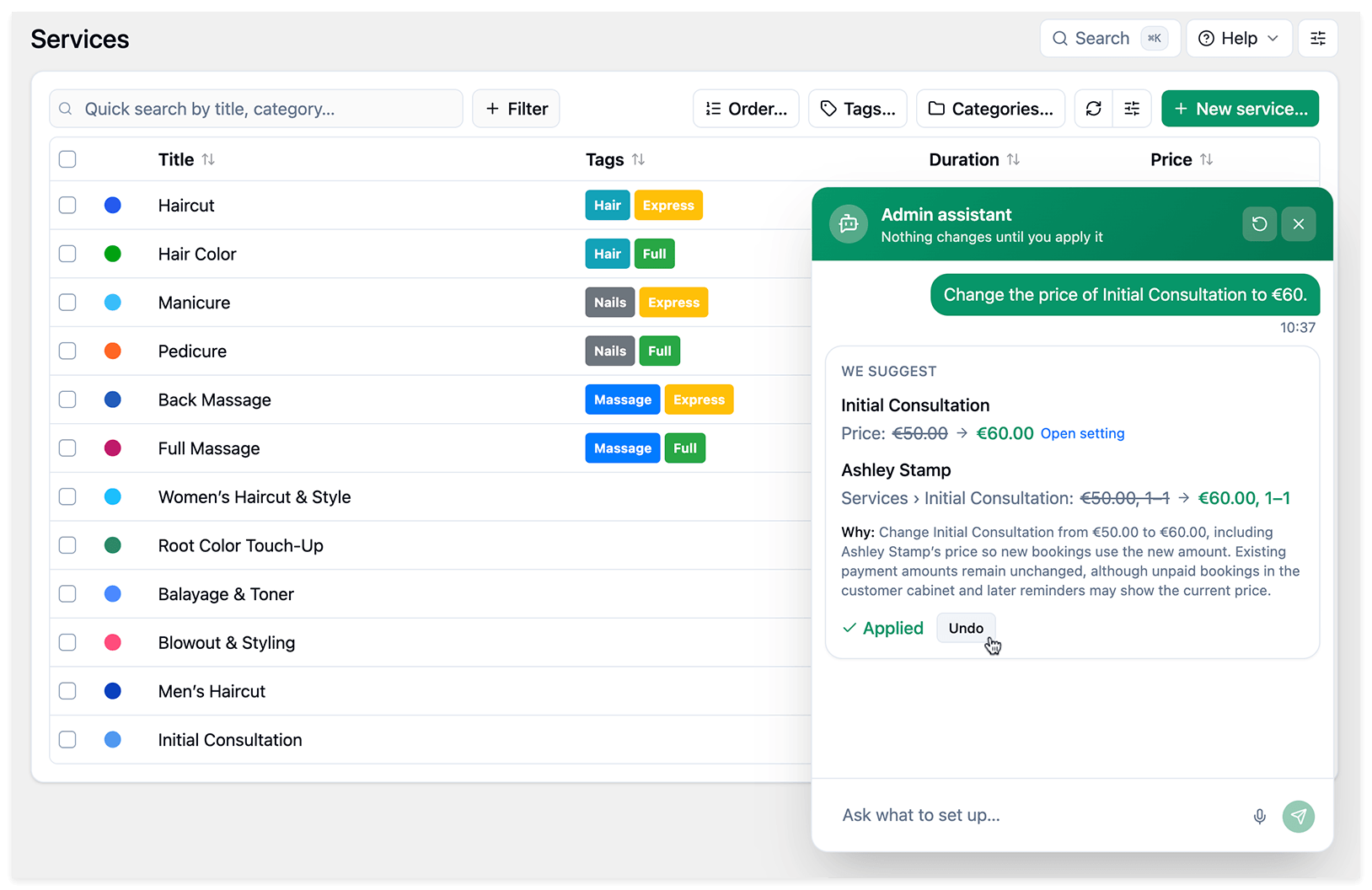
AI Admin Assistant focuses on configuration and information. It does not create, reschedule, or cancel appointments.
Try AI Admin Assistant
Activate it in Bookly Cloud, then open a Bookly admin page and click Admin assistant in the bottom-right corner. No separate AI account or API key is needed.
AI Admin Assistant is free during the launch offer. It will become a paid product later, with pricing announced in advance.
Read the AI Admin Assistant setup guide.
What else is new in Bookly 28.8?
This release also brings updates to AI conversations and appointment handling:
- Voice input in AI chats. Use dictation to enter your messages.
- Payment status checks. Bookly now checks payment status before automatically rejecting unpaid appointments.
- Improved customer-facing AI Assistant. Updates cover answers about services and business hours, selection options, and conversation continuity as customers navigate your website.
Explore the update
Back up your website and database before updating, and make sure all installed Bookly plugins and add-ons are up to date.